
Introduction
Therefore Sonar-Medium-Chat AI — chatbots, fixed assistants, or knowledge tools — you should understand not only what a production model does, moreove how it works down the hood, how to integrate it at scale, and when to choose one alternative over another. This in-depth 2025 pillar article unpacks Sonar-Medium-Chat (a mid-tier Perplexity Sonar model) from an NLP, engineering, and product perspective. You’ll get architecture insights, API examples, deployment patterns, cost/latency tradeoffs, and an expert comparison with other leading chat models
What Is Sonar-Medium-Chat?
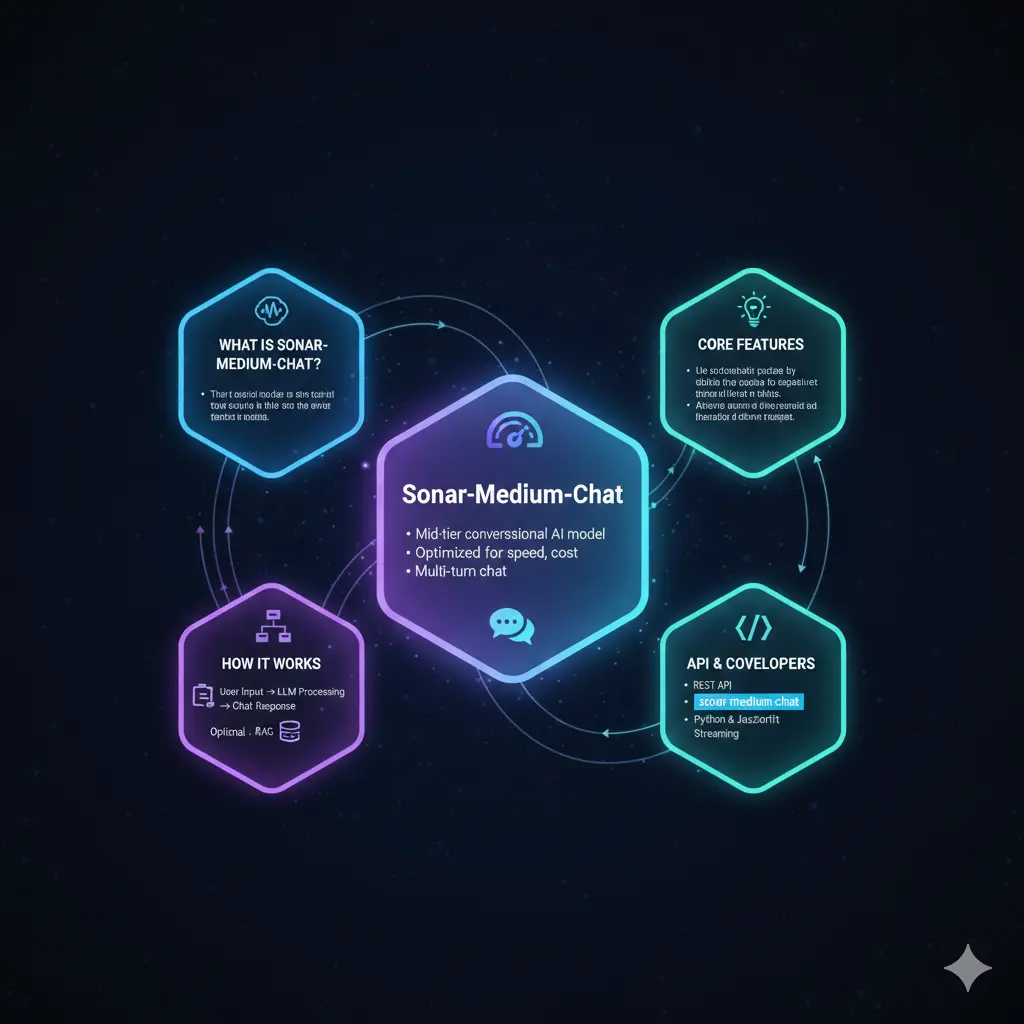
Sonar-Medium-Chat is Perplexity’s mid-tier, chat-optimized LLM in the Sonar family, engineered for balanced throughput, latency, and cost for multi-turn conversational applications.
Sonar-Medium-Chat vantage point, sonar-medium-chat is a conversational transformer tuned for interactive dialogue. Therefore It’s neither the smallest footprint model nor the deepest research engine — it’s the pragmatic middle option: high enough capacity to preserve contextual coherence across turns, but compact enough to reduce per-token compute.
Primary Design Goals:
- Low inference latency for responsive UX
- Predictable token costs for production scale
- Stable multi-turn state handling (context window + system role control)
- Deterministic behavior under constrained temperature regimes (recommended 0.0–0.3)
Typical workloads:
- Customer support triage
- In-app onboarding assistants
- Internal knowledge bots
- Product walkthroughs and help centers
As a chat-only variant, it does not perform live web retrieval by default; Perplexity’s separate “online” models add a live search/citation layer.
How Sonar-Medium-Chat Works
This section frames sonar-medium-chat in canonical NLP architecture terms and highlights the practical behavioral characteristics engineers and PMs need to know.
Model Family Anatomy
- Base LLM (transformer decoder or decoder-only with cross-attention for retrieval) — the core autoregressive engine that maps token sequences to conditional token distributions.
- Fine-tuning/instruction tuning layer — specialized instruction data and RLHF-like alignment steps that tune the model for dialogic safety, user intent alignment, and style.
- Optional grounding layer — retrieval augmentation and web grounding available in sonar-medium-online and sonar-pro variants.
Important Internal
- Tokenizer: Subword tokenizer (BPE or SentencePiece variant). Efficient tokenization helps control cost and batch packing.
- Context window: Moderate context window (sufficient for multi-turn chat and typical KB chunks). If your app needs very long docs, you will need RAG or chunking sliding windows.
- Attention mechanism: Standard dense attention; likely optimized with fused kernels and flash attention for latency.
- Decoding: Greedy or nucleus sampling with temperature controls — for predictable assistant behavior, use low temperature and deterministic decoding strategies.
- Calibration and uncertainty: Medium models often require output confidence heuristics (e.g., token entropy, normalized log-probs) for gating low-confidence answers.
Chat-Only vs Online Models: Behavior Tradeoffs
Chat-only (sonar-medium-chat):
- Deterministic, fast, cost-efficient.
- IF Diminished hallucination when tasks are in-domain (with adequate prompts and system messages).
- No citations or live data — so not suitable for “what’s happening right now” queries.
Online variants (sonar-medium-online):
- Combine the LLM output with a retrieval+ranking layer that attaches sources.
- Latency and cost increase; you gain freshness and source traceability.
Multi-Turn State Handling
sonar-medium-chat preserves turn history in the context window. Best practices:
- Summarize older turns and store summaries as system/context vectors to preserve semantic state without blowing the token budget.
- Use vector embeddings to store user slots and surface them as short system messages to re-inject relevant info.
Retrieval-Augmented Generation
- Create embeddings for KB chunks (e.g., using a high-quality embedding model).
- Use a vector store (FAISS, Milvus, Pinecone, etc.) for nearest-neighbor queries.
- Retrieve top-k passages, then feed them as context in the system or assistant role with provenance metadata.
- Prefer sonar-medium-online for direct web citations; for private corpora, RAG + sonar-medium-chat is a cost-effective hybrid.
Key Features & Technical Specs
Quick Feature Checklist
- Purpose: Conversational, multi-turn chat
- Category: Mid-tier Sonar model
- Optimized for: Throughput, latency, and cost balance
- Best for: Real-time assistants,bots, help desks
- Not ideal for: Extensive multi-document synthesis, legal/medical definitive citations (use pro variants)
Important Technical Characteristics
- Tokenization efficiency — affects compute/sample cost.
- Perplexity / NLL metrics — expect mid-range perplexity: not as low as pro models, but adequate for fluent responses.
- Sequence-to-sequence coherence — preserves persona and system instructions well when system messages are present.
- Embedding fidelity — suitable for semantic search pipelines; pairing with a dedicated embedding model yields the best retrieval performance.
- Latency — tuned for single-query latency in conversational budgets (e.g., sub-second to low-second depending on region and load).
- Streaming support — supports token streaming for better UX (progressively render token stream in UI).
- Control knobs: temperature, top_p, max_tokens, system message, stop tokens, and streaming event hooks.
Security & safety Sonar-Medium-Chat
Perplexity applies moderation layers and content filters during inference — still implement application-level safety checks:
- Redact PII in prompts
- Rate-limit abusive inputs
- Use model response classifiers for hallucination detection
Sonar-Medium-Chat vs Other Perplexity Models
Use this as a quick reference table for selection and featured-snippet-friendly copy:
| Model | Chat-style | Live Web Search | Best For | Typical Use Case |
| sonar-small-chat | ✔ | ❌ | Lightweight interactive chat | Low-cost assistants |
| sonar-medium-chat | ✔ | ❌ | Balanced conversational quality | Production bots |
| sonar-medium-online | ✔ | ✔ | Chat + fresh info | News, release notes, citations |
| sonar-pro / deep-research | ✔ | ✔ (advanced) | Heavy research & citations | Legal, medical, academic |
Selection rule of thumb: For stable, in-product conversational flows with predictable latency/cost, start with sonar-medium-chat. Add a retrieval layer or switch to sonar-medium-online only, where freshness and citations are required.
Real-World Use Cases Sonar-Medium-Chat
Below are patterns and recipes across developer, enterprise, and product teams, described in NLP terms (RAG, embeddings, context management).
For Developers
In-app assistants
- Goal: Provide quick contextual help and reduce support load.
- Pattern: Session framing (system message), slot-filling for user properties, short RAG for FAQ retrieval.
- NLP recipe: Use intent classifier → map to KB chunk IDs → fetch embeddings → retrieve top-k → pass as context to sonar-medium-chat.
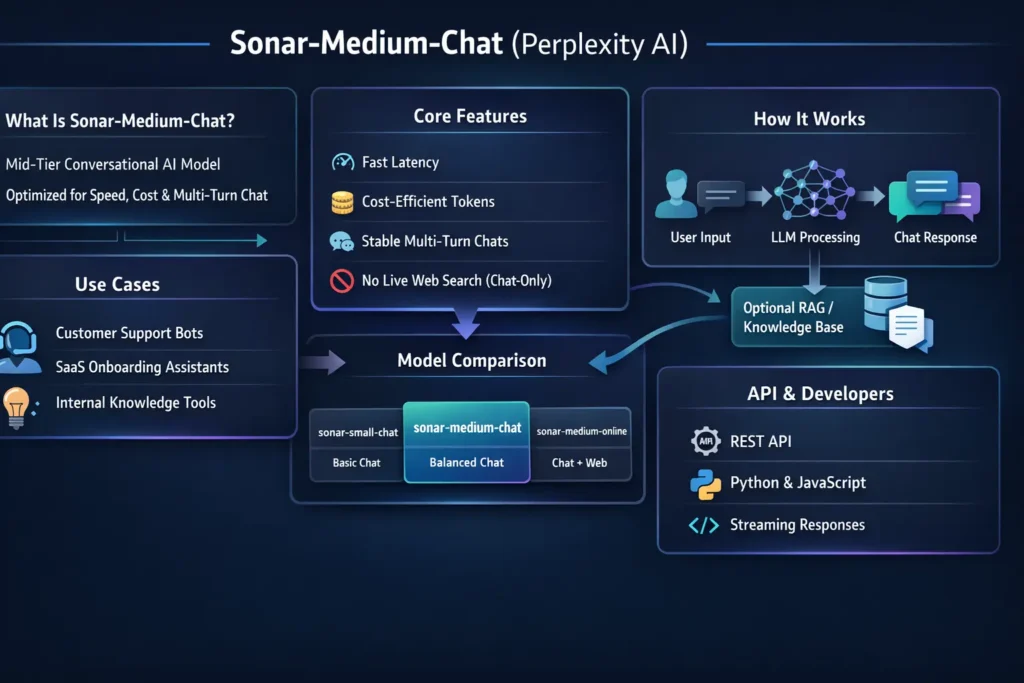
Features, API flow, use cases & model comparison — perfect for developers in 202
Code & Product Help
- Goal: Explain errors, propose fixes.
- Pattern: Provide sanitized logs and minimal reproducible examples as context, set temperature=0.0–0.2 for deterministic answers.
- NLP tip: Generate code patches via constrained prompt, validate with unit tests.
Hybrid AI flows
- Default: sonar-medium-chat for conversational tasks.
- Fallback: sonar-medium-online for queries flagged as needing freshness (e.g., “latest release”).
- Implementation: Intent classifier or heuristic that inspects tokens like “today”, “latest”, “current” to route to online model.
For Enterprises
Customer Support Bots
- Workflow: Ingest tickets → extract entities & intents via NER/NER models → map to KB via semantic search → generate response with sonar-medium-chat.
- Scaling: Use caching for canonical responses; store session summary to compress context.
Internal knowledge assistants
- Use case: HR policies, compliance lookup.
- Strategy: Build an index of policy documents, annotate with metadata, use RAG + conservative prompting to avoid hallucination.
Ticket Triage
- Pipeline: Short classification model for priority → sonar-medium-chat to draft initial reply → human review for escalations.
For Product & Research Teams
Meeting Notes Summarization
- Approach: Transcribe audio → segment into semantic chunks → feed into summarization prompt with max_tokens tuned to produce concise summaries.
- NLP metric: Evaluate with ROUGE/semantic similarity to gold summaries.
Feature Feedback Analysis
- Approach: Use clustering over embeddings to surface common themes → use sonar-medium-chat to summarize clusters.
Rapid Prototyping
- Pattern: Use low latency model to experiment in UI; if accuracy deficits appear, escalate to a pro variant or add retrieval.
How to Use Sonar-Medium-Chat via API
Below are practical integration patterns, code examples, and production-grade suggestions, rephrased in NLP engineering terms.
Note: The API endpoint and exact request format may evolve — treat these examples as canonical pseudocode that maps to Perplexity’s chat/completions endpoint.
Get API Access
- Sign up at Perplexity for developer/API keys.
- Secure keys in secret managers (HashiCorp Vault, AWS Secrets Manager).
- Rotate keys periodically and scope permissions.
Choose The model
Set model: “Sonar-Medium-Chat” in your request. Use sonar-medium-online only when you need live web grounding.
Recommended Setting Sonar-Medium-Chat
- temperature: 0.0–0.3 for low hallucination, predictable output
- top_p: 0.8–0.95 if you want some diversity
- max_tokens: set conservative per turn; include chunking strategy for long tasks
- system message: define assistant persona and expected format (JSON, short bullets, etc.)
Error Handling & Telemetry
- Retry on 429 with exponential backoff
- Timeout requests with circuit breakers
- Instrument token usage per request
- Store generation logs for auditing & offline QA
Streaming UX
- Enable streaming to incrementally render tokens in the UI
- Use partial candidate scoring to display “confidence” indicators
RAG Integration
- Index: Chunk documents (512–1500 tokens depending on domain), compute embeddings.
- Retrieve: Embed user query → cosine search top-k (k=3–7).
- Filter: Use MMR or re-rank for relevance & diversity.
- Assemble prompt: Insert top passages into the system or as an assistant message with provenance.
- Generate: Call sonar-medium-chat with deterministic settings.
- Postprocess: Extract citations and display source links.
Caching & Token economics
- Cache frequent completions keyed by (intent + normalized user query).
- Use compact prompts & compressed session summaries to reduce token usage.
- Consider a two-step flow: classification (cheap model) → generation (sonar-medium-chat) for complex queries.
Pricing & Performance Expectations
Because Perplexity may update pricing tiers, treat numbers as illustrative. Always confirm via official Perplexity docs.
Simple summary
- Sonar-medium-chat costs more than the very small models, but is considerably cheaper than pro/deep-research variants.
- Pricing is token-based: input tokens + output tokens contribute to costs.
Illustrative Billing Table
| Metric | Example Estimate (illustrative) |
| Input (1M tokens) | $1–$3 |
| Output (1M tokens) | $5–$15 |
| Per chat request | fractions of a cent (depends on tokens) |
Important: These are estimates; verify on Perplexity’s pricing page.
Performance Telemetry you should collect
- Average tokens per session (input/output)
- Average latency (p95, p99)
- Token cost per session
- Failure rates (4xx/5xx)
- Hallucination rate (via human QA and automated checks)
Cost optimization Techniques
- Limit max_tokens per request
- Use summarization to compress dialogue history into short context windows
- Cache templated answers and vary them mildly for Personalization
- Use a cheaper classification model for shallow decisions
Benefits Over Competitors Sonar-Medium-Chat
From an NLP engineering angle, the main differentiators center on control, cost profile, and model composition.
Compared to ChatGPT
- Switching flexibility: Sonar family emphasizes model variants (chat vs. online) for controlled tradeoffs.
- Cost: Sonar medium often aims for a lower per-token cost in mid-tier applications.
- API ergonomics: Similar chat/completions paradigms; choose based on ecosystem fit.
Related to Claude
- Safety design: Claude emphasizes constitutional RL and safety; sonar aims balance between safety and deterministic behavior.
- Performance: Claude’s strengths are safety and conversation style; sonar competes on latency and cost.
Compared to Gemini
- Tooling & ecosystem: Gemini integrates tightly with Google Cloud tools and search; Sonar provides flexible online/offline variants.
- Customization: Choose Sonar for tighter control of cost and predictable multi-turn performance.
NLP note: Every model will show different hallucination profiles. Instrument and measure with domain-specific test suites.
Pros & Cons Sonar-Medium-Chat
Pros
- Balanced quality/cost for production chat
- Fast, predictable latency
- Good for multi-turn conversational flows
- Easy upgrade path to online/pro variants
Cons
- No live web by default (needs online variant or RAG)
- Not ideal for heavy research, deep citations (use pro)
- Specs and pricing can change — always verify
FAQs Sonar-Medium-Chat
Yes. It’s designed as a production chat model with predictable latency and cost.
No. Use sonar-medium-online or a retrieval augmentation pipeline for fresh or cited information.
Limit tokens per request, cache frequent replies, summarize conversation history, and use low temperature.
On Perplexity’s developer site (always confirm the current model name/pricing there).
Conclusion Sonar-Medium-Chat
Sonar-Medium-Chat is a pragmatic choice for teams that need a production-grade conversational model: it strikes a balance between responsiveness, cost, and multi-turn coherence. For most in-product assistants and support bots, it’s an excellent starting point. When you need fresh web content or legal-grade citations, layer retrieval or switch to the online/pro variants.
