
introduction
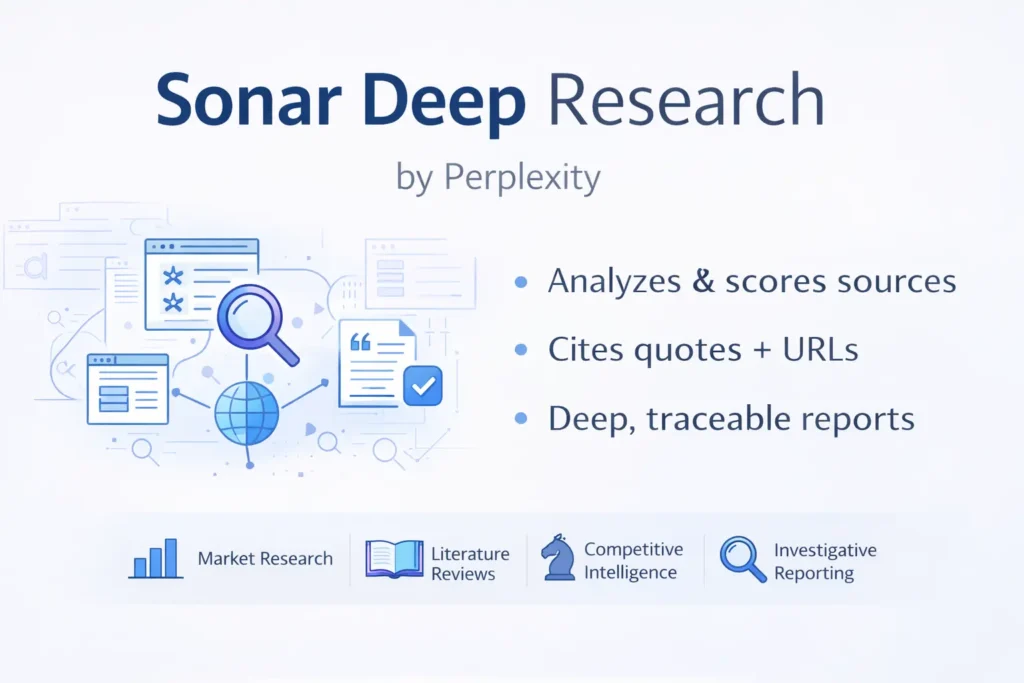
Sonar Deep Research (Sonar) is Perplexity’s research-centric model family designed for multi-step, evidence-rich information synthesis. In terms, it’s a retrieval-augmented, multi-query pipeline that combines query decomposition, dense+sparse retrieval, cross-encoder re-ranking, claim extraction, and a final generative synthesis with explicit citations and confidence estimates. Sonar trades latency and compute for traceability and analytical depth — ideal for literature reviews, finance research, investigative journalism, and competitive intelligence where provenance matters.
Operationally, Sonar spawns many search queries, fetches documents, compresses them (summaries, claim-level snippets), computes relevance and trust scores, and synthesizes a ranked report. This depth increases token usage and per-request overhead, so cost modeling is essential. Best practices: harvest sources first, require short exact quotes + URLs, cross-check claims (two-source rule), cache intermediate results, and add human verification stages to reduce hallucinations. This guide covers architecture, retrieval choices, cost examples, benchmark design, recipes, API patterns, verification workflows, SEO-ready publishables, and a guide for engineers and content teams.
What is Sonar Deep Research?
Sonar Deep Research is an RAG-style, multi-query pipeline designed to perform exhaustive retrieval, evidence scoring, and evidence-aware generation. Rather than a single “retrieve-and-generate” step, Sonar decomposes the research task into many subqueries, runs multiple retrieval passes (diverse indexes, web snapshots), compresses documents to claim-level evidence, scores each claim by relevance/credibility/recency, and finally synthesizes a narrative where each claim can be traced to one or more direct quotes and URLs.
Why It Exists Sonar Deep Research:
Standard conversational models can produce coherent text but often lack the structured sourcing and cross-checking required for publishable research. Sonar embeds retrieval and verification patterns into its operational loop: query expansion, parallel search, candidate passage extraction, cross-encoder re-ranking, and explicit citation assembly. It’s intended to shift from “plausible-sounding” answers to “traceable and reviewable” outputs.
Who should use it? Sonar Deep Research:
Engineers, research analysts, investigative reporters, compliance teams, market intelligence groups, and product teams that need deep, multi-source syntheses with provenance.
How Sonar Works — Architecture & Retrieval Strategy
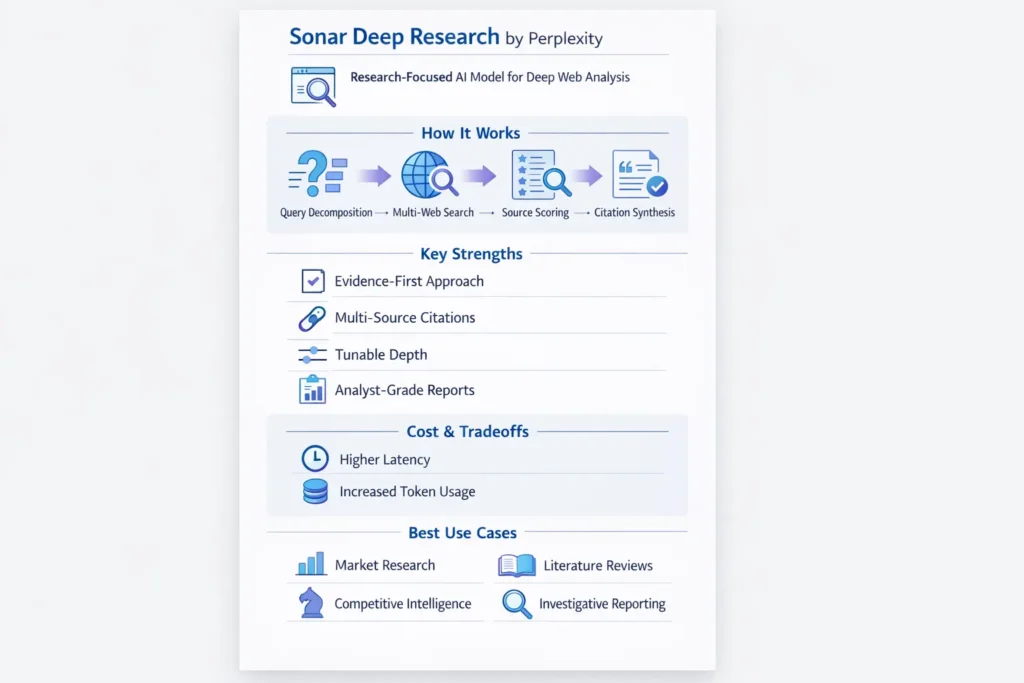
Query Decomposition
- Input: short user question or research brief.
- Operation: Apply a decomposition model (often a smaller seq2seq) to generate subqueries that cover orthogonal angles, temporal ranges, and synonyms. Example outputs: [“historical background”, “recent regulation (2019–2025)”, “key players”, “counterarguments”].
Parallel Web Searches
- Sonar issues dozens of searches across:
- live web indexes (search engine APIs),
- internal crawls,
- specialized corpora (papers, blogs, news),
- cached snapshots.
- Retrieval strategies: BM25 (sparse), dense vector search (embeddings via SentenceTransformers / OpenAI embeddings), and hybrid retrieval (score fusion).
Candidate Fetch & Passageization
- Pages are fetched and split into passages (e.g., 150–300 token windows) with overlap.
- Each passage is normalized (remove nav, boilerplate), metadata extracted (title, date, domain), then compressed into summaries or claim-lists via an extractive summarizer.
Two-Stage Relevance Scoring
- Stage 1: Lightweight bi-encoder (fast dense similarity) to prune the candidate set.
- Stage 2: Cross-encoder or interaction model for fine-grained re-ranking (slower but higher precision).
- Signals used: Semantic similarity, recency, domain authority, anchor text, social signals, paywall flags.
Claim Extraction & Citation Anchoring
- For high-rated access, Sonar annals claim sentences and stores exact quotes + character offsets + URL, + date.
- Calls are labeled with a confidence score determined from evidence redundancy (how many independent causes corroborate), source rule, and recency.
Synthesis & Evidence-First Generation
- The generative model synthesizes a narrative sorted by confidence and includes in-line citations and short quote snippets. It provides a verification checklist: each claim maps to quote(s) and URL(s).
- Optional: provide machine-readable outputs (CSV, JSON) listing claims, scores, and sources for downstream tooling (dashboards, spreadsheets).
Tuning Knobs
- Reasoning_effort (low|medium|high): Controls the number of searches + depth of cross-encoder re-ranking.
- Search_context (low|medium|high): Controls how many past conversation turns or seed sources are included.
- Max_output_tokens: controls verbosity.
- These knobs allow dynamic depth vs latency trade-offs.
Key Features Sonar Deep Research
- Autonomous multi-step retrieval: Automated decomposition → parallel retrieval → re-ranking loop.
- Citation-first outputs: Exact quotes + URLs attached to claims.
- Tunable depth & cost: Control via reasoning flags and pagination of searches.
- Large-context handling: Works with long contexts by chunking + compression (extractive summaries, sparse indexing).
- Provider integrations: Exposed via Perplexity API and third-party gateways (OpenRouter, etc.).
- Exportable artifacts: CSV/JSON of evidence map, HTML reports, and verification checklists.
Pricing, Tokens & Real Cost Examples Sonar Deep Research
How Costs Typically Add Up
- Input tokens — user prompt and retrieved context fed into the model.
- Output tokens — synthesized report, citations, and quotes.
- Search/query fees — per web search or per citation call (some providers bill for external search overhead).
- Per-request overhead — provider-specific fixed fees.
Important model: Providers often bill tokens and search overhead separately. When using many searches and long outputs, per-request overhead grows.
Example Illustrative Unit Costs
- Input token rate: $2 per 1,000,000 tokens
- Output token rate: $8 per 1,000,000 tokens
- Search/query fee: $5 per 1,000 searches (illustrative)
(These numbers are placeholders — verify actual provider pricing.)
Micro Example calculator
- Output: 3,000 tokens → $0.0240
- Search queries: 20 searches → $0.10
- Total per request ≈ $0.127
Scale Example:
- 10,000 offer × $0.127 ≈ $1,270
- 100,000 requests × $0.127 ≈ $12,700
Reasonable cost-Curb Tips
- Left demand: Ask for a hasty first and request details next.
- Cache search results and intermediate fetches; Reuse across related requests.
- Limit reasoning_effort for exploratory runs; Reserve high settings for curated, publishable reports.
- Limit the number of citations included by value (cost per citation).
- Batch multiple small queries into a single higher-latency run when appropriate.
Benchmarks & Real-World Accuracy
Public Signals & Expectations
- Sonar is positioned to produce more citations and deeper outputs than lightweight search-chat models. Community benchmarking suggests an advantage in depth but variability by topic.
How To Design a Robust Benchmark
- Assemble a domain-specific question set — 50–200 questions covering subtopics and difficulty levels.
- Define gold sources — pick authoritative sources (peer-reviewed, regulatory docs, primary company filings).
- Run Sonar & alternatives on each question using identical prompt scaffolds.
- Metrics to measure:
- Accuracy: Percent of claims matching the gold truth.
- Citation correctness: Does the URL actually support the claimed sentence?
- Recall of gold sources: Fraction of gold sources retrieved.
- Hallucination rate: Claims with no supporting quote or fabricated citation.
- Latency & cost per query.
- Publish artifacts — Raw CSV, evaluation script, and visualization (charts) so others can reproduce.
Benchmark Report Best Practices
- Include sample prompts and pre/post-processing details.
- Publish raw outputs (redacted where needed) and an analysis of error modes.
- Provide an A/B comparison: prompt pattern A vs B, re-ranker off vs on, etc.
Bottom line: Sonar tends to score higher on citation depth and recall for multi-source tasks, but results vary — always benchmark in your domain.
Sonar Deep Research vs Alternatives — Head-To-Head Comparison
| Feature / Metric | Sonar (lite) | Sonar Pro | Sonar Deep Research |
| Primary use | Fast grounded answers | Richer tasks, multimodal | Exhaustive research & synthesis |
| Typical input rate | Lower cost | Mid–high cost | Higher cost |
| Output depth | Short + citations | Longer, multimodal | Long, citation-rich reports |
| Token pricing (example) | $1/M in | $3/M in | $2/M in |
| Output pricing (example) | $1/M out | $15/M out | $8/M out |
| Search/query fees | Lower | Medium | Higher |
| Best for | Chat & quick Qs | Complex Qs, images+text | Investigations, lit reviews, CI |
| Latency | Low | Medium | Higher |
Note: Prices are illustrative. Confirm with the provider.
Known Limitations & How to Mitigate Them
Hallucinations / Spurious Confidence
- Mitigation: Require exact quote+URL for every factual claim and enforce cross-checks.
Cost & Latency
- Mitigation: Progressive querying, caching, tune reasoning_effort.
Source Freshness & Bias
- Mitigation: Force retrieval date windows, prefer primary sources, and implement a source-bias check prompt.
Paywalled Sources
- Mitigation: Detect paywalled domains and request fallback sources or mark access limitations.
Domain Expertise Gaps
- Mitigation: In regulated domains (medicine, law, finance), use Sonar for collection but require certified experts to validate.
Provider Metadata Variance
- Mitigation: Compare provider docs (Perplexity vs OpenRouter); confirm exact billing and region support before committing.
Pros & Cons Sonar Deep Research
Pros
- Produces traceable, citation-rich research outputs.
- Tunable depth — control the speed/compute tradeoff.
- Integrations for API-based automation and export.
Cons
- Higher per-request cost and latency vs lightweight models.
- Still risk of hallucination — human verification required.
- Provider billing nuances can complicate cost forecasts.
FAQs Sonar Deep Research
A: For multi-source evidence and synthesis, yes — it’s specialized for deeper research. But results vary by domain. Run a domain-specific benchmark.
A: Costs depend on input/output tokens, search/query fees, and provider overhead. Use the cost calculator example earlier and run tests with real prompt sizes.
A: Yes. Marketplaces like OpenRouter surface Perplexity models and let you route calls via their APIs. Check provider catalogs for exact pricing and region support.
A: Require exact quotes + URLs, cross-check claims, and include a human verification step before publishing.
A: It helps accelerate research, but certified professionals must validate outputs before any high-stakes decision.
Conclusion Sonar Deep Research
Sonar Deep Research is well-suited when you require multi-source synthesis and traceable evidence. It accelerates first drafts of investigative reports, literature reviews, and CI work, but it is not a fully autonomous replacement for domain experts. Pair Sonar with verification workflows and domain sign-off for high-stakes decisions.
When To Use Sonar
- One-off deep studies and publishable reports.
- Domain research requiring traceable citations (finance, policy, product research).
- Teams that can tolerate higher latency and cost in exchange for depth.
When Not to Use Sonar
- Quick fact checks or low-latency chatbots where cost and speed dominate. Use a lightweight variant instead.
