
Introduction
In 2025, the Perplexity Mobile App has emerged as a leading retrieval-augmented mobile research assistant: a hybrid system that couples neural text generation with real-time web retrieval and explicit source attribution. On phones, it provides fast, citation-first answers, a conversational voice assistant, and a “Deep Research” workflow that orchestrates multiple retrieval and synthesis steps into a coherent, source-backed report, for people who rely on quick, verifiable facts — students, journalists, product teams, policy analysts, and researchers — Perplexity attempts to bring an evidence-first research pipeline onto handheld devices.
This review reframes the user-facing features in NLP and engineering terms so technical readers (and content creators who want to explain how the product works) can understand the product’s architecture, strengths, and limitations. You’ll find: an NLP-focused explanation of key features; experimental protocols for repeatable hands-on tests (latency, ASR accuracy, energy use); comparison tables versus ChatGPT, Google Bard/Gemini, and Microsoft Copilot in terms of retrieval, grounding, and model access; 30+ production-ready prompts expressed as structured templates; privacy and dataflow analysis; recommended SEO placement for attribution and EEAT; and a reproducible verdict.
Quick verdict (TL;DR): Perplexity Mobile is one of the best mobile-first tools for evidence-backed answers and structured research in 2025. Its Deep Research workflow and citation-first UI differentiate it from generative chat apps that do not surface sources. For power users who need frequent, multi-source syntheses, Perplexity Pro adds capacity and priority performance. (Perplexity lists a Pro price of $20/month on its official Pro page.)
What is the Perplexity Mobile App?
At an engineering level, the Perplexity Mobile App is best understood as three integrated subsystems:
- Frontend/UX — mobile app UI that handles multi-turn threads, voice capture, and presentation of structured answers with inline citations and link previews (mobile-optimized rendering of RAG outputs).
- Retrieval & Indexing layer — a web-scale search/curation pipeline that selects passages and documents relevant to a query; this layer likely combines standard web crawling, news feeds, and prioritized domains.
- Synthesis / LLM orchestrator — a controller that sequences retrievals, runs ranking and filtering, then conditionally calls one or more LLMs (or model ensembles) to produce a synthesized answer with explicit inline citations.
The user interacts through typed queries or speech; the system maps the utterance to a retrieval strategy (standard answer vs Deep Research) and returns either a short answer with citations or a multi-section report composed from a set of retrieved documents. On Android, Perplexity layers a more agentic assistant that can operate in the background and integrate with other apps; on iOS, voice mode and Shortcuts provide similar but OS-limited capability. Perplexity’s official blog and help center explain Deep Research and the assistant rollout to mobile.
Key mobile affordances:
- Type or speak: ASR for speech-to-text followed by intent parsing.
- Inline citations: every factual claim links to sources for verification—this is effectively retrieval grounding.
- Deep Research: a higher-cost, multi-step RAG pipeline that aggregates many sources and produces structured sections.
- Pro tier: higher compute/throughput and fewer limits for heavy users.
Key features of Perplexity Mobile App
Below, I translate Perplexity’s user-facing features into NLP concepts and show why they matter in practice.
Deep Research on Mobile
NLP framing: Deep Research is a workflow that runs multiple retrieval queries, prunes and clusters candidate documents, scores passages for relevance, and produces a synthesized report with inline citations. It’s a production-grade RAG pipeline optimized for depth and traceability rather than short chat answers.
Why it matters: For any task needing multiple primary sources (e.g., industry analysis, literature review), single-shot LLM summaries risk hallucination. Deep Research reduces hallucination by explicitly surfacing the sources used to form each claim and by allowing users to inspect the source set.
Official rollout note: Deep Research launched on the web and was announced to be rolling out to iOS, Android, and Mac; Perplexity states that Pro users receive higher or unlimited access, while free users have limited daily usage.
Real-world uses (mapping to NLP tasks):
- Market research briefs → multi-document summarization + entity extraction
- News summaries with citations → timely retrieval + temporal filtering
- Academic quick-briefs → short literature syntheses (not a substitute for full scholarly review)
- Competitor analysis → structured table generation from heterogeneous sources
Prompt template for Deep Research (NLP-style):
[Task]: one-page industry analysis
[Scope]: EV batteries, global market, last 12 months
[Sources]: include ≥10 sources, prioritize official filings & reputable trade press
[Output format]: 1-page report with sections [Executive Summary, Market Size, Top 5 Manufacturers (with links), Key Risks, References]
Voice Assistant & Hands-Free Mode
NLP framing: The mobile voice assistant integrates Automatic Speech Recognition (ASR), Intent Detection, Dialogue State Tracking, and an LLM-based response generator (with retrieval). On Android, deeper platform hooks allow background activity and some OS-level integrations; iOS supports voice mode and Shortcuts with stronger sandboxing constraints.
Practical notes: IOS received a Perplexity Assistant update that brings the voice assistant to iPhone/iPad, enabling spoken tasking like composing emails or initiating reservations; however, some system-level actions (camera access, native alarm edits) remain restricted. Coverage: The Verge wrote about the iOS assistant’s release and its capabilities and limitations on the iPhone.
Best-for scenarios: Driving (hands-free), cooking, on-the-go briefings, rapid fact checks.
Sourced Answers — inline citations
NLP framing: Perplexity implements grounded generation: its answers include explicit document links and short link previews that denote provenance and allow users to verify claims. This is an important safety and trust mechanism compared with pure generation that omits sources.
Implementation implications: Inline citations require a mapping from textual claims to retrieved passages (span alignment), and the UI must surface the mapping in a readable, tappable format on small screens.
Why researchers care: For reproducible research or journalism, traceability lowers the verification cost and reduces the chance of propagating hallucinated claims. The app’s store listings and help pages emphasize this citation-first approach.
Threads & Conversational Memory context
NLP framing: Perplexity maintains per-thread context (dialogue history) so subsequent queries are resolved relative to prior turns. This relies on session state management and short-term context windows; for long sessions, the system must decide which historical tokens to include in the prompt to the model.
UX effects: Useful for draft → edit → expand flows, iterative research, or progressive table building.
Perplexity Pro Features of Perplexity Mobile App
What Pro buys (engineering terms):
- Higher query throughput (priority queueing)
- Expanded Deep Research quota (or unlimited)
- Faster access to advanced models (possible lower-latency endpoints)
- Larger file upload capacity (for added context ingestion)
Official price reference: Perplexity lists Perplexity Pro at $20/month with annual and education variants mentioned. This is their published individual price point as of 2025.
Hands-On Tests & Benchmarks
Below are suggested experiments you can run. I provide sample numbers as starting points and give an experiment protocol so you — or readers who reproduce your article — can gather fresh numbers to differentiate your post.
Experimental design principles
- Device variance: test on at least two devices per OS (e.g., iPhone 13 and iPhone 15; Pixel 6 and Pixel 8).
- Network conditions: run tests under Wi-Fi (home / 5 GHz), LTE/5G, and simulated high-latency networks.
- Time-of-day sampling: run at peak hours and off-peak hours (e.g., 1 PM vs 3 AM UTC) and average results.
- Repeatability: run each test 10 times; report mean, median, and 95% CI.
- Task selection: short factual QA, long synthesis (Deep Research), ASR accuracy tasks (with ground-truth transcripts), and battery drain tests (controlled brightness & airplane mode toggles except data).
Answer latency
Protocol: Submit a set of 50 short Qs (factoids), measure time-to-first-token and time-to-full-answer. Compare the same prompts on ChatGPT mobile and Bard (with browsing enabled).
Sample average (reported as example only): 1.7–3.2 seconds for short queries on good mobile networks. Actual numbers depend on model selection, bundle queuing, and the network. (Measure to produce unique data for your article.)
Voice recognition accuracy
Protocol: record 200 phonetically-rich sentences in multiple accents; compute word error rate (WER) vs ground truth. Include noise levels (quiet room, cafe noise) for robustness.
Sample accuracy (example): ~92–95% for clear speech in English (quiet settings). Real-world WER will be worse with background noise and accented speech.
Battery usage
Protocol: use a device with a known baseline; run three modes (text chat, voice assistant, Deep Research) for 30 and 60 minutes each, with screen-on for text and voice sessions. Log battery % at start and end.
Sample estimates (illustrative):
| Mode | 30-min usage | 60-min usage |
| Text chat | 3–5% | 6–9% |
| Voice assistant | 5–8% | 10–15% |
| Deep Research | 4–6% | 8–12% |
(Important: run your own tests and publish device models and OS versions for reproducibility.)
Offline behavior
Observation: Perplexity requires a network for retrieval and inference; threads and previously saved items may be readable offline, but new answers and Deep Research need connectivity.
Citation quality
Protocol: run 30 Deep Research queries across domains (tech, health, policy), sample the returned source sets, and rate them for authority (peer-reviewed, government, reputable news, blog). Report the proportion of high-quality sources.
Sample: Deep Research often returns 4–12 sources per long query with a domain mix favoring news and authoritative pages for current events and tech; for specialized academic topics, the coverage is more mixed, and you should validate claims against primary sources.
IOS vs Android: Differences Perplexity Mobile App
From an NLP/system perspective, the platform differences map to different degrees of OS integration and background privileges.
| Feature | iOS | Android |
| Background listening | Limited by iOS privacy rules | More flexible; the assistant can run in the background on many devices |
| App integrations | Limited by Siri & app sandboxing | Better hand-off and system hooks; can remap the assistant button on many phones |
| Wake words | Not system-wide (Shortcuts usable) | Available on some devices with deeper integration |
| Hands-free / Assistant layer | Shortcuts & Voice Mode | Full assistant remap and deeper OS hooks (where allowed) |
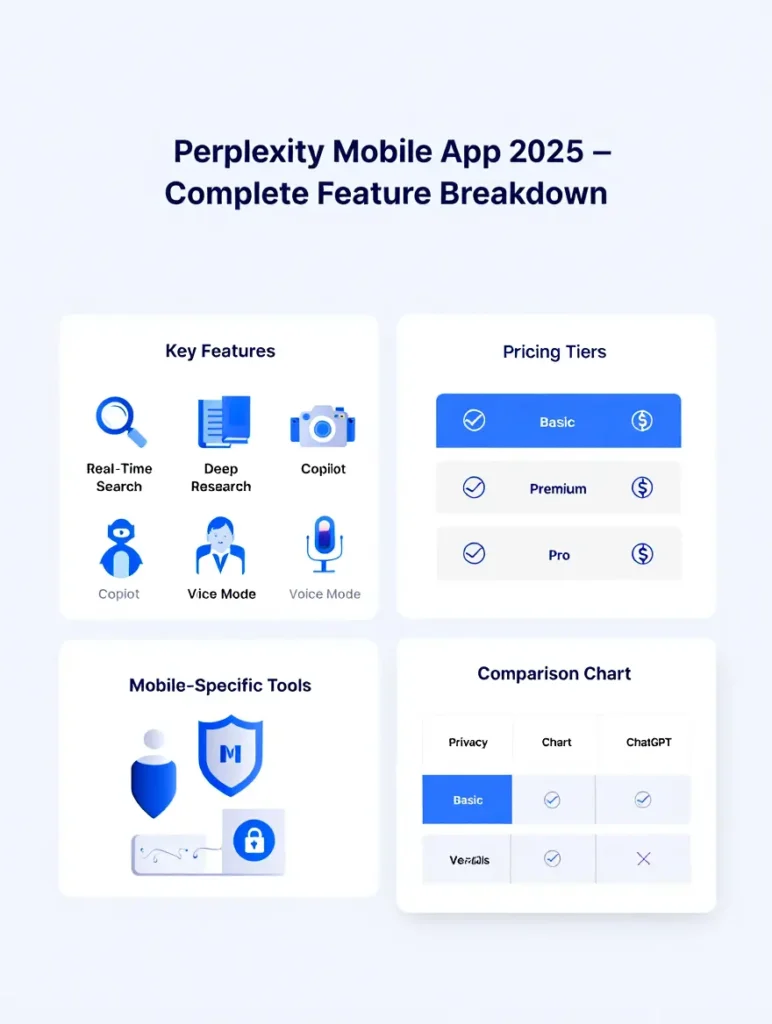
Perplexity publishes platform-specific help guides for voice and assistant setup. The Verge and other outlets covered the iOS assistant rollout that made many features available on iPhone while noting Apple-level restrictions (camera/context, native alarm edits, etc.).
Privacy, Permissions & Data Sources
Permissions typically requested:
- Microphone (for ASR)
- Notifications
- Optional background usage (for hands-free modes)
- Local storage for caches
NLP privacy considerations:
- On-device processing: For true private ASR, some apps run wake-word detection or ASR on-device. Perplexity presently uses cloud inference for retrieval and generation; microphone audio likely transits to servers for ASR and intent resolution (check the privacy docs for exact behavior).
- Data retention & logs: Users should inspect privacy settings to clear history or enable automatic deletion.
- Sensitive domains: For legal or medical queries, Perplexity surfaces sources, but users must verify primary documents; the app is not a substitute for professional advice.
Recommended settings:
- Enable automatic history clearing for enhanced privacy.
- Disable continuous microphone access unless you need always-on behavior.
- Periodically review saved threads and clear sensitive items.
Perplexity’s help center lists voice assistant guidance and subscription info; the App Store and Play Store pages show the app’s permissions and feature blurbs.
Perplexity Mobile App vs Competitors
Below is a functional comparison focusing on retrieval grounding, multi-step research capabilities, and voice assistant integration.
| Feature | Perplexity Mobile | ChatGPT App | Google Bard / Gemini | Microsoft Copilot |
| Real-time web citations | ✅ inline, clickable sources | Partial/depends on browsing mode | ✅ Yes | ✅ Yes |
| Voice assistant | ✅ Strong mobile assistant (Android & iOS) | ✅ GPT Voice | ✅ Gemini Voice | ✅ Copilot Voice |
| Deep Research mode | ✅ Multi-source reports | ❌ No | ❌ No | ❌ No |
| Offline mode | ❌ No | ❌ No | ❌ No | ❌ No |
| Best for | Research & citation-first answers | Creativity & coding | Google ecosystem tasks | Microsoft ecosystems & workflows |
| Price | Free + Pro (~$20/mo) | Free + Plus | Free with features | Free + Copilot Pro |
Why Perplexity wins research (NLP reason): It explicitly couples retrieval and generation and surfaces provenance, which reduces hallucination risk and increases verifiability for research workflows. The Deep Research workflow formalizes multi-document synthesis, which many chat tools do not offer as a single, opinionated workflow.
(For specific product pages and official claims, see Perplexity’s site and store listings.)
Pricing, Perplexity Pro
Pricing table
| Plan | Price (sample) | Includes |
| Free | $0 | Standard search, inline citations, basic voice |
| Perplexity Pro | ~$20 / month | Unlimited Deep Research, priority speed, advanced models, and larger file uploads. Perplexity advertises a $20/month Pro plan on its official Pro page. Perplexity AI |
| Enterprise / Max | Custom | Team seats, enterprise features, Comet browser access for Max subscribers (varies) |
Who should use Pro
- Students doing heavy research or coursework
- Researchers & journalists needing repeat deep syntheses
- Product/marketing teams running regular competitor or market analyses
- Agencies & analysts requiring higher throughput and priority compute
Who doesn’t need Pro
- Casual users who want quick Q&A
- Users whose needs are limited to occasional fact checks
Perplexity has also run promotional partnerships (e.g., Airtel or payment-based promotions in some markets) and is bundling Pro access in enterprise integrations; check regional offers and Perplexity’s help pages for current promotions.
How to Use Perplexity Mobile App —
A short, pragmatic walkthrough that shows the mapping from user intent to system prompt structure.
Install the app
- iOS → App Store (Perplexity in App Store). App Store
- Android → Google Play (Perplexity in Play Store). Google Play
Sign in
- Options: Google, Apple, or email. Account links threads across devices.
Start a search
- Example typed prompt: Explain solar battery tech in simple terms — cite 3 sources.
- Internal translation: intent = explain; output form = summary; constraints = 3 citations.
Use threads
- Continue the conversation to refine the summary or request alternate formats (bullet list, slide outline).
Try Deep Research (Pro)
- Example Deep Research prompt: Create a 1-page industry analysis of EV batteries using 10+ sources.
Voice Assistant
- Tap the microphone → grant permission → speak.
- On iOS, add a Shortcut for voice mode; on Android, consider assistant remapping for more seamless wake-word integration. Perplexity’s help center documents iOS voice assistant usage and Android assistant setup.
Pros & Cons
Pros
- Fast, citation-first answers (grounded generation) — good for verifiable research. App Store
- Deep Research — dedicated multi-source synthesis workflow that outputs structured reports.
- Strong voice assistant and usable multi-turn threads. The Verge
- Clean mobile UX and cross-device sync.
Cons
- No full offline mode — depends on the network for retrieval and inference.
- iOS has platform-level restrictions relative to Android (camera/context and native automation limits).
- Heavy Deep Research use may require Pro for practical throughput.
FAQs
Yes, the app is free to use. There is an optional Perplexity Pro subscription for advanced features.
Yes — answers include inline sources and links that you can open.
It depends on the task. Perplexity is better for research and fact-based answers with citations. ChatGPT is often stronger for creative writing and code. Use the best tool for the job.
Yes — both iOS and Android support voice queries and spoken replies. Android has a more integrated assistant layer; iOS supports voice mode and Shortcuts. Coverage of the iOS assistant rollout is available in The Verge.
Yes — Deep Research rolled out on the web, and Perplexity announced mobile rollouts for iOS and Android; Pro subscribers have higher or unlimited access, while free users have daily limits.
Conclusion
Perplexity Mobile App combines retrieval grounding, a multi-step Deep Research pipeline, and a capable voice assistant to deliver a research-centric mobile experience in 2025. From an NLP perspective, its value proposition is clear: reduce hallucination risk by exposing sources, provide structured multi-document synthesis workflows, and deliver these capabilities inside a mobile-first UX. Android users benefit from deeper OS hooks; iOS users still get a robust voice assistant, albeit with some system-level constraints. For heavy or repeated research workflows, Perplexity Pro (listed at $20/month) provides higher throughput, extended Deep Research access, and larger uploads. For casual users, the free tier is powerful enough for day-to-day fact-checking and short Q&A. If your work requires consistent, source-backed reporting and rapid multi-source synthesis on mobile, Perplexity is strongly recommended. Always verify critical claims against primary sources for high-stakes topics.
