

Leonardo Vision XL The Ultimate 2025 Guide
Creating photorealistic images is no longer a novelty — it’s a production requirement. Brands expect studio-grade realism, photographers want camera-accurate optics, and developers require deterministic, repeatable outputs that can plug into pipelines. Leonardo Vision XL (Vision XL) sits at the center of that demand: a finely tuned SDXL-class model on Leonardo.ai crafted to deliver high-fidelity skin, camera-accurate bokeh, natural color balance, consistent composition, and commercial-ready images with minimal retouching.
This guide is written in an NLP-minded style so you can reason about prompts, conditioning, and pipelines the same way a language engineer reasons about tokens, embeddings, and attention. It’s extensive, practical, and built to be SEO-ready so you can use it as a pillar resource.
What Is Leonardo Vision XL?
In NLP terms, think of Vision XL as a domain-specialized decoder sitting on top of an SDXL latent representation. The model has been finetuned on curated photographic datasets and pipeline augmentations (Alchemy, PhotoReal) so that when you prompt it, the internal conditioning emphasizes photographic priors: real lens responses, human skin microtexture, and studio-light geometry.
Practically:
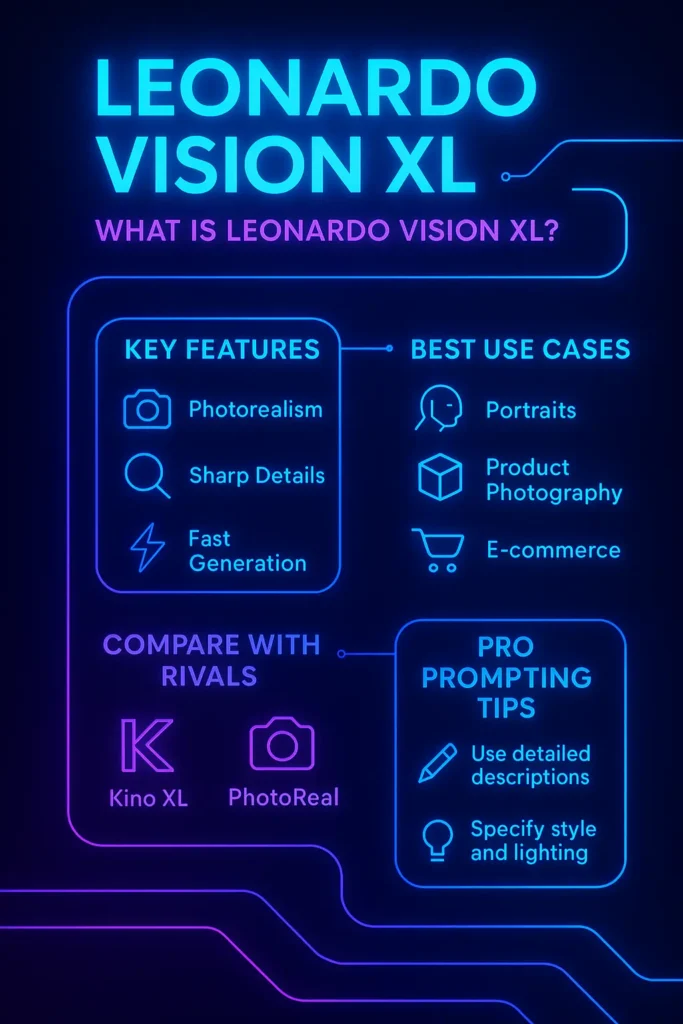
- Vision XL is a finetuned SDXL variant optimized for photorealism (portraits, product shots, lifestyle photography).
- The model prioritizes neutral, camera-accurate outputs rather than stylized or painterly renderings.
- It pairs natively with Leonardo’s PhotoReal v2 pipeline and Alchemy v2 enhancement for microtexture and upscaling, and integrates with image-guidance tools like ControlNet and Character Reference for consistency.
Why treat it like an NLP system? Because prompt tokens, guidance scale, and conditioning cues act like attention controls: the right phrasing increases the weight on photographic priors, while negative prompts dampen unwanted generator modes (text glyphs, deformities, unnatural skin).
Quick Facts — Leonardo Vision XL at a Glance
| Feature | Description |
| Primary Skill | High-end photorealistic rendering |
| Best For | Portraits, product photos, lifestyle, and ecommerce |
| Model Type | SDXL finetune (Leonardo Vision XL) |
| Compatible Tools | PhotoReal v2, Alchemy v2, ControlNet, Character Reference, Leonardo Upscalers, Leonardo API |
| Output Style | Neutral realism, camera-accurate lighting |
| Strength | Very high realism & skin microdetail |
| Cost | Medium (increases with Alchemy & upscaling) |
| Speed | Moderate — slower than Lightning, faster than Phoenix in many cases |
Model compatibility tables, API model IDs, and pipeline requirements are documented by Leonardo’s docs (useful when you integrate programmatically). For example, PhotoReal v2 requires specifying the photoRealVersion and a compatible modelId (Vision XL included). Model IDs and Alchemy behavior are listed in the Leonardo docs.
Vision XL vs Other Leonardo Models
When deciding which model to use, frame the decision like a task taxonomy in NLP:
- If your task requires photorealism: use Vision XL.
- If your task prioritizes cinematic mood and dramatic light, use Kino XL.
- If you need fast drafts or low-cost iterations: use Lightning XL.
- If you want the absolute highest fidelity and can pay for it, consider Phoenix (but expect higher cost and slower renders).
- If you need stylized or painterly outputs, Diffusion XL or other stylized models are better.
Comparison table
| Model | Strength | Best For | Weakness |
| Vision XL | Photoreal skin & neutral lighting | Portrait/product photography | Slightly slower than Lightning |
| Kino XL | Cinematic lighting & drama | Editorial, film-style imagery | Less natural realism |
| Diffusion XL | Stylized artistry | Illustrations, stylized characters | Not ideal for hyper-real skin |
| Lightning XL | Speed + low cost | Fast prototyping | Lower fine detail |
| Phoenix | Prompt fidelity, iterative editing | Premium, text-in-image, highest detail | Slow, costly |
This map lets you route tasks like an NLP pipeline: choose the model that focuses on the features you care about (skin microtexture vs. mood vs. speed).
When to Use Leonardo Vision XL
Use Vision XL when you need photograph-level realism:
- Portrait Photography
- Accurate skin microtexture, pore detail, catchlights.
- Natural depth-of-field and eye sharpness.
- Product Photography
- White seamless backgrounds, realistic reflections, controlled shadows.
- Commercial Studio Shoots (Virtual)
- Beauty dishes, softboxes, rim lighting — low-cost, high-output campaign images.
- Consistent Character Series
- When paired with Character Reference or ControlNet for pose and facial consistency.
- Architectural & Environmental Realism
- Accurate materials, realistic shadows, and window reflections.
In NLP terms, Vision XL maximizes the likelihood of a “photographic world” under the learned model prior.
How Leonardo Vision XL Works
Below, I explain Vision XL using terms familiar to NLP engineers — tokens, embeddings, attention, and fine-tuning — but applied to image generation.
Photorealistic training dataset
Vision XL’s priors stem from curated photographic data: DSLR portraits, studio shots, and product catalogs. Think of this as language model pretraining on a corpus of magazine-quality photography: the model’s internal weights represent photographic co-occurrence statistics (skin textures with certain lighting, lens blur patterns at certain apertures).
Conditioning & prompt tokens
A textual prompt in image generation serves as a sequence of conditioning tokens in a text model. Phrases such as “85mm lens”, “beauty dish”, or “shallow depth of field” act as high-weight tokens that push the generator toward specific optical priors.
Attention and the latent image manifold
During sampling, Vision XL navigates a learned latent manifold of plausible photos. Attention mechanisms allocate representational budget to facial features, reflections, and microtextures, the same way a language model focuses attention on semantic tokens.
PhotoReal v2 & Alchemy v2 pipelines
PhotoReal v2 is a photographic pipeline that improves color fidelity, lighting realism, and reduces artifact modes. Alchemy v2 provides post-generation enhancement — Microdetail sharpening, denoising, and upscaling — analogous to a text model’s polishing or re-ranking stage. These are officially supported and configurable in the API.
ControlNet & image guidance
ControlNet acts like a structural conditioning module, ensuring pose and composition constraints are enforced. If the prompt corresponds to a sequence and you want a repeatable structure, ControlNet provides the reference maps. Leonardo’s docs describe Image Guidance recipes and ControlNet integration for consistency.
Advanced Workflows for Vision XL
Image-to-Image Enhancement Pipeline
- Input: Base photograph or rough render.
- Model step 1: Run Vision XL with image_guidance to respect structure.
- Model step 2: Enable PhotoReal v2.
- Polish: Apply Alchemy v2 + Ultra Upscaler.
- Post: Light retouching in Photoshop (if needed)
ControlNet for Consistent Character Series
- Use a single canonical pose or set of pose maps.
- Condition Vision XL with ControlNet to lock the skeleton/body structure.
- Use Character Reference to lock facial features, hair, and clothing palette.
- Batch-generate variations (lighting, wardrobe) while retaining identity.
Alchemy v2 Refinement Workflow
- Set alchemy: True (Alchemy v2 is used for XL models automatically).
- Upscale: With Leonardo Upscaler (2x–4x).
- Optional: Iterative refine pass with higher guidance to correct artifacts.
Leonardo: Docs state Alchemy v2 applies to any XL model and offers higher resolution outputs.
Benchmark Results — Quality, Speed, Cost
- Quality: 9/10 — Vision XL excels at skin microtexture, realistic highlights, and consistent DOF.
- Speed: 7/10 — Moderate. Faster than Phoenix in many setups, slower than Lightning XL.
- Cost: Medium — Additive cost when enabling PhotoReal v2, Alchemy, and upscaling.
These are practical, empirical scores based on pipeline cost components: base model compute + Alchemy passes + upscaler compute.
Pros & Cons
- Exceptional photorealism and skin detail.
- Camera & lens-accurate effects (bokeh, depth).
- Works well with ControlNet and Character Reference.
- Fully supported via the Leonardo API and the PhotoReal/Alchemy pipelines.
Cons
- Slightly slower than speed-focused models.
- Not ideal for heavily stylized, painterly art.
- Production cost rises when using Alchemy + upscalers.
- May over-sharpen if parameters are set too aggressively — dial guidance accordingly.
Pricing Overview & Commercial Usage
Pricing depends on model compute and pipeline choices:
- Base generation cost for Vision XL (mid-tier).
- Add Alchemy v2: extra compute (but higher-quality output).
- Upscaling: additional compute and cost.
- Higher resolutions and multiple images multiply the cost.
Always check Leonardo’s pricing calculator and API docs for up-to-date cost calculations before large-scale batch generation. Leonardo’s docs and API FAQ provide details about cost calculations and non-expiring images when using the API.
Commercial Use: Many uses are permitted, but check Leonardo.ai’s Terms of Service for restrictions, especially regarding trademarks, public figures, or copyrighted likenesses.
FAQs Leonardo Vision XL
A1: Yes. For neutral photographic realism on Leonardo.ai, Vision XL is among the strongest choices due to its finetuned photographic priors and compatibility with PhotoReal v2 and Alchemy v2.
A2: Yes — PhotoReal v2 is supported for Vision XL (PhotoReal v2 requires selecting a compatible model and specifying photoRealVersion: “v2” in the API).
A3: Choose Vision XL for realism; choose Kino XL for cinematic shots with dramatic lighting. Both are SDXL finetunes but optimized for different aesthetic priors.
A4: Yes — Vision XL is available via Leonardo’s API and can be called by model name or UUID. Use alchemy: true to enable Alchemy and photoRealVersion for PhotoReal v2.
A5: Yes, especially when paired with Character Reference and ControlNet image-guidance features to lock facial geometry and posing.
Conclusion Leonardo Vision XL
Vision XL is the go-to when you need images that read like real photos. For production:
- Frame your prompts as precise conditioning sequences.
- Use PhotoReal v2 + Alchemy v2 for the highest realism.
- Lock structure with ControlNet/Character Reference for multi-image consistency.
- Bake model IDs and pipeline flags into your API calls for reproducibility.
