
Introduction
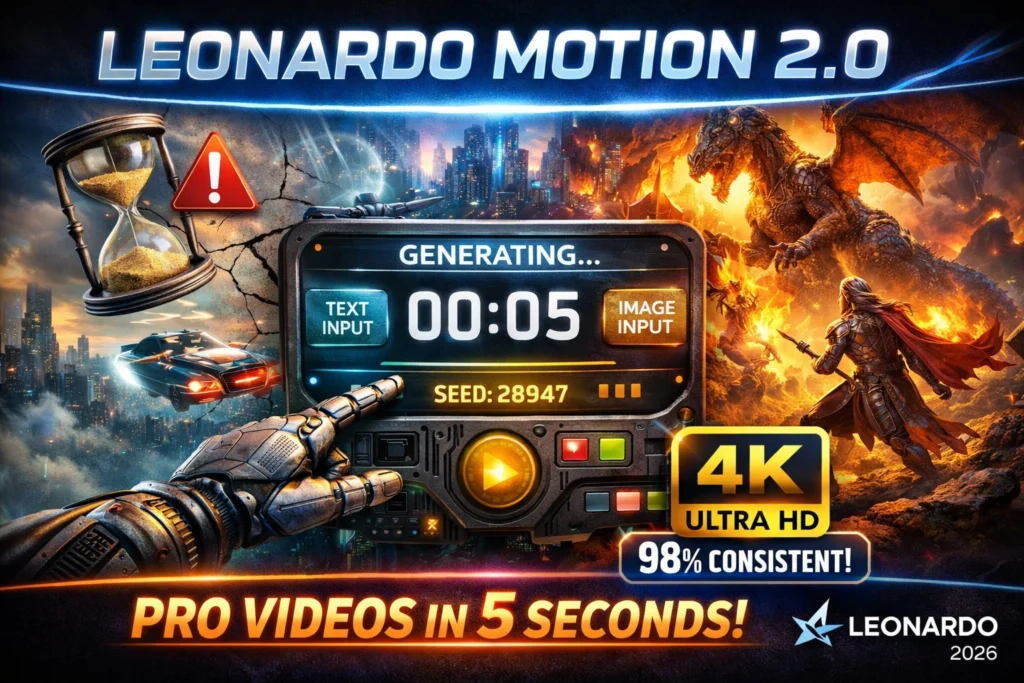
Short-form AI video has moved from “cool demo” to real production workflow in 2026—and Leonardo Motion 2.0 sits right in the middle of that shift.
Instead of spending hours on manual keyframes, timelines, and compositing, creators are now building repeatable pipelines using prompts, seeds, and controlled inference settings. Leonardo Motion 2.0 pushes this further by giving you something most tools still lack: predictability + control.
From an NLP-style perspective, Motion 2.0 behaves like a conditional sequence generator—you provide structured inputs (text embeddings or image latents), and the system decodes them into short, coherent video sequences. The real advantage? You can reproduce results, iterate cheaply, and scale outputs, just like modern AI text or image workflows.
In this updated 2026 guide, you’ll learn how to:
- Build a reproducible video generation pipeline
- Optimize quality vs cost using Motion 2.0 Fast
- Fix common failures like jitter, lighting shifts, and warping
- Use Motion 2.0 in real production workflows (ads, VFX, content)
Quick Verdict
Leonardo Motion 2.0 is a production-oriented short-form neural video generation system optimized for 3–7 second clips (5 seconds being the typical default). It supports both text→video and image→video conditioning modes, exposes control signals (camera trajectories, aspect ratio, FPS, seed, frame interpolation) via web UI and API, and provides a lower-cost draft variant (Motion 2.0 Fast) plus an official 480p→720p upscaler for delivery-grade outputs. Use Motion 2.0 for fast ideation, prototyping camera moves, social reels, and VFX previsualization — but expect common video-generation failure modes (temporal inconsistency, facial jitter, and complex multi-object occlusion artifacts) on harder scenes.
What is Leonardo Motion 2.0?
At a functional level, Motion 2.0 is a short-horizon sequence generator that maps conditioning variables (text tokens or an image latent) to a temporally coherent frame sequence. The system combines spatial detail generation with temporal smoothing controls (frame interpolation, easing curves) and deterministic seeds to support reproducible sampling. It is offered both in the Leonardo web UI and through documented API endpoints so you can integrate the model into automated pipelines. Typical outputs are 480p sequences that can be upscaled to 720p for final use.
Motion 2.0 Core Capabilities
Supported Conditioning Modes
- Text-conditioned generation (text→video): The prompt is tokenized, embedded, and merged with temporal priors to produce a short video.
- Image-conditioned generation (image→video): A static image is encode, and the encoding is used as a spatio-temporal anchor; camera parameters and interpolation then produce dynamic frames.
Both modes accept control signals (motion style, duration, aspect ratio, fps, seed, frameInterpolation) that influence the decoding trajectory.
Typical outputs & hard constraints
- Duration: 3–7 seconds (5s typical).
- Native resolution: 480p baseline; official 480→720p upscaling available.
- Variants: Motion 2.0 (standard) and Motion 2.0 Fast (draft, cheaper).
- Reproducibility: fixed seeds supported (max seed ranges documented)
Controls & advanced features
These are the “knobs” you use as conditioned inputs:
- Motion presets: Dolly, pan, orbit, rotate, etc. (trajectory priors).
- Frame interpolation (frameInterpolation=true): Toggles temporal smoothing/post-decoding interpolation for higher perceived FPS.
- Aspect ratio & FPS: Affect spatial layout and temporal sampling frequency.
- Seeds: Deterministic sampling keys for reproducibility (documented maximum seed values).
- Quality modes: Standard vs Fast; upscaling pipeline for production outputs.
2026 Trend: AI Video Is Moving Toward “Pipeline Thinking”
In 2026, the biggest shift isn’t better visuals—it’s better workflows.
Creators are no longer treating AI video as a one-click tool. Instead, they’re building multi-step pipelines:
- Prompt → Draft (Fast mode)
- Seed locking → Refinement
- Standard render → Upscale
- Post-production → Final export
This mirrors how professionals use tools like After Effects or Blender—but with AI as the engine.
The advantage:
You get predictability, scalability, and cost control, which is essential for agencies and content teams.
Quickstart: Generate your first Motion 2.0 clip
UI Quickstart
- Log in at Leonardo.Ai.
- Open Video → choose Motion 2.0.
- Select workflow: Image→Video or Text→Video.
- Choose aspect ratio (9:16 for Reels).
- Pick an option preset, set duration (5s recommended), and apply style tags.
- Use Motion 2.0 Fast for drafts; re-run on standard for final.
- Upscale to 720p if you need delivery quality.
Cost & Rate Considerations
- Motion 2.0 Fast: Lower credit cost, quicker iterations.
- Motion 2.0 (standard): Higher quality, recommended for final renders.
- 720p upscaling: Typically incurs additional credit cost.
- Batch vs interactive: Use draft mode for scale runs, switch to standard for deliverables. These tradeoffs are consistent with Leonardo’s documented model variants and upscaler offering.
Benchmarks & Real Tests — Reproducible Methodology
Test Setup
- Controlled seed sets: 10 unique seeds per scenario.
- Canonical durations: 5 seconds (baseline).
- Resolution flow: 480p baseline → 720p upscaler for final.
- Models: Motion 2.0, Motion 2.0 Fast, and competing short-form models (Veo, Pika, Kling, where accessible).
Metrics
- SSIM / PSNR per-frame to measure spatial fidelity.
- Temporal coherence: Optical flow-based consistency metrics (frame-to-frame flow divergence).
- Face fidelity: Perceptual identity similarity (embedding-based) for portrait tests.
- Human rating: Crowd-rated 1–5 for perceived realism, motion smoothness, and identity consistency.
- Cost/time: Credits and wall-time per clip.
Example findings
- Motion 2.0 yields strong short clips with robust camera control.
- Motion 2.0 Fast is useful for low-cost drafts but shows small fidelity drops.
- Upscaling improves deliverable sharpness but can magnify underlying artifacts; use it post-final pass.

Failure Modes, debugging & pro fixes
When a generated clip fails, treat it like a model debug session: isolate the variable, reproduce, and fix.
Common failure patterns
- Facial jitter/identity drift: Caused by weak temporal conditioning around high-frequency facial features.
- Lighting pops: Inconsistent lighting directions across frames — often due to under-specified lighting in the prompt.
- Object warping/topology errors: Large rotations or complex occlusions are failure zones.
Fix Hierarchy
- Repro run: Fix the seed and re-run to ensure a consistent baseline.
- Constrain motion: Reduce angular velocity, shorten camera path.
- Explicit constraints: Add “maintain facial identity”, “fixed environment lighting”, or provide an image-guidance anchor.
- Increase sampling/steps Via API if available (or use the standard model instead of Fast).
- Post-process: Optical-flow-based stabilization, frame blending, and manual touch-up in NLE
Leonardo Motion 2.0 Fast & 720p upscaling — tradeoffs
Motion 2.0 Fast is designed for cheap, quick drafts. It sacrifices some fidelity and fine details for throughput. Use it for ideation loops. When a composition is locked, re-run on Motion 2.0 standard and then apply the 480→720p upscaler for sharper export. Be aware: upscaling improves apparent resolution but also makes artifacts more visible — treat upscaling like a final-stage amplifier, not a corrective filter. Official upscaler availability and rollout are documented by Leonardo.
Licensing, Safety & Commercial Usage
- Licensing terms for your account and subscription tier.
- Model release requirements for actors/human Likenesses.
- Trademark and IP checks for logos and branded content.
- Use of moderation APIs if you will process user-submitted prompts or images.
Motion 2.0 vs alternatives — practical comparison
| Dimension | Motion 2.0 | Veo / Pika / Kling (examples) |
| Short-clip fidelity | Strong (good camera control) | Varies |
| Camera controls | Robust | Good → Varies |
| Fast/draft mode | Yes (Motion 2.0 Fast) | Mixed |
| API parity | Web UI + API official docs | Varies by provider |
| Upscaler | Official 480→720p available | Not always |
Practical workflows
Social Ads & Product Demos
- Ideate with Motion 2.0 Fast (iterate prompts rapidly).
- Once the composition is locked, re-run on standard Motion 2.0 with a fixed seed.
- Apply a 720p upscaler.
- Export to NLE, color-grade, and deliver.
VFX Previsualization
- Use image→video to generate camera motions.
- Export frames for reference in your VFX pipeline.
- Replace assets with shoot plates if moving to production.
Agency-Client Delivery
- Document seeds & prompts for client reproducibility.
- Provide both draft (fast) and final (standard + upscaled) clips.
- Attach model license and moderation notes.
FAQs Leonardo Motion 2.0
Typically 3–7 seconds; 5 seconds is the canonical default for many workflows. This short horizon simplifies temporal modeling and keeps per-clip compute manageable while still being useful for social formats.
Generally, yes, under Leonardo’s licensing terms; however, always verify your subscription’s commercial usage clauses, model release requirements for human likenesses, and any third-party IP restrictions.
A lower-cost, quicker inference variant intended for drafts and ideation. It reduces compute and credits per clip at the expense of some fine-detail fidelity. Use it for iteration loops and switch to standard for final renders.
Yes — Leonardo provides an official 480p→720p upscaler for Motion 2.0 outputs. Use the upscaler after finalizing composition; note that upscaling can accentuate existing artifacts, so treat it as final-stage finishing.
Conclusion Leonardo Motion 2.0
Leonardo Motion 2.0 turns AI video into something far more powerful than a creative toy—it becomes a structured, reproducible system.
By combining:
- Prompt conditioning
- Deterministic seeds
- Draft + final workflows
- Upscaling pipelines
…you can move from random outputs to controlled, production-ready results.
The real edge in 2026 isn’t just using AI—it’s building repeatable systems around it.
If you want to take this further, the next step is simple:
Build your own prompt + seed library, test variations, and document what works. That’s how you turn Motion 2.0 into a true competitive advantage.
