

Leonardo Al bedoBase XL — The Complete Leonardo AI Guide
- Use AlbedoBase XL when you want CG-style, texture-forward renders: great for albedo/base-color work, material studies, and depth-aware concept art.
- Turn Alchemy v2 on for SDXL-class consistency and higher fidelity when available.
- For strict photoreal faces or studio product photos, prefer Vision XL / PhotoReal and test with side-by-side comparisons.
- Always log the model ID, seed, cfg/guidance, and alchemy flag — Leonardo exposes model IDs via its List Platform Models endpoint, which you should call programmatically for reproducibility.
- Check Leonardo’s pricing and plan matrix before building heavy generation pipelines — Alchemy/upscalers and API credits are subject to plan gating and top-up costs.
What is Leonardo AI’s AlbedoBase XL?
In short, AlbedoBase XL is a Leonardo XL-family model variant tuned to favor rendered, texture-rich outputs over straight photographic realism. If you think in terms of a 3D pipeline, AlbedoBase XL emphasizes:
- Albedo / base-color fidelity — the flat color and painted surface cues that art teams use as input to material creation.
- Micro-surface texture — visible grain, scratches, brush/cloth weave, and other small-scale features that read as believable materials.
- Depth & painterly/CG fusion — composition and shading that encourage depth perception similar to a baked or rendered asset.
Practically: it’s the model you pick when you want images that “sit” like texture passes or pitch-ready renders rather than pure photographs.
Why that Matters Leonardo AI’s AlbedoBase XL:
When treating generation as a data pipeline, you can view the model as a conditional sampler with an inductive bias towards meaningful albedo maps and surface descriptors — useful when downstream tools (Substance, Blender) expect plausible base color information.
When ToUse AlbedoBase XL — High-Level Decision Rules
Think of model selection as a routing policy in a content-generation system. Use AlbedoBase XL when:
- You need material-first results (albedo maps, fabric/metal/stone tiles).
- You want concept art that reads like a render for pitches or mood boards.
- You need fast prototyping of lookdev — produce 4–6 variations, pick the one that best maps to the real 3D shader.
- You want images that integrate with texture pipelines (Substance/Designer/Blender) — color accuracy and surface cues minimize manual repainting.
Avoid or Test Other Models When:
- You need strict photographic fidelity of real humans — use Vision XL/PhotoReal.
- You require maximal speed/cost-efficiency for iteration only — consider Lightning XL for quick drafts, then finalize in AlbedoBase or Vision.
(These model-differentiation rules are grounded in Leonardo’s model compatibility and element docs; check the platform’s compatibility matrix for the latest mapping of models to elements.)
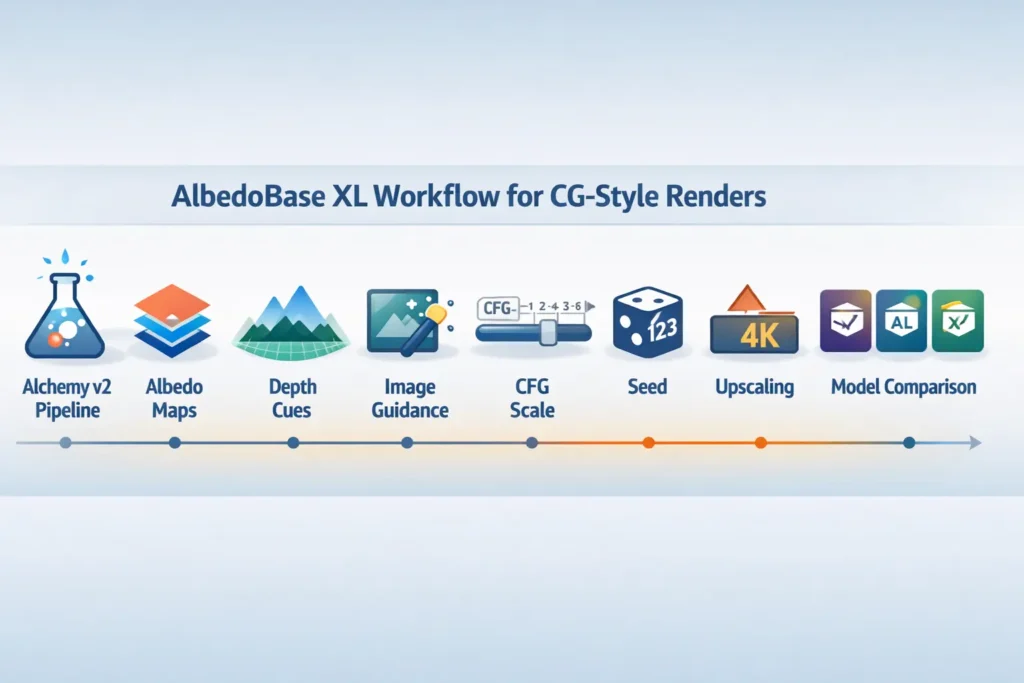
The Alchemy v2 pipeline — why it matters and how to use it
What Alchemy v2 Does :
Alchemy is Leonardo’s enhanced SDXL pipeline that selects an optimized internal generation stack to increase image fidelity, coherence, and final resolution beyond the nominal input dims (for supported models). In short: Alchemy v2 gives SDXL-family models better material response, fewer artifacts, and often higher effective resolution.
Access & Gating:
Alchemy v2 is often gated to paid tiers or specific plan levels; check your Leonardo account and the Help Center details before relying on it in production.
How to Enable in API Calls:
Set an alchemy flag (or the equivalent parameter in your SDK) to true for models that support it. When using the web UI, there is typically an Alchemy toggle. The Create Generation API will select the appropriate Alchemy version automatically for XL models.
Why is this Essential for AlbedoBase XL:
The Alchemy v2 pipeline tends to preserve micro-surface cues and shading behavior that the AlbedoBase family relies on. If your pipeline requires faithful albedo-like outputs, enabling Alchemy is recommended.
Parameter primer — practical Meaning & Recommended Ranges
- Alchemy: Boolean. true to use Alchemy v2 for supported SDXL models (improves fidelity).
- Cfg_scale / guidance: Numeric. ~7 start point. Lower → more variation; higher → closer to the prompt.
- Image_guidance.strength: 0.6–0.85 for material-faithful results; 0.25–0.5 to keep layout but change shading.
- Seed: Deterministic integer. Fix to reproduce.
- Size: Choose square 1024/2048 for tileable textures; rectangular for layouts.
- Batching: Queue jobs with staggered seeds and monitor concurrency limits to avoid throttling (respect Leonardo plan rate limits and queue behaviour).
Image-Guidance Strategies Leonardo AI’s AlbedoBase XL
- Style_reference vs content_reference: Use style_reference to transfer shading and material behavior; use content_reference when you want to keep structure/composition but alter the material/style.
- Strength tradeoff: Increase strength for faithful material transfer (good for albedo reproduction); reduce for creative reinterpretation.
- Negative prompts: Use targeted negative tokens to avoid common generation artifacts (e.g., “no text, no watermark, no extra limbs”). Keep them minimal to avoid over-constraining the sampler.
- Multi-pass workflows: Generate base albedo in one pass (flattened neutral light, minimal specular) and then do overlay passes for scratches/decals; composite in Photoshop or your favorite compositor.
AlbedoBase XL vs Leonardo’s other XL Models
| Feature / Goal | AlbedoBase XL | Vision XL | Diffusion XL | Lightning XL |
| Best for | CG renders, albedo maps | Photoreal portraits | Balanced all-rounder | Fast, low-cost iterations |
| Typical uses | Game assets, texture passe | Faces, product photography | Creative concept work | Rapid prototyping |
| Alchemy v2 | Supported for SDXL-family models (use with Alchemy) | Supported (often for photoreal) | Supported (generalist) | Varies; optimized for speed |
| Strengths | Texture/detail, depth cues | Realistic lighting & faces | Versatility | Speed & cost |
| Ease of tuning | Moderate — benefits from image guidance | Moderate | Easy | Easy |
How to pick between them — Quick Heuristics Leonardo AI’s AlbedoBase XL
- Rendered material & depth → start with AlbedoBase XL.
- Photo likeness & studio portraits → Vision XL.
- Speed & cost-sensitive iterations → Lightning XL for drafts, then re-run in AlbedoBase or Vision.
- Uncertain → run the same prompt across 2–3 models, log seeds, and publish the comparison (reproducibility sells).
Upscaling, denoising & Texture pipeline
Upscaling options
- Leonardo’s Alchemy upscaler (if your plan includes it) is a good first pass.
- Third-party upscalers (Topaz/Gigapixel, ESRGAN variants) for final production polishing. Do not upscale everything — test visual cost-benefit.
Texture pipeline
- Export PNG from Leonardo.
- Import into Substance 3D to generate normal/spec/roughness maps.
- Bake and test in Blender or your real-time engine under target lighting.
- Iterate prompts for engine-specific tone mapping.
Denoise & Layering Advice
- If flat areas show diffusion grain, do a dedicated flat-base pass for the albedo and separate passes for surface detail. Composite with masks.
- For tileable textures: generate square outputs and test seamless tiling in Substance or Blender.
Final Color Grading
- Composite hero render in Photoshop or Resolve using filmic LUTs, subtle bloom, and unified grain to blend elements from different model runs.
Pricing & Access Notes
Use Leonardo’s pricing tiers and the access to Alchemy/upscalers may change — check the official pricing page and your account dashboard before building production processes. The pricing page lists free and paid plans, token allotments, and top-up costs for API credits. Use Leonardo’s Pricing Calculator for API credit estimates before finalizing a production budget.
FAQs Leonardo AI’s AlbedoBase XL
A: Access depends on your Leonardo.ai plan. Some features (Alchemy v2, certain upscalers) may require paid tiers. Always verify on the official pricing page.
A: It can approximate photorealism for some objects, but Vision XL and PhotoReal are usually better for strict photographic fidelity. Use AlbedoBase XL for render-like material fidelity.
A: Fix the seed, record cfg_scale, alchemy flag, image_guidance settings, and the model ID. Use Leonardo’s List Platform Models endpoint to fetch the canonical model ID programmatically.
A: Use alchemy=true for SDXL-class models (including AlbedoBase XL in supported mappings) to engage Alchemy v2 features. Start at guidance scale ~7 and tune. Note: Alchemy may require paid access.
Conclusion Leonardo AI’s AlbedoBase XL
- AlbedoBase XL is ideal for CG-style, texture-rich, and depth-aware renders, excelling in albedo maps, concept art, and game assets. Using Alchemy v2, fixed seeds, cfg_scale tuning, and optional image guidance ensures consistent, high-fidelity outputs. Complement with upscaling, layering, and post-processing for production-ready results. For photorealism, consider Vision XL; for speed, Lightning XL. Proper logging, reproducible workflows, and side-by-side comparisons maximize quality, efficiency, and value.
