
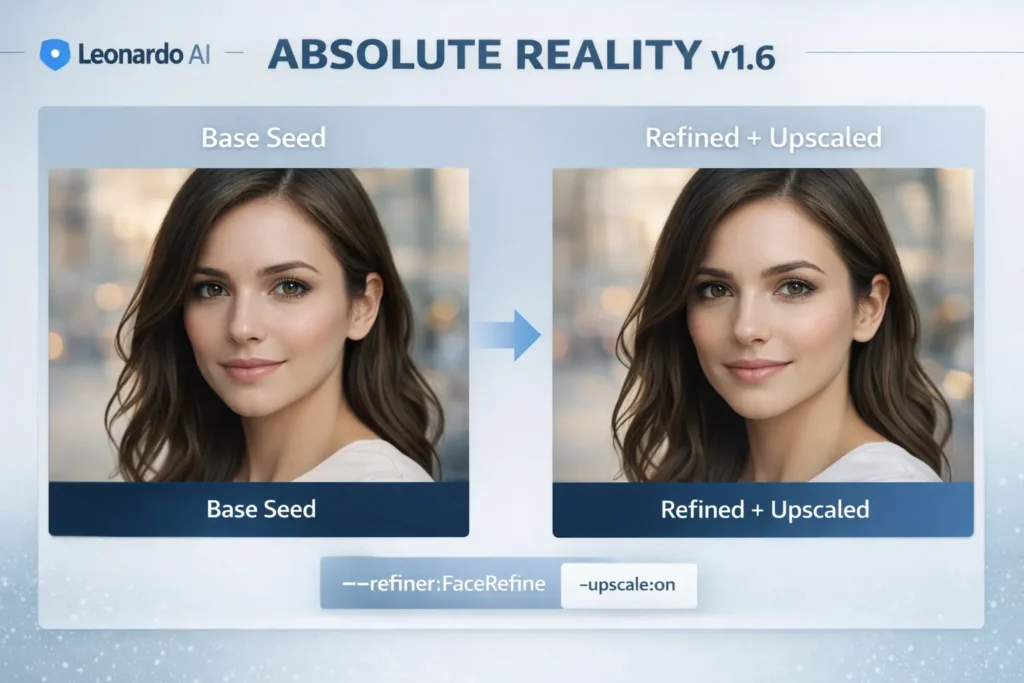
Leonardo AI — Absolute Reality v1.6: Complete Guide
Leonardo AI — Absolute Reality v1.6 is Leonardo.ai’s photorealism-specialized generator inside the Alchemy V1 family. Framing the model using NLP-style terminology helps you reason about prompts as token sequences, refiners as targeted decoders or patch models, and upscalers as a super-resolution postprocessor. Think of generating images like producing structured, multimodal text: Leonardo AI — Absolute Reality v1.6 is the input token stream, the sampler and seed determine stochastic decoding, refiners are focused sub-decoders that correct specific artifact classes, and the upscaler is a high-resolution conditional generator that preserves content while increasing fidelity.
What is Leonardo AI Absolute Reality v1.6?
Leonardo AI — Absolute Reality v1.6 is a conditional image generative model deployed on Leonardo.ai that is engineered for photorealistic outputs. In an NLP analogy, the model is like a transformer decoder trained on a high-quality photographic distribution; prompts are interpreted as conditioning tokens, sampling controls correspond to decoding hyperparameters, and refiners/upscalers act like specialized auxiliary head modules that correct and enhance the output after the main decode pass.
Key Conceptual Mapping Leonardo AI Absolute Reality v1.6:
- Prompt tokens → Conditioning input sequence (semantics, camera, material descriptors).
- Seed / PRNG → Random initialization for the decoding trajectory.
- Sampler/steps → Decoding strategy and number of iterative refinement steps.
- Refiners → Targeted submodules (e.g., FaceRefine, MaterialRefine) that act as post-hoc constrained decoders for specific artifact classes.
- Upscaler → A conditional super-resolution model that increases pixel density while preserving content semantics.
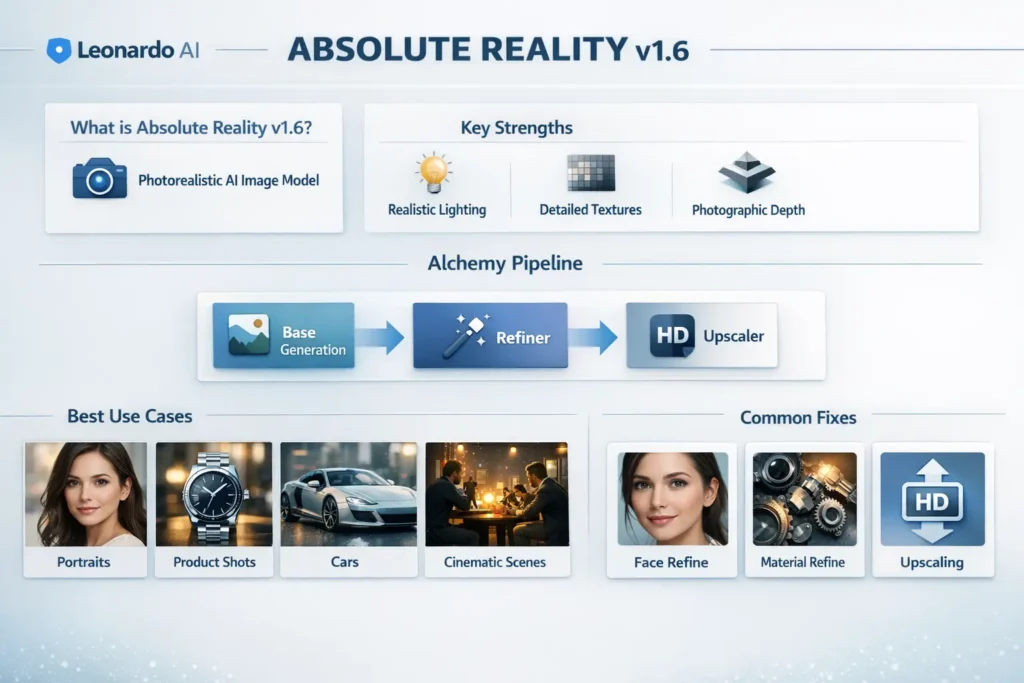
Because Absolute Reality v1.6 is integrated tightly into Leonardo’s Alchemy pipeline, you get a multi-stage generation process that resembles staged decoding and postprocessing in complex systems: base decode → targeted repair → resolution enhancement.
Quick Facts
- Model family: Alchemy V1 (Leonardo.ai platform)
- Primary purpose: Photorealistic image generation (textures, lighting, surface fidelity)
- Best used with: Leonardo Alchemy pipeline: base generation + targeted refiners + upscaler
- Typical use cases: Portraits, product photography (jewelry, watch faces), automotive close-ups, cinematic stills, interior/exterior architectural renders
Strengths & Limitations — Diagnostics
Strengths
- Surface microstructure: The model reconstructs fine texture features (skin pores, fabric weave, metal grain) when the conditioning tokens emphasize microdetail. Analogy: strong sub-token modeling of surface semantics.
- Photographic depth & bokeh: Learns plausible depth cues and DOF effects—comparable to modeling context-dependent attention falloff in language.
- Pipeline-friendly: Works well with staged postprocessing (refiners & upscalers), which improve specific artifact classes without re-generating the whole image.
Limitations
- Structured geometry errors: Faces and hands sometimes exhibit geometry mistakes (odd symmetries, extra digits) — similar to hallucinated entities in an LLM when constraints are weak.
- Reflective consistency: Mirror-like surfaces and complex reflections can produce implausible artifacts (inconsistent reflections), analogous to context mismatch isequence generation.
- Compute/cost tradeoffs: Higher-res native renders and multiple targeted passes increase compute; similar to running more decoding iterations or ensembling in NLP.
- Platform dependence: Best practical results rely on Leonardo’s proprietary refiners/upscalers; portability to other hosts (e.g., running locally with SDXL tooling) is limited.
When to pick Absolute Reality v1.6 vs SDXL vs DreamShaper
Think of this as choosing an architecture based on task constraints:
| Goal / Need | Pick Absolute Reality v1.6 | Pick SDXL (0.9 / 1.0) | Pick DreamShaper v7 |
| Native Leonardo refiners & upscalers | ✅ Native support (best) | ❌ Depends on host | ❌ |
| Cross-platform portability | ❌ Platform-bound | ✅ Portable weights & tools | ✅ Portable |
| Out-of-box photorealism | ✅ Very strong in Leonardo | ✅ Good, needs tuning | ⚠️ More stylized |
| Stylized / fantasy art | ⚠️ Not ideal | ⚠️ Can be tuned | ✅ Best fit |
| Local / research Reproducibility | ❌ Platform dependence | ✅ Better | ✅ Better |
Short Guidance Leonardo AI Absolute Reality v1.6 :
Use Absolute Reality v1.6 if you operate inside Leonardo and want fast, high-quality photorealism with native refiners. Choose SDXL when you need portability, local reproducibility, or research-grade control. Choose DreamShaper for stylized, fantasy outputs.
Alchemy Pipeline & Recommended Settings
Why Alchemy Helps
Alchemy splits generation into stages: Base sampling (coarse decode), targeted refinement (focused submodule), and upscaling (high-resolution conditional synthesis). In NLP terms: it’s like generating a draft, running targeted constrained decoding to fix named-entity / grammar errors, then applying a high-fidelity rewriting model to produce publish-ready text.
Recommended Baseline Settings
- Seed size: Start at a 1024-pixel seed with upscaler. This tends to be a cost-efficient baseline and reduces some artifact risks. Reserve native 2048 for when you need native high-res fidelity and have a budget.
- Sampler/steps: Use the platform default sampling algorithm (Leonardo’s recommended sampler), then test +10% and +20% steps to see improvements in fine detail.
- Refiners: Use FaceRefine for portraits; MaterialRefine for metals/glass; DetailRefine for texture-heavy scenes. Run only one focused refiner per pass to avoid conflicting edits.
- Upscaling: Use the Alchemy upscaler as the final stage. Treat it like a super-resolution conditional head that preserves semantics while increasing pixel density.
- Seed control: Save and reuse seed IDs to isolate prompt changes from stochastic variation.
Practical Test Matrix
- Generate prompt at 1024 seed, default steps, no refiner — record image and seed.
- Re-render same seed → apply FaceRefine or MaterialRefine depending on subject.
- Upscale the best crop and compare it to a native 2048 render.
- Adjust steps +10% and re-run the same seed to inspect the marginal gain.
- Log seed IDs, exact setting snapshots, and final images for reproducibility.
Troubleshooting Leonardo AI Absolute Reality v1.6:
Treat issues like model hallucinations — locate the error mode, then choose a targeted repair.
Face Looks Odd/Asymmetric
Diagnosis: symmetry/geometry hallucination in the face substructure.
Fix:
- Run –refiner: FaceRefine.
- Add precise positive tokens: realistic eyes, natural teeth, accurate pupils, symmetric jawline.
- Use negative tokens: –neg: deformed face, asymmetry, lowres.
- If still odd, reroll the same seed with minor camera pose changes or crop and run a refiner on the crop.
Extra Fingers / Malformed Hands
Diagnosis: Common artifact; hands are structurally complex.
Fix:
- Add negative tokens: –neg: mutated hands, extra fingers, deformed hands.
- Increase sampling steps and re-run.
- Use targeted crop + refiner if available; consider compositing with a separate hand pass.
Harsh Reflections / Blown Highlights
Diagnosis: Exposure/clipping problems in reflective materials.
Fix:
- Prompt tokens: Balanced exposure, no blown highlights, polarizer effect.
- Use softer lighting descriptors: Softbox, diffused, bounced.
- Re-render with slightly lower key light intensity.
Flat Lighting / Plastic Skin
Diagnosis: Insufficient subsurface scattering or microtexture modeling.
Fix:
- Prompt tokens: Subsurface scattering, skin pores, micro-details, soft directional light.
- Use camera tokens for depth separation: 85mm f/1.8.
- Apply FaceRefine and upscale before final touch-ups.
Troubleshooting Checklist Leonardo AI Absolute Reality v1.6
- Re-run the same seed with FaceRefine / MaterialRefine.
- Add negative tokens for known artifacts.
- Increase steps by 10–20% if details are muddy.
- Generate multiple seeds and pick the best.
- Run final upscale; inspect at 100%.
- If persistent, try a smaller seed + stronger upscaler or manual touch-ups in an editor.
FAQS Leonardo AI Absolute Reality v1.6
A1: It is Leonardo’s photorealism-focused model in the Alchemy V1 family and performs very well for photographic outputs — especially when used with native refiners and the Alchemy upscaler. Whether it is the most depends on prompts, refiners, and postprocessing.
A2: Not always. Simple objects or landscapes may look great from the seed. For portraits, hands, and reflective materials, a refiner (like FaceRefine or MaterialRefine) often improves final quality.
A3: Test both. Many creators prefer 1024 seed + upscaler to reduce artifact risk and cost; native 2048 can work, but may be more costly and occasionally artifact-prone depending on the subject.
A4: Use the same prompt, same seed, and the same final output size. Publish images, cost, time, and blind human ratings to make a fair comparison.
A5: Yes — many creators use it for product and lifestyle images. Always check Leonardo’s terms and licensing if you plan commercial redistribution.
Conclusion Leonardo AI Absolute Reality v1.6
Absolute Reality v1.6 is a practical and high-quality photoreal model when used inside Leonardo.ai’s Alchemy pipeline. Framing generation as a staged, modular process — based decode → targeted repair → super-resolution — reduces artifacts and improves outcomes. Expect iterative workflows: seed control, focused refiners, upscaling, and minor manual touch-ups. If portability or local fine-tuning is required, run parallel experiments with SDXL for reproducibility. This document provides prompt formulas, templates, troubleshooting recipes, and a reproducible benchmarking protocol — everything needed to generate, validate, and publish professional photoreal outputs.
