
Introduction
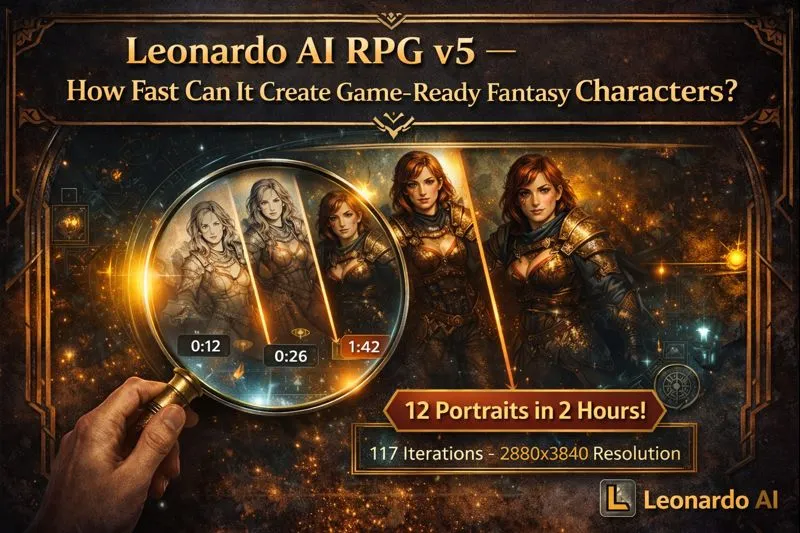
Leonardo AI RPG v5 can create stylized, game-ready fantasy character portraits. In just 120 minutes, achieve 12 portraits (117 iterations) with repeatable prompts, fixed seeds, and in-paint fixes. Download the RPG v5 prompt kit, run one batch, and see real results! Share outputs in comments or Discord for feedback now. RPG v5 is a finetuned Leonardo model specialized for stylized fantasy character generation. In computational-generation terms, it’s a diffusion-based conditional generator tuned toward painterly priors that favor strong silhouette, character tokens, and stylized texture priors. Recommended hyperparameters for reliable outputs: Leonardo AI RPG v5 25–40 sampling steps, guidance/CFG scale ≈ 7–9, portrait aspect ratios (2:3 or 4:5), deterministic seed management for reproducible latent seeds, and a final high-fidelity upscaling pass (Leonardo’s Universal/Ultra upscaler). Leonardo AI RPG v5 This guide reframes practical tips in NLP/generative-model language, supplies copy-paste prompt templates, a robust prompt kit, a stepwise production pipeline formatted as an algorithm, troubleshooting recipes mapped to model failure modes, a model comparison, and SEO/publishing suggestions for ToolkitByAI.com. Run experiments, store prompt metadata, and build a repeatable prompt kit per character.
Everyone Uses RPG v5 — Few Use It Right
For practitioners producing character assets (game devs, TTRPG creators, concept artists), the challenge is consistent conditional generation: the model must reliably map semantic tokens (e.g., “auburn braid, pierced ear, scar-left-cheek”) to coherent low-level outputs (facial geometry, hand topology, fabric fall). RPG v5 is a domain-adapted generator trained to embed these semantic descriptors into its latent prior so that sampling conditioned on those tokens yields stylized fantasy portraits with high silhouette integrity. But models alone don’t solve production constraints: you need prompt engineering (token sequencing, constraint placement), sampling hyperparameters, deterministic seeding for reproducibility, in-paint/inference-time editing, and a post-hoc upscaling pipeline. This pillar article converts craft knowledge into NLP-centric recipes and production steps you can publish and use immediately.
What is RPG v5 — and when should you pick it?
RPG v5 is a finetuned conditional image-generation model in Leonardo’s model family. In ML terms, it is a diffusion model with a domain-specific prior trained on stylized fantasy character data and augmented prompts so that certain token sequences map reliably to consistent stylistic outputs (painterly strokes, cinematic lighting, props). Use RPG v5 when your task is conditioned generation of stylized character headshots, NPC portraits, or mid-fidelity concept assets where the loss landscape has been biased toward silhouette clarity and costume semantics. Avoid it when you need photo-realistic fidelity or complex multi-actor photoreal scenes — those are better handled by photoreal-focused engines in the Leonardo suite.
When to use RPG v5 (practical conditional cases)
- Portrait/headshot generation where the conditional prompt contains character tokens and costume descriptors.
- NPC portrait batches for game directories, visual novels, or tabletop character cards.
- Stylized concept art tasks requiring aesthetic coherency across variations where prompt tokens map to consistent style priors.
When NOT to use RPG v5
- Photo-real product photography or commercial-grade photoreal rendering.
- Wide, complex scene composition with many interacting light sources and fine background coherence.
Strengths & Sneaky Limits
Strengths (what the conditioned prior reliably optimizes for)
- Stylized fantasy aesthetic: strong silhouette prior, painterly brushwork, moody cinematic lighting.
- Prompt adherence: semantic token-to-visual-token mapping tends to be robust, especially for armor, props, and costume attributes.
- In-app compatibility: works well with Leonardo’s edit (in-paint) and upscaler modules for final polish.
Trade-offs (failure modes and constraints)
- Anatomy artifacts: Faces and hands are still common failure modes (extra fingers, asymmetry). These are structural topology errors in the generated geometry distribution.
- Over-stylization: the model’s prior biases toward painterly textures can overshoot when a cleaner, more photographic look is desired.
- Background/scene coherence: Synthetic background structures may lose fidelity in wide scenes; consider compositing or another model for complex backgrounds.
Practical expectation
Treat base generations as “strong priors” — good structural and stylistic seeds that often need localized correction (in-painting) or post-hoc compositing to be production-ready.Leonardo AI RPG v5
Leonardo AI RPG v5 Fast-Track Settings
| Purpose | Sampler / Steps | Guidance (CFG) | Aspect Ratio | Upscaler / Notes |
| Portrait (waist-up) | 25–35 (start 30) | 7–9 | 2:3 or 4:5 | Leonardo Ultra/Universal upscaler final 2–4×. |
| Full-body action | 30–40 | 7–8 | 9:16 or 4:5 | Use image-to-image for motion blur; touch up after. |
| Cinematic wide | 30–40 | 6–8 | 16:9 | May need more upscaling + manual grading. |
| Consistent character set | 25–35 | 8–9 (fix seed) | fixed AR | Save seed + metadata for Reproducibility. |
Notes on the sampler: experiment with the diffusion scheduler (e.g., DDIM, Euler a, or LMS if available in Leonardo UI). Sampler choice interacts with step count—higher fidelity samplers often converge with fewer steps, but 25–40 is a robust practical range.
Quick reproducibility tip: Always fix a PRNG seed for sets of character variants and record prompt metadata (prompt string, negative prompt, seed, CFG, steps, sampler, AR) into a CSV.
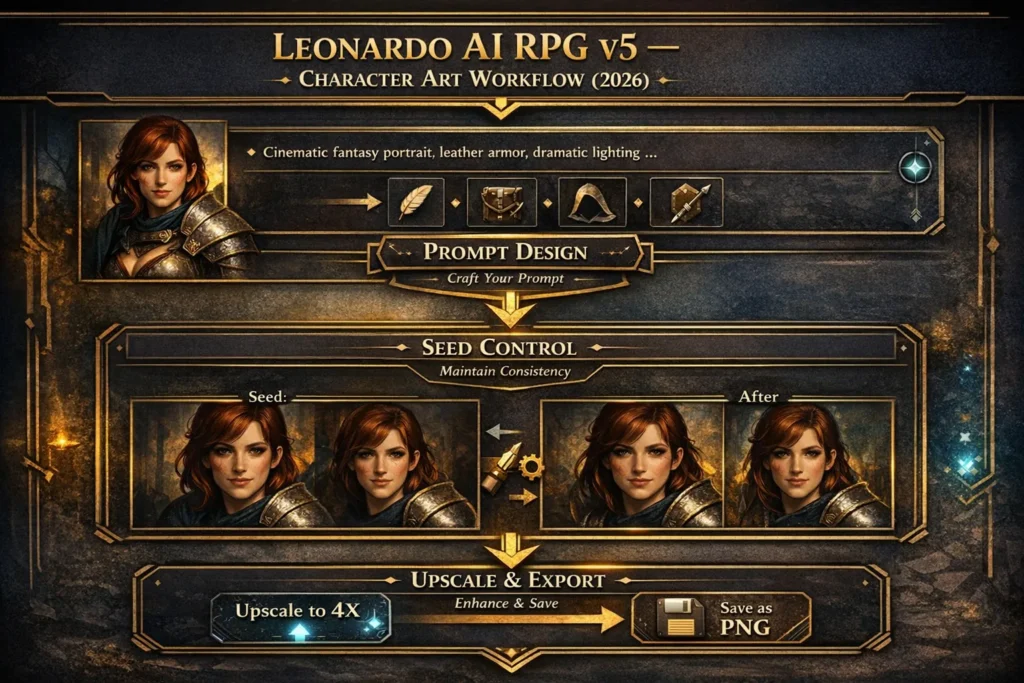
Full production workflow Leonardo AI RPG v5
A reproducible pipeline is crucial. Treat the pipeline like a training/inference loop with checkpoints.
Draft stage: wide exploration (generate N variants)
- Input: 1–2 strong base prompts from the kit.
- Generate 8–12 seeds/variations per character. Keep AR locked.
- Save raw images and record prompt metadata: {prompt, negative_prompt, seed, CFG, steps, sampler, AR, timestamp}.
Select & annotate (choose winners)
- Choose 2–3 candidates per character.
- Annotate failure modes: hands incorrectly rendered, expression off, prop clipping. Store annotations as issue tags.
Focused in-painting pass (correct anatomy & props)
- For problem regions, do localized in-painting with a mask.
- Increase guidance (CFG 8–9) for anatomy fixes; use a reference face if available.
- The goal is constrained local optimization, not whole-image resampling.
Image-to-image for pose/motion changes
- If pose needs gentle alteration, use image-to-image with low denoising, preserving structural latent features.
Upscale & finish
- Use Universal/Ultra Upscaler for final export (2–4×). This improves resolution and often reduces visible artifacts.
- Export as PNG/TIFF and run final color grade in a raster editor to match game palette.
Asset management & reproducibility
- Store prompts + metadata in CSV/JSON.
- Label files with canonical names: char_kaela_v1_seed12345_2k.png
- Keep a short README with intended crop sizes (thumbnail, portrait, sprite).
Troubleshooting: Recipes for Common Problems
Map each common failure mode to a corrective action (like fixing a decoding glitch).
Problem: Weird faces / extra teeth/asymmetry
Diagnosis: Latent sampling collapsed to undesirable facial modes.
Fix:
- Increase CFG to 8–9.
- Append tight negative prompt: extra teeth, multiple mouths, mutated face.
- Do a face-only in-paint using a clean reference or prompt with “anatomically-correct face”.
- If persistent, compose a clean face from another generation.
Problem: Extra fingers / malformed hands
Diagnosis: The generator struggled with hand topology representations.
Fix:
- Add “hands visible, anatomically correct” to the positive prompt.
- Negative prompt: extra fingers, malformed hands.
- If persistent, mask hathe nd and in-paint, or composite the hand from another image.
Problem: Stiff poses or awkward limbs
Diagnosis: Pose prior did not match intended kinematic constraints.
Fix:
- Use image-to-image with a silhouette reference (pose sketch), low denoise to preserve structure.
- Try slightly higher steps (35–40).
Problem: Inconsistent character across images
Diagnosis: No persistent identity token or seed variance.
Fix:
- Fix the seed for reproducibility.
- Build and append a character token list (scar-left-cheek, silver-earring, auburn-braid).
- Keep CFG/steps/AR identical across the set.
Advanced tips & workflow Hacks Leonardo AI RPG v5
Character snippet token
- Create a concise tag for each character: e.g., “[Kaela_the_Ranger], auburn braid, scar-left-cheek, mythril-pauldron”.
- Appending this to prompts biases the model toward reproducing the same distinctive features.
Style fusion
- You can experiment with style-fusion tokens (public artist-style tokens if permitted) to nudge aesthetics. Keep guidance low (6–7) while testing to avoid style domination.
Reference chaining
- Generate a headshot in RPG v5; then use that image in image-to-image mode to produce a full-body variant. This creates a chain of conditioned generations anchored on an earlier latent structure.
Elements (stateful Elements training)
- If you require consistent brand characters, train an Element with curated images of the character. Once trained, selecting the Element during generation locks in face/style tokens and reduces identity drift.
Batch mask exports
- When performing many in-paint passes, export masks and reuse them across related assets for consistent corrections.
Head-to-head: RPG v5 vs Other Leonardo Models
| Feature / Need | RPG v5 | Lightning / Phoenix / Absolute Reality |
| Stylized fantasy characters | ★★★★★ | ★★★☆☆ |
| Photorealism | ★★☆☆☆ | ★★★★★ |
| Prompt adherence for character tokens | ★★★★☆ | ★★★★☆ |
| In-app editing & upscaling compatibility | Good | Excellent |
| Best use-case | Character portraits, stylized NPCs | Photo-quality renders, product visuals |
Verdict: Use RPG v5 when stylized character aesthetics and guaranteed silhouette/readability matter. Use photoreal models when pixel-level photographic fidelity is the priority.
Pricing & access — quick model/Economic Notes
Leonardo operates on a freemium model with paid tiers that unlock private generations, more compute tokens, and higher-quality upscaling. Typical tier labels: Free, Apprentice, Artisan, Maestro. Paid tiers usually include commercial usage permissions and private generations — essential for distribution or selling assets. (Check Leonardo’s pricing for exact, current rates before publishing; prices can vary by region and over time.
FAQs
A: RPG v5 is a domain-adapted diffusion generator finetuned on stylized fantasy character data. Compared to generalist or photoreal models (Lightning, Phoenix), RPG v5’s latent prior has been biased toward painterly texture priors, stronger silhouette constraints, and improved semantic token-to-visual mapping for costume/prop descriptors. This yields more consistent character reads at the cost of photo-real fidelity.
A: Start with 25–35 sampling steps, guidance/CFG ≈ 7–9, aspect ratio 2:3 or 4:5, and perform a final upscale pass with Leonardo’s Ultra/Universal upscaler for print-ready outputs.
A: Increase guidance (CFG to 8–9), add a strict negative prompt focused on facial defects (extra teeth, multiple mouths, mutated face), and perform a face-only in-paint pass using a clean reference or anatomically-directed prompt.
A: Leonardo provides a free tier for experimentation and paid tiers (Apprentice, Artisan, Maestro) that unlock private generations, higher compute quotas, and upscalers. Check the official pricing page before commercializing assets.
Conclusion
Leonardo AI RPG v5 stands out as a purpose-built model for creating stylized fantasy characters with speed, consistency, and strong artistic identity. When paired with the right prompts, stable settings, fixed seeds, and a repeatable production workflow, it becomes a reliable system—not just a generator—for shipping game-ready character art. By treating prompts as structured inputs, documenting parameters, and using in-painting and upscaling strategically, creators can overcome common issues like faces, hands, and inconsistency. Whether you’re building NPCs, tabletop portraits, or concept art, RPG v5 rewards a disciplined, production-minded approach—and with the prompt kits and workflows in this guide, you can move from experimentation to dependable results.
