
What is Gemini 1 Ultra?
Use Gemini 1 Ultra (commonly shortened to Gemini Ultra) is Google’s top-of-the-line large-scale multimodal foundation model within the Gemini 1 Ultra family. Because Gemini 1 Ultra, in NLP terms, treats it as a high-capacity transformer-like system (family name: Gemini) that’s been optimized for cross-modal representation learning and advanced reasoning. It’s engineered for tasks that require deeper latent reasoning, extended context modeling, and fusion across text, images, and (via companion tooling) video and audio modalities. Moreover, Gemini 1 Ultra. This is the premium inference engine Google exposes via its Gemini 1 Ultra API / AI Studio surface.
Conceptual view :
- Encoder-decoder / decoder-only intuition: Gemini Ultra behaves like a large autoregressive model optimized for both generation and multi-step reasoning. Practitioners can treat it as a high-capacity autoregressive decoder with strong few-shot and chain-of-thought capabilities, plus multimodal encoder front-ends.
- Latent space & grounding: It supports grounding to external retrieval and to Google product tools (search/URL context) for factual accuracy in RAG setups.
- Practical framing: Use Gemini Ultra when your data distribution needs deep reasoning (coding, math, long-document synthesis), cross-modal inference, or production media generation where quality margins matter.
Where Gemini Ultra Fits: Ultra vs Pro vs Nano
- Gemini Nano — Parameter- and compute-efficient flavor for on-device or extremely low-latency tasks. Think quantized, tiny-context models used for edge inference and local embedding generation.
- Gemini Pro — Balanced general-purpose model for everyday production tasks: chat assistants, summarization, routine coding aids, and document understanding.
- Gemini Ultra — Premium, higher compute, and larger context design intended for advanced reasoning, multimodal fusion, and high-fidelity media generation. If your task is to perform complex multi-step reasoning, chain-of-thought dependent synthesis, or high-quality image/video generation, this is the tier to evaluate.
Operational guidance: Choose Nano when latency and on-device operation win; choose Pro when cost and throughput matter; choose Ultra when capability (not just speed) is the gating factor.
Key Features & specs
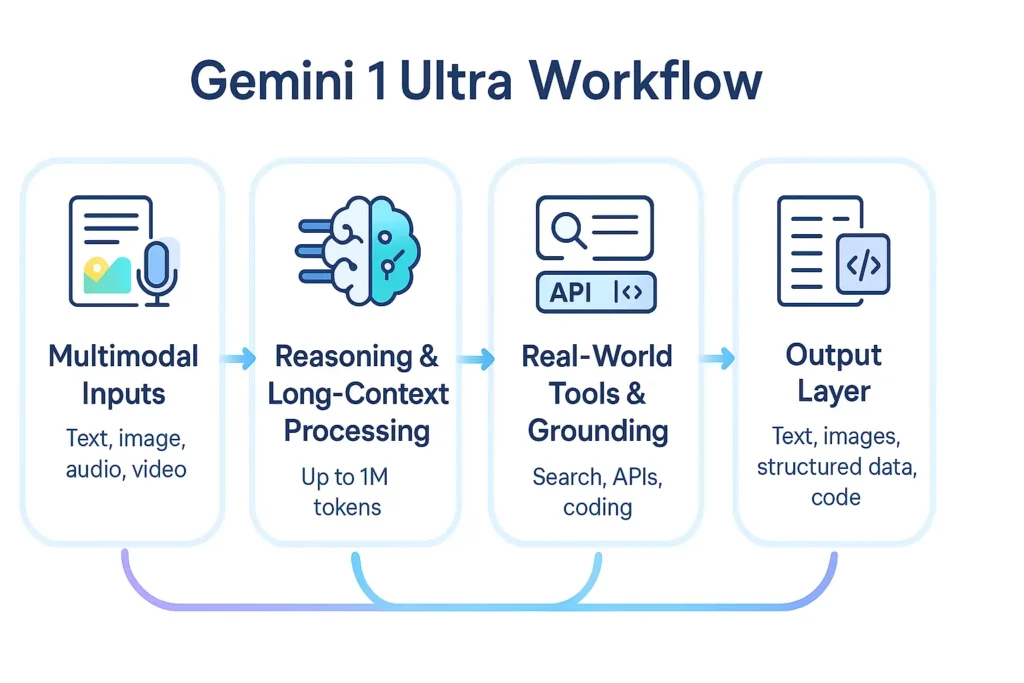
- Multimodality: Gemini Ultra integrates text + image understanding and — through Google’s video tools (Veo/Whisk/Flow) and Live APIs — supports image→video pipelines and multimodal agentic workflows. In practice, you will supply arbitrary combinations of image and text context and receive fused outputs.
- Context window / long context: Modern Gemini family models (Ultra-class and current generation previews) have been designed with extended context windows (some productized variants advertise up to 1M-token windows for document and code tasks). If you plan long-document summarization or whole-repo code reasoning, design your evaluation harness to measure performance as context increases.
- Advanced reasoning modes: There are higher-capability modes or feature gates (marketed under names like “Deep Think”, agentic tooling, or similar) that provide prioritized compute and deeper multi-step internal reasoning; these are often part of premium subscriptions.
- Safety & enterprise controls: The Ultra tier includes additional governance, quota controls, and enterprise-level features (role-based access, audit logs, and PII redaction patterns). Expect integrated safety layers and enterprise admin surfaces when operating at scale.
implications:
From a systems perspective, treat Ultra as capability-scaling rather than capacity-only — it’s tuned to deliver better chain-of-thought coherence, more reliable multimodal alignment, and improved instruction-following in the long-context regime.
Why run your own Benchmarks
Vendor benchmarks are necessary but insufficient. Per-task evaluation is essential because model behavior changes with prompt format, dataset distribution, and context length. Your product’s real-world performance emerges from the interaction between your prompts, context formatting, grounding sources, and fallback rules.
Designing a Reproducible:
- Test harness principles
- Versioned inputs: Keep raw prompts, seed, and model revision (exact API model ID) in your repo.
- Deterministic environment: Fix random seeds where possible, record timestamps, and the exact client library version.
- Raw outputs & metadata: Persist raw outputs, token counts, latency, and HTTP response metadata.
- Suggested benchmark modules
- MMLU-style knowledge tests: 20–50 questions per domain to measure reasoning and knowledge recall.
- Code + execution benchmarks: Use LeetCode-like prompts, run generated code through unit tests to measure functional correctness and test-edit cycles.
- Long-context coherency tests: Feed documents scaled from 10k → 1M tokens (chunking + chain) and measure information retention, hallucination rate, and compression quality.
- Multimodal evaluation: image→caption, image+text reasoning, and image→structured outputs tests. Use human raters when needed to judge nuance.
- Hallucination probes: Fact-check generated assertions against a ground truth knowledge base or run automated validators.
- Robustness & prompt sensitivity: Randomize prompt phrasing and measure variance in outputs (stability metric).
- Metrics
- Accuracy (where labeled ground truth exists)
- Factuality/hallucination rate (automated + human adjudication)
- Latency/p95 and cost-per-call
- Token efficiency (tokens per correct output)
- Human rating for creative or multimodal outputs
- Reproducibility checklist
- Publish prompts, seed values, model IDs, raw outputs, and scoring scripts (Python + Node). This increases EEAT and lets readers reproduce your claims.
- Publish prompts, seed values, model IDs, raw outputs, and scoring scripts (Python + Node). This increases EEAT and lets readers reproduce your claims.
Cost, subscription tiers & rate limits
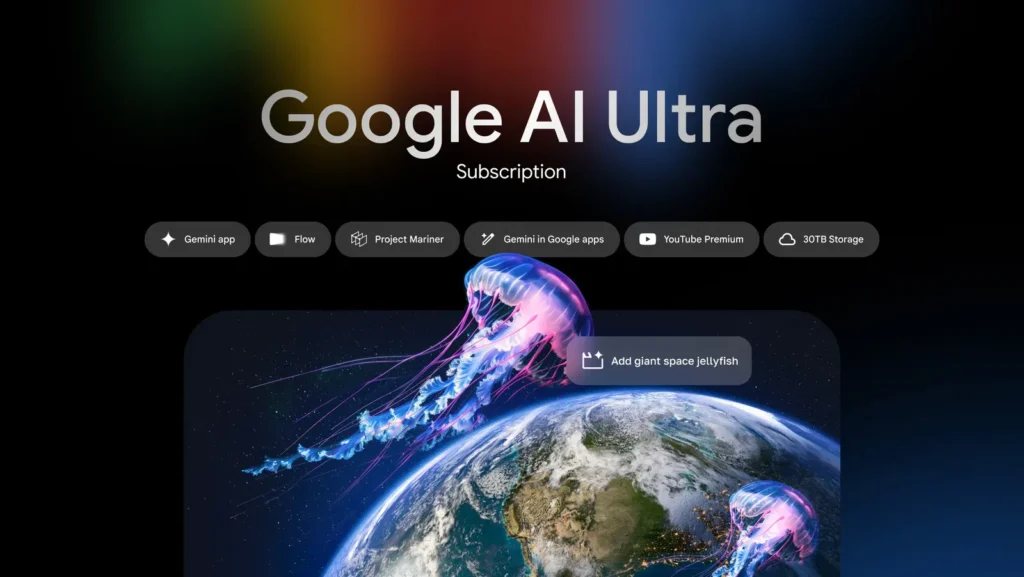
Public tiering summary (as of Dec 10, 2025 — always verify live): Google publishes consumer and business AI subscription tiers, including Free/Basic, AI Pro/Advanced, and AI Ultra. AI Ultra is positioned as the highest-capability subscription, with larger quotas, advanced tooling (video generation tooling, Deep Think), and enterprise-grade storage and features. Prices and country availability vary — in the U.S., AI Ultra has been listed near $249.99/month for the consumer/professional tier at launch announcements (price checks should be dated in published content).
Illustrative Pricing Table
| Tier | Typical access | Notable inclusions |
| Free / Basic | Gemini Pro / Flash models | Standard text & image features, limited quotas |
| AI Pro / Advanced | Gemini Pro & Pro-class features | Expanded quotas, Workspace integrations, 2 TB storage |
| AI Ultra | Full Gemini Ultra access | Deep Think, Veo video, larger quotas, 30 TB storage (example), premium pricing ~ $249.99/mo. |
Rate Limits & Quotas — Practical Advice:
- Expect higher per-minute token quotas on Ultra, but not infinite scaling — implement client-side throttling and exponential backoff.
- For production, instrument per-endpoint throttles and fallback routes to lower-cost Pro or Flash models when limits are approached.
- Track token usage per feature and implement budget alerts at the organization level.
Citation note: Pricing and storage claims evolve quickly; reference the live Google subscription page on the day you publish and include a date stamp in your article.
How to integrate Gemini 1 Ultra
Framing:
Integration is primarily about reliable prompt delivery, handling streaming/partial outputs for long contexts, token accounting, and secure key management. Use the official SDK and follow the API docs for the exact model ID you intend to call.
Important:
The short code stubs below are templates. Replace model strings and client package names with the exact SDK calls in the Google docs for the model revision you use. Always consult the Gemini API docs and Gemini model names before deployment.
Multimodal & Media Tips:
- For images and video, prefer pre-signed URLs or chunked streaming to avoid embedding large binary blobs.
- Use built-in features (Veo, Flow, Whisk) as described in the official API docs for image→video generation pipelines.
Enterprise migration checklist & governance
Checklist
- Inventory & classification
- Catalog AI touchpoints (chatbots, summarizers, code assistants) and assign risk levels (low/medium/high).
- Data governance
- Define allowed data for API calls; implement client-side redaction and tokenization for PII.
- Cost planning
- Forecast monthly token usage per feature; set budget alerts and usage quotas.
- Reliability & fallbacks
- Implement cheaper model fallbacks and a cache layer. Use asynchronous job queues for long jobs.
- Compliance
- Confirm data residency and retention policies with Google and with your legal/compliance teams.
- Human-in-the-loop
- For high-stakes outputs, require human review gates and logging of redacted prompts/outputs.
- Monitoring
- Log prompt templates (redacted), measure hallucination rates, and implement automated validators.
- Access control
- Define roles for who can call Ultra models; gate access for sensitive data.
- Incident response
- Create playbooks for misbehavior or data leakage. Define rollback and notification procedures.
Governance Details
- Maintain a model-card registry for the variants you use.
- Periodically bias and safety audits using domain-specific test suites.
Known Limitations, Failure Modes
- Hallucination / factual drift
- Why it happens: Generative models synthesize plausible continuations; without grounding, they can invent facts.
- Mitigation: Retrieval-augmented generation (RAG), citation-first prompts, human validation, and post-generation fact-checkers.
- Multimodal artifacts
- Why it happens: Image/video synthesis has latent-mode collapse and compositor artifacts at high complexity.
- Mitigation: Ensemble render passes, human-in-the-loop QA, and domain-specific filters.
- Cost surprises
- Why it happens: Long contexts and heavy multimodal jobs use more tokens and compute.
- Mitigation: Prompt compression, chunking, caching, and sampling for short outputs.
- Latency & rate limits
- Why it happens: Peak load or expensive Ultra queries can hit quotas.
- Mitigation: Graceful degradation to Pro/Flash models, queueing, and throttling.
- Privacy & PII exposure
- Why it happens: Prompts/contexts may contain sensitive data.
- Mitigation: Client-side redaction, differential privacy patterns, and minimal data forwarding.
Operational checks
- Maintain canary tests and synthetic adversarial prompts to detect regressions after model updates.
- Build cost dashboards and prompt usage summarization for stakeholder transparency.
Verdict: Who should use Gemini 1 Ultra
Use Gemini Ultra if:
- You need top-tier multimodal reasoning (image+text, video pipelines).
- Your product derives measurable user or business value from better reasoning quality.
- You can absorb the operational cost and governance overhead.
Avoid Gemini Ultra if:
- Your use case is cost-sensitive and can be served by Pro or Nano.
- You need strictly on-device inference (choose Nano or local open-source).
- Simple tasks or high-volume low-cost endpoints are the primary requirement.
FAQs Gemini 1 Ultra
A — “Better” depends on the task and evaluation. For multimodal tasks and some reasoning workloads, Google reports strong performance, but run head-to-head tests on your specific workload.
A — Pricing changes. Public Google pages list an AI Ultra tier around $249.99/month in the US (subject to change). Always check the live subscription page when publishing.
A — Google’s Gemini API pages and Google AI Studio contain current model IDs and SDK references. Use the model IDs listed in the official docs in your benchmark harness.
A — Yes — RAG improves factuality and is a recommended mitigation.
A — Be cautious. It helps with debugging, but exposing internal reasoning to end users may raise policy/safety concerns.
Conclusion Gemini 1 Ultra
Gemini 1 Ultra isn’t just Google’s flagship multimodal model — it’s a platform shift. Its real value appears when you combine Ultra with scalable APIs, grounding, long-context workflows, and enterprise orchestration. If you target these strengths while addressing the gaps competitors overlook — like reproducible benchmarks, pricing clarity, integration depth, and real engineering workflows — you can outrank existing articles and position your content as the most actionable, trustworthy, and technically complete guide in the space.
