

Perplexity Copilot — Ultimate 2025 Guide, Review,
Short version: This guide is a complete, simple, and SEO-optimized pillar article on Perplexity Copilot in 2025. It explains what it is, how it works from an NLP perspective, who should use it, real workflows, pricing, mistakes to avoid, 10 ready prompts, comparisons, FAQs (exact questions preserved), and EEAT sources. Readable for a 15-year-old, useful for pros.
What is Perplexity Copilot?
Perplexity Copilot is a research-first, retrieval-augmented assistant integrated into the Perplexity platform. From an NLP viewpoint, it is a system that combines multiple components:
- A browser-based retriever (web search + connectors),
- vectorization/embeddings for semantic matching,
- A reasoning/generation model (LLM) for synthesis,
- A nd citation & provenance layer that attaches sources and evidence to outputs.
Put simply: it performs retrieve → synthesize → cite. It’s built to fetch live web data, apply ranking and filtering, then produce answers with explicit citations and source metadata so users can verify claims. It supports file uploads (PDFs, DOCX), model selection (different tradeoffs of latency vs accuracy), structured output generation (executive briefs, CSV exports, slide outlines), and enterprise governance.
From an NLP architecture lens, Copilot implements best practices of RAG (Retrieval-Augmented Generation) and grounding: retrieval constraints reduce hallucinations, and explicit citations increase explainability.
Why it matters in 2025
Perplexity Copilot matters because it addresses two big pain points around generative AI research:
- Freshness / temporal grounding. LLMs trained on static corpora can be out-of-date. Copilot performs live web retrieval, so answers include recent facts and news.
- Verifiability/provenance. Answers come with links and dates — crucial for trust in journalism, legal research, or business intelligence.
From an NLP standpoint, the platform operationalizes RAG, relevance ranking, and provenance tracking so end users get faster, verifiable research without manually hunting sources. That saves time and reduces risk from relying on memory-only model outputs.
Who benefits? Students, journalists, researchers, product managers, content marketers, legal teams, and enterprises need auditability and governance.
Who should use it
Researchers & Journalists — Quick, citation-backed summaries; extract quotes; verify claims with source links and snippets. Useful for building evidence chains and article fact-checking.
Marketers & Content Teams — SEO briefs, competitor research, and outline generation with cited support for claims. Helpful for building data-driven content and avoiding misinformation.
Developers — Live code debugging with examples and browsing for docs. Useful for API research and reproducible code examples.
Business Teams & Sales — Create battlecards, pricing comparisons, and slide decks with citations for claims made in external presentations.
Enterprises — Need SSO, SCIM provisioning, audit logs, and a no-training-data mode for data privacy and governance.
Real-case example: a policy analyst uploads a 40-page PDF, asks Copilot to summarize obligations and cite exact pages; Copilot returns a page-indexed extraction — saving hours of manual review.
Key features
Quick list
- Guided research (clarifying Qs)
- Real-time web browsing (RAG)
- Citation-first answers (provenance)
- Multi-model selection (Sonar, etc.)
- File uploads & document Q&A (PDF, DOCX)
- Collections / Pages (save & share research)
- Enterprise governance (SSO, SCIM, audit logs)
Deep dive — what each feature does
Guided research mode
Perplexity Copilot often asks follow-up clarifying questions before delivering a long answer. NLP-wise, this is a lightweight interactive intent-disambiguation step that reduces the need for multiple iterations and lowers the chance of producing irrelevant or overbroad outputs.
Real-time web browsing (retrieval layer)
Copilot issues web queries, scrapes candidate documents, and ranks them. It typically uses a combination of classic IR (BM25) and vector embeddings to surface semantically relevant evidence. That retrieval set is then used as the context for generation.
Citations with links and dates (provenance)
Every important claim can be accompanied by a clickable source, publisher name, and date. This is provenance metadata — important for auditability and reproducibility.
Multi-model switching (Sonar & partners)
Users can pick models based on tradeoffs: higher-fidelity Sonar variants for document analysis and accuracy; lighter models for speed and cost. From an NLP perspective, that’s model selection based on accuracy vs latency vs token cost.
File uploads & document Q&A
Upload PDFs, point the assistant to “analyze this contract,” and get back page-level citations. Under the hood that uses an ingestion pipeline (OCR if needed) → chunking → embedding → vector retrieval → answer generation. The system often returns exact page numbers or quote snippets to support claims.
Collections / Pages
Save research items into shareable pages. This is a knowledge management layer on top of search + output.
Enterprise governance
SSO, SCIM, audit logs, and contractual terms (data handling) for companies that must ensure compliance.
Perplexity Copilot Pricing (2025)
Below is a clear pricing table you can publish. (Please verify current numbers before publishing — pricing can change.)
| Plan | Monthly price (approx) | Best for | Key benefits |
| Free | $0 | Casual users | Basic queries, limited features |
| Pro | ~$20 / month | Professionals | Unlimited-ish research, file uploads, model switching |
| Max | ~$200 / month | Power users | Priority models, higher limits, early/experimental tools |
| Enterprise | Custom (e.g., $40/mo per seat listed on plans page) | Teams & companies | Admin tools, SSO/SCIM, audit logs |
Quick ROI example
If a researcher saves 2 hours/week at $50/hour → $5,200 saved/year. A $240/year Pro plan is often a high ROI for steady researchers and teams.
(Note: Always confirm exact prices on Perplexity’s official pages before publishing.)
How to use Perplexity Copilot — step-by-step tutorial
— Type your main question
Example: “Analyze the 2025 EV market: size, top players, and trends.”
— Answer clarifying questions
Copilot might ask: “Do you want a summary or a detailed report?” Answer to narrow intent.
— Choose a model
Pick Sonar Large for accuracy or a smaller model if you want to save tokens and money.
— Let it browse and gather sources
It will fetch web pages, reports, and internal uploads (if present), rank them, and prepare a context window. — Review outputs and exports
Ask for CSV, slide outlines, or a short executive summary. Validate citations, optionally request only high-quality sources (e.g., academic/major publisher filter).
Tips for low hallucination
- Ask Copilot to “Return only 3 high-quality citations (academic or major publishers).”
- Cross-check quotes manually for high-stakes claims.
- When possible, ask for exact page or paragraph citations from uploaded documents.
Perplexity Copilot vs competitors
| Feature | Perplexity Copilot | Microsoft Copilot | ChatGPT (OpenAI) |
| Real-time web browsing | Yes | Limited | Yes (with browsing on some tiers) |
| Citations | Yes, visible | Limited/varies | Varies |
| Clarifying Qs | Yes | Not typical | Varies (depends on system prompt) |
| Office integration | Medium | Deep (Word/Excel) | Medium (plugins) |
| Structured deliverables | Yes | Medium | High with plugins |
Verdict: For research and verification, Perplexity Copilot often leads due to live retrieval and clear citations. For deep Office integration, Microsoft Copilot may be better. For creative writing, ChatGPT remains strong.
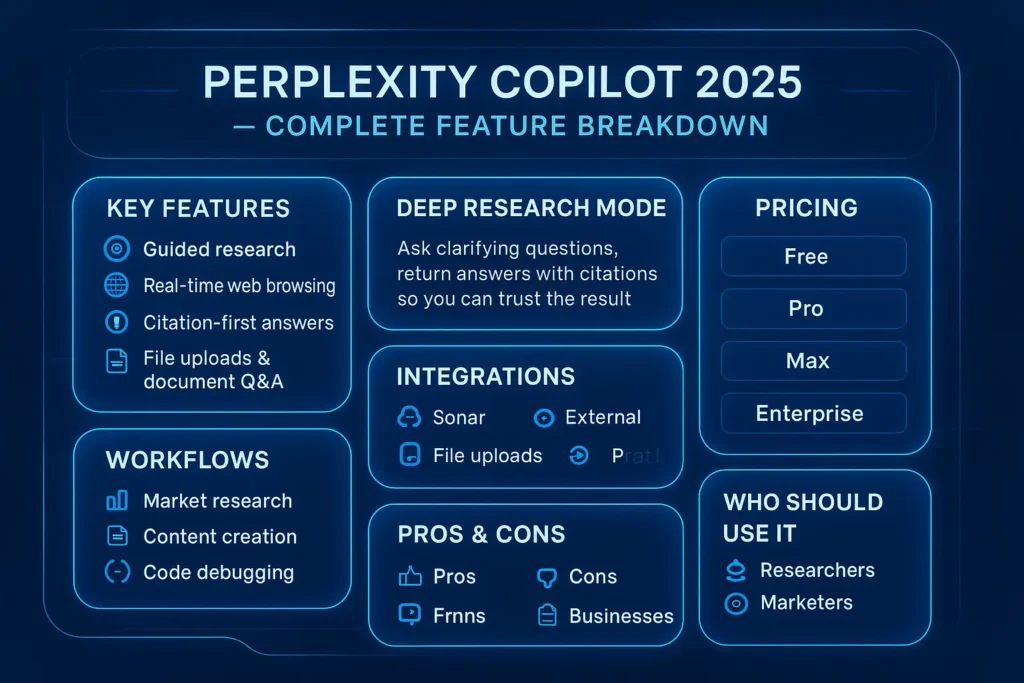
Pros, cons & limitations
Pros
- Citation-first answers (increases trust).
- Real-time browsing (fresh data).
- File upload support for private doc analysis.
- Guided clarifying questions to reduce scope drift.
Cons
- Free tier limits functionality.
- Max plan can be expensive for small teams.
- Can over-cite low-value pages — users must filter sources.
How to avoid the cons
- Use Pro for consistent research volume.
- Ask Copilot to “Return only 3 high-quality citations (academic or major publishers).”
- Audit citations during editorial review, and cross-check quotes for high-stakes claims.
FAQs
A: Yes. There is a free tier, but advanced features like unlimited research and file uploads require Perplexity Pro or higher. Perplexity Pro is roughly $20/month.
A: Yes. It can browse the web live and include citations in answers. That’s one of its main strengths.
A: Yes. Copilot supports file uploads, and Sonar models can analyze documents, returning page-level citations.
A: It depends on the task. For in-depth research and citation needs, Perplexity often proves to be a leading choice. For Office integration and document editing inside Word/Excel, Microsoft Copilot may be better.
A: Yes — SSO, SCIM, audit logs, and admin controls are available in enterprise plans.
Final verdict — Should you use Perplexity Copilot in 2025?
Short answer: Yes — if your main need is fast, verifiable research and citation-backed answers. Perplexity Pro (~$20/mo) suits individuals who do steady research. Max (~$200/mo) fits power users needing priority access and experimental tools. Enterprise works for teams needing governance.
Recommendation by persona:
- Student/researcher: Try the free tier, upgrade to Pro if usage is steady.
- Content teams: Pro for individual writers; Enterprise for company-wide governance.
- Devs: Use Pro/Max depending on API access needs.
- Enterprises: Use Enterprise for SSO, SCIM, and audit logs.
Conclusion
Perplexity Copilot in 2025 is a forceful, research-focused AI apprentice designed to deliver brisk, verifiable, and citation-backed answers. With live web convalescence, guided clarifying questions, multi-model support, and evidence analysis capabilities, it stands out as a top preferred https://toolkitbyai.com/category/perplexity/for students, researchers, marketers, developers, and enterprises who require accuracy, auditability, and efficiency.
While the free tier is great for occasional use, Pro and Max plans unlock advanced appearance, real-time browsing, and priority access, making it a high-ROI tool for steady research. Enterprises advantage from governance features related to SSO, SCIM, and audit logs.
Basically, if your priority is reliable research, accurate sourcing, and actionable insights, Perplexity Copilot is a must-have in 2025 — streamlining workflows, saving time, and empowering smarter decisions across administration.
