
Introduction
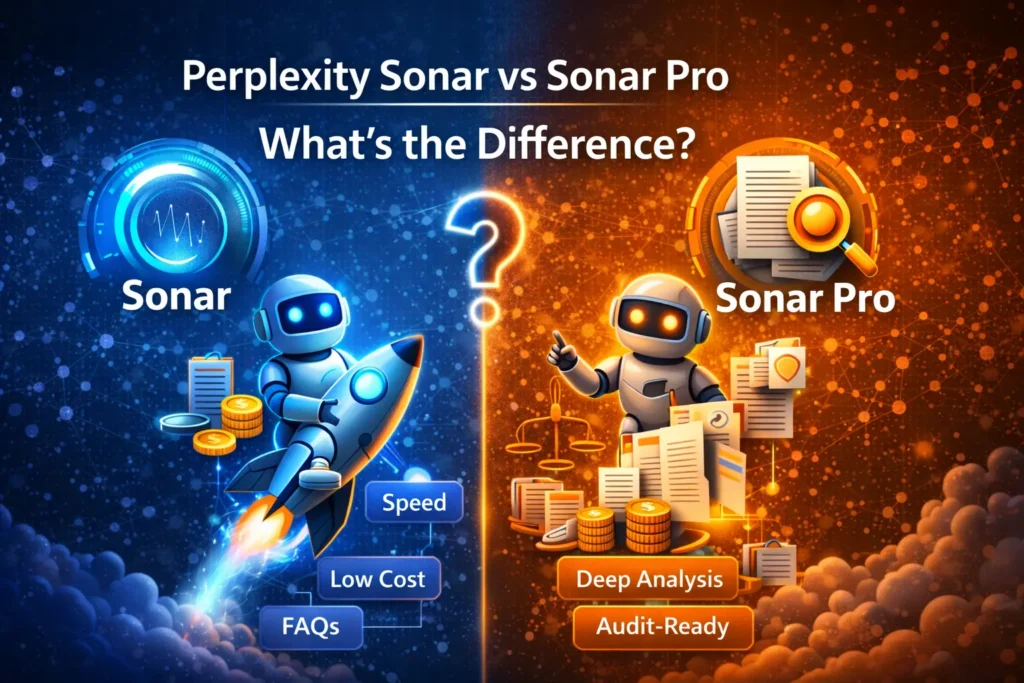
Use Perplexity Sonar Pro vs Sonar when latency, throughput, and cost efficiency matter — think chat widgets, inline assistants, and high-volume FAQ systems. Use Perplexity Sonar Pro vs Sonar when you require deep multi-step reasoning, auditability, large-document context, or richer citation output — think research assistants, compliance workflows, and journalism tools. This guide translates Perplexity Sonar Pro vs Sonar’s product distinctions into NLP terms and engineering trade-offs, supplies reproducible benchmarking methodology, provides SDK examples (Python / TypeScript / cURL), migration and UI patterns, and a final operational recommendation for product teams.
“128K vs 200K Context, Pricing & Secrets: Perplexity Sonar Showdown”
Perplexity Sonar Pro vs Sonar In applied retrieval-augmented generation (RAG) systems, model selection is a critical systems design decision: it determines latency, token cost, retrieval strategies, and how much of the document context the model can consume in one forward pass. Perplexity’s Sonar family splits the engineering trade-offs: Sonar optimizes for throughput and responsiveness; Sonar Pro optimizes for depth, auditability, and large-context coherence. Therefore an NLP architecture viewpoint, the difference is not merely “faster vs deeper” — it’s about how search and retrieval are fused with the generative head, how many tokens you can keep in the attention window, how many sources are retrieved and used during decoding, and whether the model exposes structured reasoning traces suitable for downstream audit pipelines.
- A decision matrix aligned to product use cases.
- Exact technical differences explained in NLP terms: context windows, retrieval fusion styles, and reasoning output formats.
- Worked cost examples and how token accounting affects architecture.
- A publishable benchmark plan and scoring rubric that can be reproduced and audited.
- Copy-paste SDK examples and migration steps.
- UI patterns for citation-rich outputs and an A/B testing launch plan.
I used Perplexity’s documentation and independent analyses as the factual backbone; treat numbers here as planning references and re-check pricing at launch.
“Which to Choose? Your Quick Decision Blueprint”
| Choose Sonar when | Choose Sonar Pro when |
| Low latency & high throughput are essential (interactive chat widgets, product suggestions). | You require deep, multi-step reasoning with traceable evidence (journalism, compliance, legal review). |
| Cost sensitivity: many small requests or high concurrency. | Need to ingest and reason over very long documents or long conversation histories without aggressive chunking. |
| Short to medium-length answers with lightweight citation sets are acceptable. | You want larger citation sets and more returned sources per query (traceability and EEAT). |
| Optimize for UX speed and low per-request cost. | Optimize for depth, auditability, and large context windows to reduce architectural chunking complexity. |
“Why Everyone Misses This in Sonar vs Sonar Pro: Benchmarks & Secrets Inside”
Sonar: A low-latency retrieval-augmented generative model designed to operate under tight decoding budgets. It favors faster retrieval heuristics, smaller source sets, and shorter output sequences, so it can sustain lower p99 latencies at high QPS. Sonar is suitable for stateless or lightly stateful flows where recent utterances and a few retrieved passages suffice to produce accurate answers.
Sonar Pro: A higher-capacity retrieval-augmented model tuned for deep research tasks. It supports larger attention context windows, returns more retrieval candidates (and thus more citations), and can emit structured reasoning traces (forensic outputs). Sonar Pro is appropriate when you need to maintain long document contexts (hundreds of thousands of tokens), produce auditable chains of evidence, or synthesize across many sources.
“Fast-Paced Face-Off: Who Really Wins?”
Context Length
- Sonar: ~128K tokens context. This allows the decoder to attend to several long documents, long multi-turn conversation histories, or long transcripts without aggressive chunking. In NLP systems, this reduces the number of retrieval/chunking operations and the complexity of salience-ranking pipelines.
- Sonar Pro: ~200K tokens context. The extra headroom means you can keep more original document text in-model, which helps with referential coherence (e.g., linking answer spans to original paragraphs) and reduces errors from approximate chunk-level summarization.
Practical NLP impact: Larger context windows simplify architecture: fewer off-model summarizers, fewer alignment problems between chunked summaries and source text, and fewer boundary hallucinations. But large context also increases compute during decoding and can inflate token billing in managed APIs — so cost and latency trade-offs must be part of the decision.
Unveiling the Retrieval Framework: Secrets Behind the Scenes”
- Sonar Pro tends to return more sources and is tuned for richer citation sets: helpful in tasks where source-level traceability matters (scholarly synthesis, legal memos).
- Sonar is tuned for faster retrieval with a concise set of supporting passages, improving latency and reducing compute.
From a pipeline perspective, the difference maps to the retrieval head: Sonar uses fewer, higher-precision hits; Sonar Pro uses more, higher-recall retrieval followed by deeper consolidation in the generator.
Reasoning & structured outputs
Perplexity exposes reasoning variants (e.g., sonar-reasoning-pro) that emit an explicit reasoning trace block followed by structured JSON. For systems with compliance and audit needs, this structured reasoning output is gold: you can store the trace, link claims to source indices, and perform deterministic checks or attach provenance metadata.
“Fast & Furious: Decoding System Performance”
- Sonar: Lower latency, higher throughput. Ideal for synchronous UX paths (chat widgets, real-time suggestions).
- Sonar Pro: Higher latency because it performs deeper retrieval and consolidates more sources. Plan UI strategies: streaming outputs, asynchronous reconciliation, or progressive enhancement (show fast answer, then append deep evidence).
Operationally, consider p50/p95/p99 SLAs, concurrency limits, batching strategies, and how the managed API’s concurrency model maps to your hosting constraints.
Perplexity Sonar Pro vs Sonar Pricing & Worked
Important: Pricing changes. Use these figures as planning placeholders and always verify Perplexity’s pricing page before publishing.
- Sonar — Very low per-token output costs; example placeholder: $1 / 1M output tokens (planning).
- Sonar Pro — Higher token costs; placeholders: $3 / 1M input, $15 / 1M output.
Scenario Examples:
- FAQ bot (Sonar)
- Monthly queries: 50,000
- Avg tokens in: 100
- Avg tokens out: 200
- Result: low monthly token cost; architecture optimized for throughput and low-latency.
- Research assistant (Sonar Pro)
- Monthly queries: 50,000
- Avg tokens in: 1,000
- Avg tokens out: 1,500
- Result: significantly higher monthly cost due to larger outputs and larger input contexts.
- Document ingestion / long-doc summarization (Sonar Pro)
- Monthly queries: 10,000
- Avg tokens in: 10,000 (large document)
- Avg tokens out: 3,000
- Result: very high token spend, but chunking overhead is reduced because of the large context window.
Engineering tip: Build a small token-cost calculator (CSV or spreadsheet) that parameterizes input/output tokens, query volume, and per-1M token price so stakeholders can simulate pricing scenarios.

Repeat, Verify, Conquer: The Ultimate Benchmark Strategy”
To credibly compare models, you must publish methodology, raw data, and scoring scripts. Here’s a rigorous benchmark plan you can run and publish.
Goals
- Answer quality: Measure precision vs gold answers.
- Citation quality: Measure relevance and uniqueness of cited sources.
- Latency & throughput: Measure p50/p95/p99 under load.
- Token consumption & cost: Tokens per query and monthly extrapolation.
- Hallucination rate: Percentage of answers containing fabricated facts.
Dataset
Environment
- Fixed client machine, identical network conditions, same SDK/HTTP client, and fixed concurrency. Document the machine specs.
Measurement & Logging
- For every request, log: response_time_ms, tokens_in, tokens_out, metadata.sources, full_json_response.
- Save JSON responses for post-hoc analysis.
Scoring Rubric
- Accuracy (0–3) — fidelity to the gold answer.
- Citation relevance (0–3) — do cited sources support claims?
- Hallucination flag (0/1) — any fabricated factual claims?
- Readability/concision (0–2) — Is the output usable?
- Aggregate into a normalized score.
“The Ultimate Showdown: Who Wins the Comparison?”
| Feature | Sonar (NLP) | Sonar Pro (NLP) |
| Typical context length | ~128K tokens — supports multi-paragraph documents and medium conversation state | ~200K tokens — supports long documents, long sessions, and multi-document synthesis |
| Best for | Fast Q&A, inline Suggestions, high throughput | Deep research, long-doc analysis, traceable outputs |
| Citation depth | Moderate; compact source sets | High returns more sources for verification |
| Latency | Lower | Higher (deeper retrieval and more post-retrieval consolidation) |
| Pricing | Lower per token/request (general) | Higher per token/request (general) |
| Reasoning flavors | Limited | sonar-reasoning-pro provides structured reasoning traces |
When to Pick Pro or Standard: Real-World Use Cases Explained”
- Customer support FAQ — Sonar. High QPS, short contexts, predictable answers. Optimize for low-latency synchronous responses.
- Journalist research assistant — Sonar Pro. Need more citations per answer and longer context windows to synthesize multiple sources.
- Document ingestion for compliance — Sonar Pro. Contracts, filings, and disclosures often require access to very long contiguous document contexts.
- Inline product suggestions / UX — Sonar. Low latency is critical for good UX.
- Reasoning-heavy audit tasks — sonar-reasoning-pro. Use for auditable, structured chains of thought and to emit JSON traces.
- Batch analytics pipelines — Sonar. Pre-process and compress documents, and run cheaper batch jobs with Sonar to save tokens.
- Hybrid approach — Search routing. Use search_type: auto or an application-level router: cheap fast lane for routine queries; Pro lane for long-doc or evidence-sensitive queries.
Migration checklist:Perplexity Sonar Pro vs Sonar
- Audit current traffic: Measure average input/output tokens and identify queries that require long context.
- A/B test: run Sonar vs Sonar Pro on an identical query set for 2 weeks, capturing full JSON outputs.
- Citation parser: Sonar Pro returns more sources; build deduplication and ranking logic in your UI.
- Backoff & retries: Pro mode can have higher tail latency; implement graceful loading states, streaming, or asynchronous background enrichment.
- Token budget & monitoring: Set alerts for token-spend spikes; implement per-user or workspace caps.
- Cost model updates: Update internal runbooks, engineering SLAs, and public pricing pages.
- UI changes: Add provenance badges, “view all sources” modal, and CSV/JSON export for research teams.
Perplexity Sonar Pro vs Sonar”How to Present Citation-Rich Data Without Confusion”
- Top-3 inline sources: Show domain, title, publish date, and short snippet in the main answer. Keep the answer readable.
- “View all sources” modal: Displays the full list of retrieved sources with metadata and a link back to the original content.
- Provenance badges: Domain credibility (e.g., nytimes.com — 2025-06-12) and a trust indicator.
- Toggle: “Show full citations / Show summary only” to let users choose brevity vs depth.
- Export options: CSV/JSON of source lists for research ingestion.
- Graceful loading pattern: Show a short, fast answer immediately; stream the Pro-sourced deep answer when available.
“Truth Behind the Hype: Pros, Cons, and Surprises”
– Pros
- Lower latency for interactive experiences.
- Cheaper for high-volume, short queries.
– Cons
- Less suited to very long documents and deep citation needs.
Pro – Pros
- Large context window (~200K) for long documents.
- Richer citation sets and auditable reasoning outputs.
Pro – Cons
- Higher per-token/request cost and higher latency. Requires careful UX and cost monitoring.
FAQs Perplexity Sonar Pro vs Sonar
A: Sonar typically uses ~128K tokens while Sonar Pro supports ~200K tokens, which helps analyze much longer documents in one call.
A: Yes — Sonar Pro generally has higher per-request and per-token costs because it returns deeper results and more sources. Check Perplexity’s pricing page for current rates.
A: Use it when you need structured reasoning traces (an auditable chain of thought). The model outputs a <think> block followed by JSON — parse the JSON with a custom parser.
A: Yes — use search_type: “auto” to let Perplexity route simple queries to cheaper/fast modes and complex queries to Pro where available.
Conclusion Perplexity Sonar Pro vs Sonar
Choosing between Perplexity Sonar and Sonar Pro is conditional on a trade-off between speed, cost, and depth. Sonar excels in high-throughput, low-latency functions where concise answers suffice. Use Sonar Pro shines when long-context reasoning, rich quotation, and auditable outputs are required. Through aligning model choice with your product’s requirements, manufacturing a hybrid or auto-routing strategy, and monitoring token usage, latency, and citation quality, teams can optimize both UX and practical efficiency. In short: use Sonar for speed, Sonar Pro for depth, and combine them smartly where needed to balance cost, certainty, and traceability.
