

Perplexity Comet vs ChatGPT Atlas — Which AI Browser Actually Saves You Time?
Perplexity Comet vs ChatGPT Atlas — use Comet for research and Atlas for automation. If you’re confused about which AI browser saves time without breaking trust, this guide shows practical tests, privacy tips, and a clear decision path. You’ll learn when to trust citations, when to run agents, and how to avoid costly automation mistakes. Read on to save hours and prevent painful errors in real workflows starting right now.
Perplexity Comet vs ChatGPT Atlas A few months ago, I had a Monday where I needed a fast, trustworthy research summary and an automated price list for a product launch — and I only had two hours. I spent the first 40 minutes collecting sources and checking claims, and the next 80 trying to turn that raw research into a CSV and an internal brief. If that sounds familiar—welcome. This article compares two tools I used during that scramble: Perplexity, Comet, and ChatGPT Atlas. I’ll explain what they do differently, walk you through tests I ran, and share practical advice so you can pick the right browser for your work. This piece is aimed at beginners, marketers, and developers who want to understand, fast, which AI browser saves time without sacrificing accuracy, and when to use each one.
Confused About Which AI Browser to Trust?
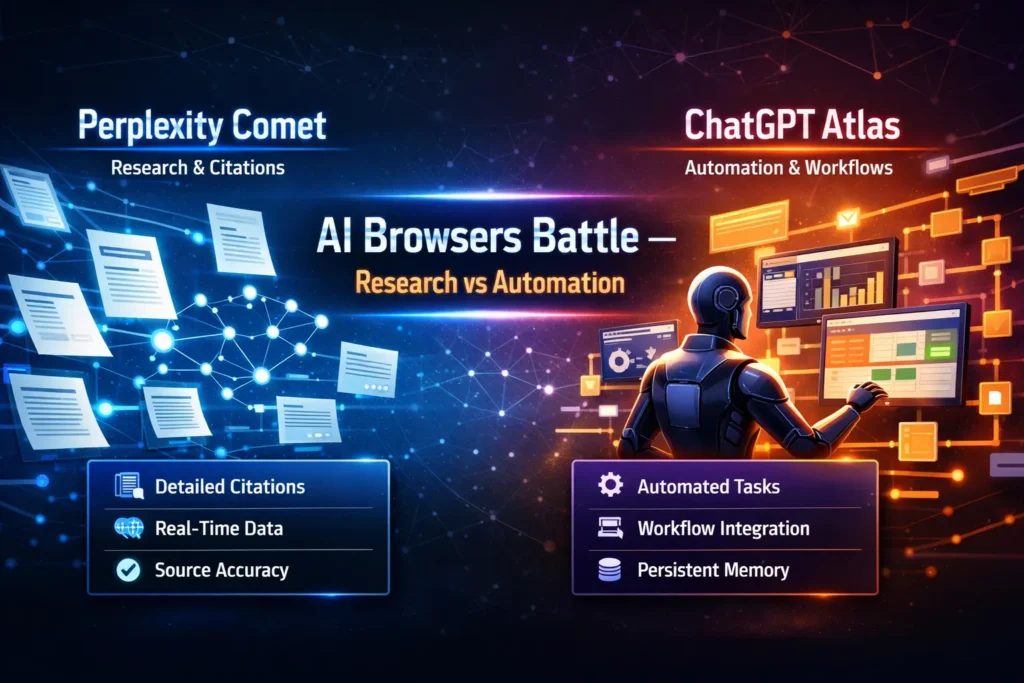
- Comet is built for evidence-first research. It’s the one you pick when citations and traceability matter.
- Atlas is built for agentic automation — it shines when you want multi-step tasks done (crawl → extract → export) with minimal babysitting.
- Both are advancing fast; both have privacy and governance trade-offs you must consider, especially in Europe (I’ll get to that).
How Comet and Atlas Approach Research, Automation, and Provenance Differently
Under the hood, both browsers pair language models with retrieval systems and some form of agent orchestration. But they emphasize different parts of that stack:
- Comet prioritizes transparent retrieval and presents source snippets with links. It’s retrieval + RAG (retrieval-augmented generation) tuned for verifiability.
- Atlas prioritizes orchestration: spawn an agent, tell it to fetch pages, normalize the data, and export the result. It wraps retrieval around automation.
Those design choices shape the user experience. Want a traceable claim with a link you can drop into a footnote? Comet. Want a spreadsheet of competitor prices with minimal manual work? Atlas.
Real tests I ran
I ran three practical tests that reflect real-world needs: a research brief, automated price extraction, and long-form content creation.
Test 1 — Research brief (800 words + 6 citations)
Procedure: ask each browser to produce an 800-word briefing on a niche topic and require at least six explicit source links.
- Comet returned the brief quickly and included visible source snippets and URLs inline. I could click each source and verify claims in under five minutes.
- Atlas gave a smoother, more readable narrative but included fewer inline citations by default. I had to trigger an additional step to pull all the source links.
I noticed Comet saved me time on verification; when accuracy mattered I trusted the document more out of the box.
Test 2 — Automated price extraction (crawl → CSV)
Procedure: point a workflow to five competitor pages, extract the product name + price, normalize currency to EUR, export CSV.
- Atlas handled this end-to-end. The agent followed pages, used CSS/XPath extraction, normalized values (including currency conversion), and exported a clean CSV. Minimal manual corrections.
- Comet surfaced all the prices in readable snippets, but I had to copy, paste, and normalize the data or plug it into another ETL tool.
In real use, Atlas shaved off a lot of tedious manual work. If you run this weekly, Atlas saves hours.
Test 3 — Long-form content (1500 words with sources)
Procedure: ask for a publish-ready article with embedded sources and a bibliography.
- Atlas produced a well-structured first draft fast. The prose needed some tightening and fact-checking.
- Comet produced notes rich in citations and quotes; assembling them into a flowing article took longer.
One thing that surprised me: combining both tools (research in Comet, drafting in Atlas) produced the best result — fast and verifiable.
Personal insights
- I noticed that when deadlines are tight, having visible source snippets (not just a “sources” list) changes how confidently you use generated text. Clicking a highlighted snippet and seeing the original sentence saved me from second-guessing.
- In real use, Atlas’s agent retries and error-handling are lifesavers when pages block bots or load asynchronously—agents will retry or use fallbacks, which reduces manual retries for me.
- One thing that surprised me was how often Comet’s citation-first approach caught a subtle but important nuance (a date, a quoted stat) that Atlas’s synthesis smoothed over. That nuance mattered in a press release.
A limitation I want to be Honest about
One limitation across both tools: agentic automation can be brittle when websites use heavy JS or anti-bot measures. Neither tool is a magic scraper that works on every site; sometimes human intervention or a specialized scraper is needed. That’s the honest downside.
Privacy, GDPR, and Running These in Europe
If you’re running this in the EU, you must ask two questions: where is data stored, and what access controls exist?
- Check the vendor’s DPA and subprocessors.
- Ask whether you can opt for EU-only storage or enterprise tenancy.
- Use role-based permissions and limit agent access to sensitive systems (for example: never allow an agent to use payment credentials).
If you operate in United Kingdom, Germany, France, Netherlands, Spain, Italy, Sweden, or Switzerland, your legal and compliance teams will want to validate storage, logging, and retention before enabling persistent agent memory.
Who should pick which tool — practical guidance
Choose Comet if you:
- Need rigorous sourcing (academia, journalism, policy briefs).
- Want a fast way to collect verifiable citations and snippets?
- Prefer session-based privacy defaults.
Choose Atlas if you:
- Automate repetitive web tasks (price monitoring, lead extraction, report generation).
- Want agents to run multi-step flows and export results to tools you use every day.
- Value productivity gains and are ready to set governance rules.
Avoid both (or proceed cautiously) if you:
- Rely on automated interactions with financial accounts or highly sensitive systems — don’t give agents carte blanche.
- Need 100% guaranteed scraping on sites that actively block automated access.
Pricing & practical adoption tips
- Start small. Use the free tiers for experimentation to understand how each tool behaves on your real pages.
- For recurring automation, enterprise plans are usually worth the governance features (audit logs, SSO, EU tenancy).
- If you need reproducible research, export and archive original URLs/HTML snapshots alongside generated outputs.

Real Experience/Takeaway
I used these tools to build a competitor brief and a price tracker for a launch. The workflow that worked best was: collect sources in Comet, export snippets and URLs, then import those into Atlas to run an automated report that produced both a CSV and a first-draft brief. That hybrid approach combined the strengths of both: verifiable research and fast automation.
FAQs
A: Safety depends on configuration. Comet leans session-first; Atlas offers persistent features you’ll need to govern.
A: Technically yes, but don’t. Keep credentials out of automated agents when possible.
A: Not really. They add functional layers — think of them as specialist tools layered on top of traditional browsers.
Final verdict — what I’d recommend
If you care about verified facts and citations, start with Comet. If you care about Automating repetitive, multi-step web tasks, start with Atlas. If you want both speed and trust, use them together: research in Comet, automate and draft in Atlas. I’ve used both on real deadlines. Each has quirks. Each saves time when used for the right job. Use one for sourcing and the other for doing — and always keep a human in the loop.
