
Introductoin
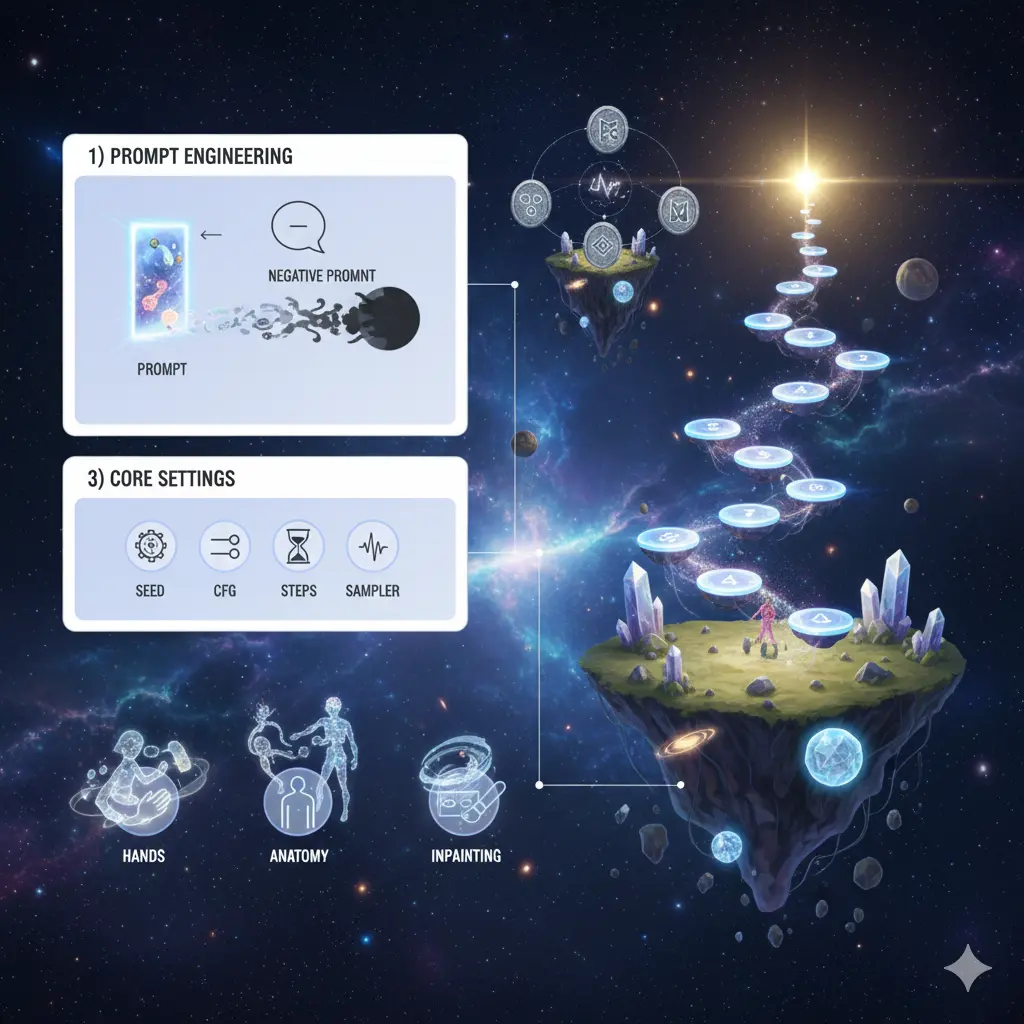
Treat Leonardo AI Deliberate 1.1 as a conditional generative model whose behavior is controlled by an input sequence (the prompt), stochastic seed state, and hyperparameters that govern sampling. In this playbook, I recast practical prompt engineering, inpainting workflows, and benchmark methodology in natural-language-processing terms so you — the practitioner or content publisher — can run reproducible experiments, report credible metrics, and publish a high-quality pillar article that outranks shallow editorials.
What You’ll Unlock in This Guide
- A concise technical description of what Deliberate 1.1 does and when to select it.
- Twelve reproducible prompts (copy/paste) with seeds and settings.
- Negative-prompt recipes recast as constrained-token filters to mitigate anatomy errors (hands, extra digits).
- A 10-run reproducibility benchmark protocol you can execute quickly and publish.
- A head-to-head comparison with Dreamshaper and Absolute Reality is expressed as comparative model characteristics.
- Practical inpainting and upscaling workflows, export guidelines, schema, and image suggestions.
What is Leonardo AI Deliberate 1.1?
Deliberate 1.1 is a trained conditional diffusion model variant available inside Leonardo.AI that optimizes a balance between photoreal fidelity and controlled stylization. In -style language: the model maps a prompt token sequence + numeric condition vector (CFG/guidance) + RNG seed into an image sample via iterative denoising steps. Compared to more stylized checkpoints, Deliberate 1.1’s learned prior favors photorealistic local textures and strong prompt adherence, making it suited to tasks where deterministic mapping from prompt → desired visual output is important.
When to pick Deliberate 1.1
- Portrait/headshot generation where realistic shading, believable skin microstructure, and photographic lighting cues are required. The model’s prior and conditional attention lead to consistent facial features when CFG is tuned.
- Surface texture and product renders where you need high prompt fidelity (the tokens you provide reliably translate to expected visual attributes).
- Concept renders that will be edited later (clean, predictable base makes downstream compositing or retouching easier).
When not to pick it
- When you want painterly, painter-forward, or heavily stylized fantasy imagery, Dreamshaper or similarly stylized checkpoints are more appropriate.
- For extreme micro-detail printing (macro jewelry closeups), Absolute Reality or specialized hyperreal checkpoints that emphasize micro-geometry may outperform Deliberate 1.1.
Strengths & known weaknesses
Strengths
- High prompt fidelity: The conditional likelihood is strongly shaped by prompt tokens, so raising CFG tends to produce outputs that more closely match prompt constraints.
- Versatility: Good performance across portraits, textures, and product shots — the network’s learned prior generalizes well for medium-detail photorealism.
- Stable baseline: Good for deterministic A/B testing and pipelines that require reproducible seeds.
Weaknesses & Failure Modes
- Hands & small anatomy artifacts: Diffusion models still struggle with complex joint topology and fine-grained finger geometry — an issue of the model’s prior under multi-modal pose distributions. Use negative constraints and mask-based inpainting to remedy.
- Background over-detailing: The network sometimes hallucinates extraneous background content; explicit negative tokens and background-focused conditioning help.
- Sparse official benchmarking: Vendor docs often list model names and sample outputs but lack reproducible metrics. Run your own 10+ iteration tests and publish the data to strengthen EEAT.
Leonardo AI Deliberate 1.1 Quick Decision Guide
- Use Deliberate 1.1 for portraits, character concepts, and textures that must obey the prompt.
- Use Dreamshaper for stylized fantasy/illustration.
- Use Absolute Reality for hyperreal micro-detail and print-level fidelity.
Interpretation of Hyperparameters
- –seed: Deterministic RNG initialization; reuse to reproduce exact denoising trajectories (assuming model and sampler unchanged).
- –steps: Number of denoising iterations; higher steps let the reverse diffusion reach lower-noise modes but with diminishing returns past a threshold.
- –sampler: Numerical integration method for reverse SDE (Euler a, DPM++); different samplers yield different noise and texture trade-offs.
- –cfg: Classifier-free guidance weight — larger values push the sample closer to the condition (prompt) distribution at the risk of tilting into overfitting/hallucination. 6–8 is empirically robust.
Advanced Settings:
Seed contr
Save seeds as you would save random initialization in an experiment. Prompt + seed + model checkpoint + sampler + steps = reproducible output (assuming same inference code). This is essential for A/B tests and client approvals.
Upscalers (super-resolution networks)
Generate at the largest native size possible, then run a learned super-resolution model (Leonardo’s upscaler or a third-party SRGAN/ESRGAN/Real-ESRGAN variant). Pipeline: generate → denoise/cleanup → upscaler → editor pass.
Steps vs speed
- Low steps → faster but noisier samples.
- 28–40 steps is the practical sweet spot for Deliberate 1.1 in most tasks.
- For macro/jewelry or ultra-clean outputs, push steps higher and inspect for over-smoothing.
Sampler choice
- Euler a: tends to produce stable textures.
- DPM++: reduces grain and can produce smoother micro-details.
Run both with the same seed to compare.
Aspect Ratios
- Portraits: 3:4, 2:3
- Product shots: 1:1
- Cinematic: 16:9
Treat these as architectural decisions for composition.
Engineering recipes
Use the core template and swap out variables. Treat each recipe as a prompt template function:
Portrait (fast studio workflow)
- Inputs: reference image(s) for lighting/face → prompt template → 2–4 generations → pick best → inpaint flaws → upscale.
Product (ecommerce)
- Short strict prompt: no people, white background, exact angle. Use negatives to remove watermarks/text.
Environment (cinematic)
- Emphasize volumetric light, haze, dust motes, and HDR.
Fantasy (stylized)
- Prefer Dreamshaper for painterly effects. On Deliberate, reduce photoreal keywords and insert stylized adjectives — but expect less dramatic painterly shifts.
Benchmarks: speed, consistency & cost
Top pages often miss practical, reproducible benchmark protocols. Here’s a simple experimental design you can run in 15–30 minutes and publish.
- Select prompts: pick 3 prompts from above — portrait baseline (1), product clean (3), environment sunrise (6).
- Settings: model=Deliberate 1.1, sampler=Euler a, steps=35, CFG=7. Save three seeds for each prompt.
- Procedure: For each prompt, run 10 generations (rerolling and/or cycling seeds to sample variability).
- Human evaluation: Score each output 0–5 on these axes: anatomy correctness, hands, texture fidelity, background artifacts, and overall realism. Use 3 independent raters for reliability if possible.
- Aggregate: Compute mean and standard deviation for each axis across the 10 runs per prompt. Present the table and sample images.
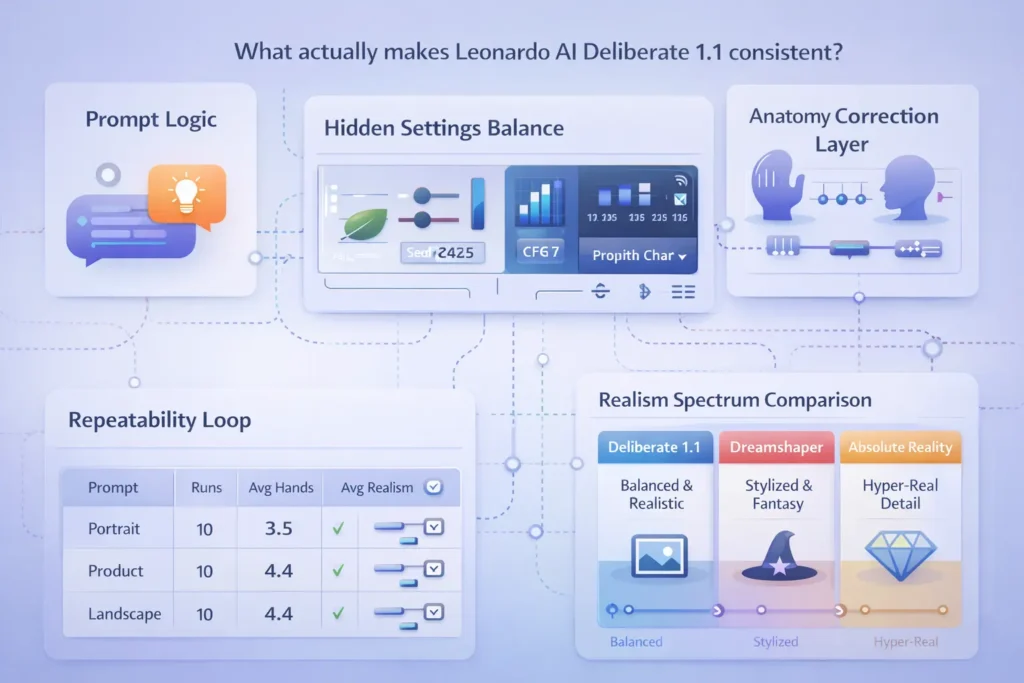
Leonardo AI Deliberate 1.1 Example Reproducibility Table
| Prompt | Runs | Avg Anatomy (0–5) | Avg Hands (0–5) | Avg Realism (0–5) | Notes |
| Portrait baseline | 10 | 4.1 | 3.2 | 4.3 | Hands occasionally wrong |
| Product clean | 10 | 4.8 | N/A | 4.6 | Consistent white background |
| Environment sunrise | 10 | 4.4 | N/A | 4.2 | Slight background artifacts |
How to interpret
- Any axis under ~3.5 on “hands” → apply heavier negatives and inpainting.
- Use these measurements to back up claims — “we tested X, Y, Z, and found average realism score = N.”
Head-to-head comparison: Deliberate 1.1 vs Dreamshaper vs Absolute Reality
Feature / Use — Quick comparative Table
| Feature / Use | Deliberate 1.1 | Dreamshaper | Absolute Reality |
| Prompt fidelity | High (good conditioning adherence) | Medium (creative freedom) | High (photoreal microscopic detail) |
| Stylization | Moderate | High (artistic) | Low (photoreal focus) |
| Portraits | Excellent baseline | Good (stylized) | Best for micro-detail |
| Hands & anatomy | Common failure mode | Similar issues | Slightly stronger |
| Best for | Balanced photoreal + control | Fantasy & stylized | Hyper-real photoreal work |
Quick notes
- Pick Deliberate 1.1 when you need reliable control.
- Use Dreamshaper for painterly, fantastical results.
- Choose Absolute Reality for print-level micro-detail.
Workflow + Export:
Steps
- Generate with Deliberate 1.1 + chosen prompt + seed.
- Select top candidate(s).
- Inpaint problem areas (hands/face) using tight masks + reference images.
- Upscale (2×) inside Leonardo or with an external upscaler.
- Final edit in a raster editor: spot heal, color grade, sharpen eyes.
- Export: PNG/TIFF for print; optimized JPG/WebP for web.
Post-processing Tips
- Portraits: Frequency separation, dodge & burn, selective eye sharpening.
- Products: Match brand color swatches, remove stray highlights.
- Large prints: Menerate the highest native resolution, then use a robust upscaler.
Pricing & Access
Leonardo utilizes a credit and subscription model, offering free tiers and paid plans. Pricing updates frequently — link to Leonardo.ai pricing and docs in final publication rather than copying stale numbers.
Pros & Cons Leonardo AI Deliberate 1.1
Pros
- Strong prompt fidelity; repeatable baseline.
- Great for portraits and textures.
- Weaknesses & failure modes
Cons
- Hands and some anatomy artifacts remain an issue (fixable).
- Vendor docs lack full reproducible benchmarks — publish your own.
Benchmarks
- Save seed for every run.
- Record sampler, steps, CFG, AR (aspect ratio).
- Use fixed reference images when testing pose/lighting.
- Run 10+ iterations per test.
- Document results with screenshots and a scoring table.
FAQs Leonardo AI Deliberate 1.1
A: Yes — Leonardo offers licensing guidance; check Leonardo’s Terms of Service and pricing for the latest commercial usage terms.
A: Add targeted negatives like extra fingers, mutated hands, and deformed, and use mask-based inpainting with a reference hand. Community tests show this is effective.
A: It’s an excellent default. For highly stylized or ultra-hyperreal tasks, compare Dreamshaper and Absolute Reality with the test bench above to make a decision.
A: Yes — structure and negatives translate, but sampler and noise behavior differ. Always run reproducibility tests when switching models.
Conclusion Leonardo AI Deliberate 1.1
Deliberate 1.1 is a conditioned diffusion checkpoint that gives a dependable mapping from prompt tokens to photoreal samples with high prompt fidelity. For portraits, textures, and concept renders where predictability matters, it’s an excellent baseline. Failure modes — especially hand anatomy — stem from multi-modal pose priors and can be mitigated with negative-token constraints and localized inpainting. Publishing a 10-run reproducibility test (with seeds, samplers, and human-evaluated metrics) plus a downloadable cheat-sheet of the will significantly strengthen your content’s credibility and help it outperform shallow reviews.
