
Introduction
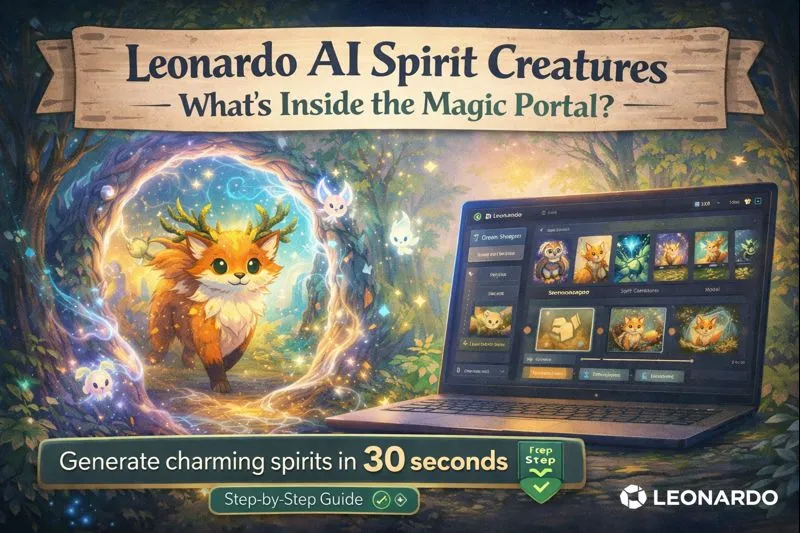
Leonardo AI Spirit Creatures lets you create ethereal guardians, forest wisps, and mascots with precision. Leonardo AI Spirit Creatures this guide reveals which models, settings, and workflows bridge imagination to output, keeping characters consistent and glowing. Learn how to control aesthetics, apply image→image techniques, fix artifacts, and upscale final results — everything AI artists and game creators need for repeatable, magical creations. If you need Leonardo AI Spirit Creatures reliably charming forest wisps, guardian animal spirits, and ethereal mascots from Leonardo.ai, this guide gives you an NLP-first, production-ready pipeline: prompt architecture, tokenized trait engineering, model & sampler recommendations, negative conditioning to suppress artifacts, an image→image pipeline for character consistency, upscaling/cleanup, a 30-prompt pack ready to paste, and SEO + schema notes for publishing.
Why is this written in terms?
Modern diffusion and conditional image generation behave like language models under the hood: they consume sequences of tokens (prompt tokens, special trait tokens, and sometimes structured key: values), map them into conditioning vectors, and use samplers to traverse latent space toward a sample that satisfies the conditioning and the classifier-free guidance (CFG) target. Treat your prompts as structured conditioning (like a short program), and the rest of the pipeline becomes reproducible engineering rather than guesswork.
This guide reframes typical artistic instructions into NLP vocabulary: tokens, embeddings, conditioning, guidance scale, samplers, seeds, negative conditioning, and temperature-like variability control. That framing makes trade-offs explicit and provides reproducible, testable steps for teams.
What are Spirit Creatures?
Spirit Creatures is a fine-tuned conditional image model family (a specialized conditioning head/checkpoint) trained to map tokenized prompts into a stylized manifold emphasizing soft silhouettes, painterly strokes, and whimsical creature morphology. In embedding space, Spirit models bias toward friendly, biomorphic shapes and pastel/bioluminescent palettes rather than high-frequency photoreal textures.
Why that Matters:
Fine-tuning modifies the model’s priors (the learned distribution over images). So when you use Spirit Creatures, you’re invoking a prior that prefers cute, stylized outcomes — fewer high-frequency textures and more silhouette and color cues. When prompt tokens encode “whimsical”, “bioluminescent”, or “cute”, the model’s internal embeddings nudge sampling toward that subspace.
When to Use Spirit Creatures vs other Models — Decision Matrix
| Use case | Best model family | NLP rationale |
| Stylized, whimsical character art (stickers, children’s books) | Spirit Creatures | Prior is tuned for simple, friendly silhouettes and soft shading. |
| Soft painterly or anime-like illustration | DreamShaper | Embedding space favors anime/cell-shaded or painterly strokes; better at anime color gradients. |
| High-detail cinematic fantasy scenes | Leonardo Diffusion XL / SDXL | Stronger high-frequency prior for photoreal detail and complex lighting. |
| Series with strict character consistency across poses | Spirit Creatures + seeded image→image | Fine-tuned prior + prompt token checklist + fixed seed yields reproducible morphology. |
Rule of thumb: Choose the model whose learned prior aligns with your desired manifold. Use tokens to push within that prior; don’t rely on a model to override a mismatched prior.
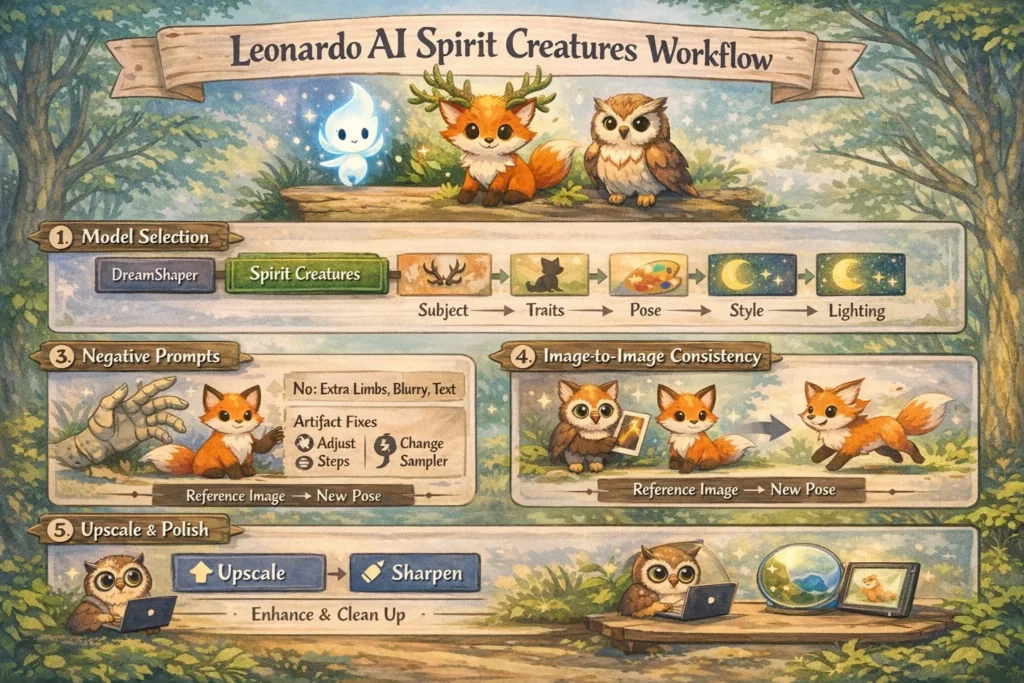
Recommended Models & Exact Settings
Below are battle-tested starting points presented as a reproducible recipe. Tweak per image, always document changes in a prompt log.
Core Models (NLP view):
- –model Spirit Creatures — primary choice for stylized creature outputs. Fine-tuned prior for whimsical forms.
- –model DreamShaper — painterly/anime-like aesthetic; stronger mid-frequency detail.
- –model Leonardo Diffusion XL (or SDXL) — high fidelity, photoreal fantasy when you need filmic lighting and texture.
Starting settings (copy/paste):
- Resolution/ratio: icons/stickers 1:1; portraits 2:3 or 3:4; scenes 16:9.
- Steps: 20–40 (28 is a good default).
- Guidance / CFG: 6–12 (8–9 default; 10–12 when strict adherence required).
- Sampler: Euler a for speed and reliability; DPM++ SDE / Karras for smoother results and fewer noise artifacts.
- Seed: fixed for series, random for exploratory runs.
- Image→image strength: 0.2–0.6 (0.2–0.4 to preserve identity).
- Upscaler: Leonardo built-in for quick; Real-ESRGAN/Topaz for print-level.
Why these numbers: They balance convergence within the model’s prior while avoiding overfitting to noisy latent details, which breeds artifacts.
image→image & character-consistency workflow
This is the reproducible production workflow for keeping a character consistent across poses, outfits, and scenes. Treat image→image as conditional latent editing: you’re nudging a latent sample while keeping critical conditioning anchors locked.
Goal (NLP framing)
Keep the character’s identity (face morphology, unique markings, color palette) consistent across multiple images and compositions.
Create the canonical base (seeded portrait)
- Produce a frontal or 3/4 portrait with a detailed prompt listing all defining tokens (eyeColor, hornStyle, chestMark, palette).
- Use a fixed– seed and record the exact prompt string, sampler, steps, guidance, and model version in a metadata file. This base image becomes your canonical embedding reference.
Build a reference set
- Generate 2–4 variations (headshot, full-body, close-up) with low image→image strength (0.2–0.4). This produces samples that maintain primary morphology while varying pose/scale.
Pose & action via image→image - Provide the canonical image as conditioning and prompt a new pose using the same trait tokens. Use strength 0.35–0.5 if you need more pose change but want to retain identity. Reuse –seed when supported.
Background & scene scaling
- Render or export the character with a transparent background (mask) and composite it into larger scenes rendered separately. This decouples identity generation from environment complexity and preserves latent anchors.
Upscale & final polish
- Use the platform upscaler for rapid iteration; for final deliverables, run Real-ESRGAN or Topaz Gigapixel, then refine edges and antialiasing in Photoshop/Affinity.
Upscaling, cleanup & Finishing Touches
Upscaling flow (practical):
- Quick iteration: Use Leonardo’s built-in upscaler (2×/4×) to rapidly validate composition and details.
- Final output: For print or client deliverables, run Real-ESRGAN or Topaz Gigapixel (model-specific presets), then refine edges and mask Antialiasing in a raster editor.
Edge cleanup & transparency:
- Export masked PNGs with clean alpha channels. If the generated alpha is jagged, manual masking in Photoshop or Affinity can remove residual artifacts. For sticker/icon packs, ensure a 4px safe margin and export both PNG and vector-friendly exports (SVG traces for silhouette shapes if needed).
Color consistency across a series:
- Repeat colorPalette: tokens in prompts and include a swatch image as an image input to the pipeline (many platforms accept an image condition). If subtle drift occurs, perform HSL layer adjustments in post rather than repeatedly re-rendering.
Deliverable checklist:
- 1× transparent PNG (main asset)
- 1× high-resolution PNG (2048–4096 px) for print
- 1× layered PSD (background, character, shadow) for client edits
- 1× optimized web JPG (800–1200 px) for landing pages
Troubleshooting — systematic debugging
When a render fails, treat it like debugging a model run. Don’t randomly change dozens of variables — follow an ordered diagnostic routine.
Common problem → ordered checks:
- Extra limbs / mutated hands
- Add extra limbs, mutated hands, and deformations to negatives.
- Try reducing –cfg by 1–2 points.
- Switch sampler (e.g., from Euler a → DPM++ SDE / Karras).
- As a last resort, use inpainting with a hand reference.
- Color drift across a series
- Ensure identical trait tokens (eyeColor, palette) are present.
- Use the same– seed.
- Add a color swatch image as conditioning.
- Correct remaining drift in HSL post-processing.
- Too painterly or noisy
- Lower CFG/guidance slightly.
- Add tokens like clean lines and smooth shading.
- Try a sampler with less stochastic noise, or reduce steps.
- Too realistic instead of stylized
- Switch model to Spirit Creatures or DreamShaper.
- Add tokens like stylized, watercolor, and cute to push toward stylization.
Logging & reproducibility: Keep a single spreadsheet or versioned JSON manifest for each asset set with fields: prompt, negatives, seed, model, sampler, steps, CFG, strength (if image→image), and notes. This metadata is the difference between one-off luck and a production pipeline.
Pros & Cons
Pros
- Fast path to charming, stylized characters.
- Built-in tools for character consistency (image→image + seeds).
- Great for stickers, mascots, and children’s books.
Cons
- Not ideal for hyper-photoreal renders (use Diffusion-XL).
- May need targeted negative conditioning for anatomy glitches.
- Community models & tooling evolve — retest as weights change.
FAQs
A: Most Leonardo.ai outputs can be used commercially, but always check Leonardo.ai’s current Terms of Service and model license before distributing at scale. Licensing can change.
A: Lock color tokens in prompts (e.g., emerald eyes), use the same seed, and consider a color swatch reference image. If colors drift, add explicit palette tokens.
A: Extra limbs are a common artifact. Fixes: add extra limbs, mutated hands to negatives, increase steps, try another sampler, or use inpainting on hands.
A: Leonardo Diffusion XL or Stable Diffusion XL variants are better for photoreal results; DreamShaper is good for a painterly middle ground.
Conclusion
Leonardo.ai’s Spirit Creatures model family is the fastest, most repeatable route to consistent, charming fantasy characters for illustrators, indie game artists, and authors who need repeatable asset sets. The reproducible pipeline above — choose the right prior, use structured tokens, fix trait tokens and seeds, use image→image for pose edits, and finish with measured upscaling and cleanup — moves prompt engineering from trial-and-error into versioned production.
