
Introduction
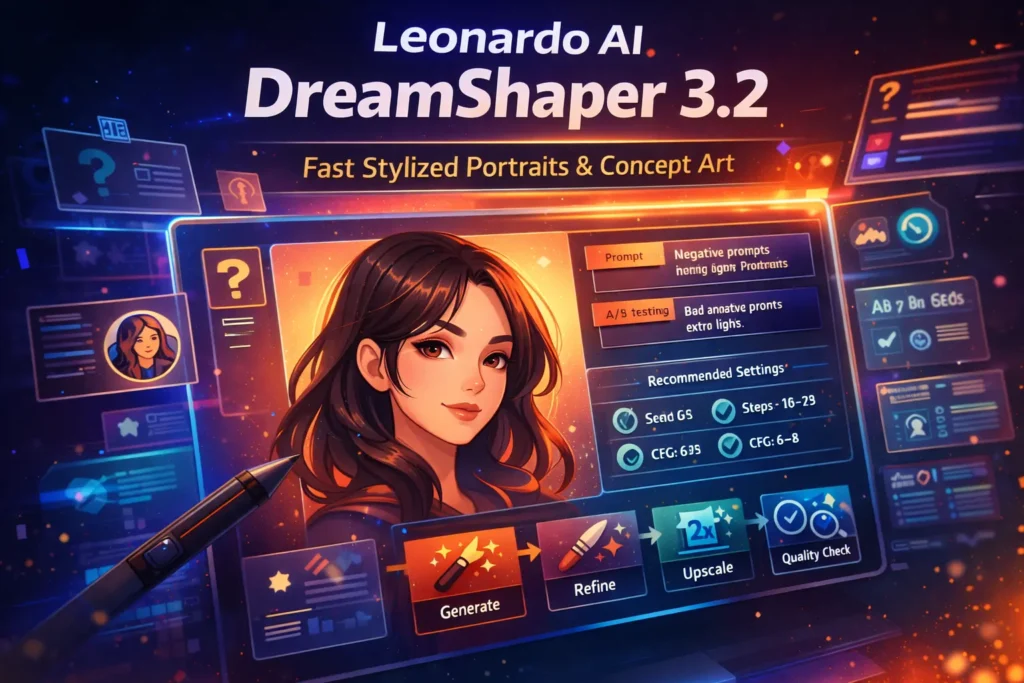
DreamShaper 3.2 is a Stable Diffusion lineage model often used for stylized portraits and quick concept art. A visual breakdown of Leonardo AI DreamShaper 3.2, showing the best prompt formula, recommended settings, A/B testing setup, and a pro workflow to create clean, stylized portraits fas Wherever in this guide, I reframe every practical step using -style terminology so you can think of image generation as sequence conditioning, embedding-space steering, and sampler strategies — the same conceptual toolbox that NLP practitioners use (prompts → embeddings → decoding). The goal is reproducibility: exact prompt tokens, sampling hyperparameters, seed control, refinement pipelines, and A/B evaluation matrices that replicate the deterministic thinking common in NLP model evaluation. This guide includes copy/paste prompts, a settings cheat sheet (Leonardo UI + local Diffusers), A/B test plans, metrics expressed as measurable signals, troubleshooting strategies turned into debugging recipes, and a downloadable prompt pack idea to help you outrank competitors.
What Is DreamShaper 3.2? Unlock Its Studio Magic
DreamShaper 3.2 is a diffusion-based image generation model fine-tuned from Stable Diffusion. In NLP terms, you can view it as a domain-specialized decoder: given a conditioning vector derived from your prompt, the model decodes a latent representation through a denoising trajectory into pixels. Its “training corpus” and fine-tune objectives bias the learned prior toward stylized portraits, painterly textures, and character-centric compositions. Think of the DreamShaper family as a model family like BERT/GPT variants, where 3.2 is a specific release tuned for portrait-style priors.
Leonardo AI DreamShaper 3.2 Why that Matters:
Understanding lineage (base model, fine-tune data, VAE, and tokenizer analogues) tells you which “adapters” (VAE, LoRA), “token modifications” (prompt-style tokens), and “decoding algorithms” (samplers like Euler a or DPM++) will interact well with the model.
What’s new or Notable in 3.2
- More stable faces (reduced failure modes): Equivalent to fewer hallucinations in language models — the prior is less likely to produce grotesque faces. That reduces the need for iterative prompt repairs or face-specific post-refinement.
- Flexible stylization: The model is amenable to strong conditioning via lighting/lens modifiers — in NLP terms, the prompt conditioning vector responds well to high-impact tokens like “cinematic”, “rim light”, or “softbox”, allowing controlled steering of style without heavy re-tuning.
- Large ecosystem of forks and adapters: Analogous to many fine-tuned LLM checkpoints and parameter-efficient adapters (LoRAs). Community adapters exist for VAE fixes, CLIP/embedding tweaks, and upscalers.
Quick Decision flow on When to pick DreamShaper 3.2 vs other Models
Use DreamShaper 3.2
- Your task is stylized portraits or character concepts (high prior weight on portrait-like poses).
- You want fast iteration and many compositions per hour (low-latency decode).
- You prefer pleasing stylization without days of retouching.
Prefer a photoreal Model When:
- You need exact likeness or true-to-life headshots (analogy: retrieval-augmented generation or specialized factual LLMs for truthfulness).
Leonardo AI DreamShaper 3.2: Strengths & Weaknesses
Strengths
- Rapid ideation throughput — low-latency sampling for many candidates.
- Pleasing default priors for faces and textures — high perceptual appeal.
- Broad community adapter support — many LoRAs, VAEs, and upscalers.
Weaknesses
- Not top-tier photorealism — treat as high-quality stylized prior, not absolute fidelity.
- Community forks sometimes lack metadata — an analog of a model card missing; validate before production.
- Persistent artifacts in edge-cases — hands, teeth, and occasional text remain failure modes. Treat these as model hallucinations and build an automated remediation pipeline.
Leonardo AI DreamShaper 3.2 Exact settings cheat sheet
| Setting | Stylized portraits (fast) | Studio photoreal (quality) |
| Sampler | Euler a / DPM++ SDE | DPM++ 2M Karras |
| Steps | 18–26 | 28–40 |
| CFG scale | 5–8 | 7–9 |
| Denoising (img2img) | 0.35–0.55 | 0.2–0.4 |
| Upscaler | Leonardo hi-res / Real-ESRGAN | ESRGAN → detail pass |
| Seed | random / fixed (ideation/final) | fixed (production) |
Analogy: Sampler = decoder algorithm; CFG = guidance strength; Steps = decode length; Denoising = pixel-level injection bandwidth; Upscaler = super-resolution head.
A/B Test Plan
Suggested Matrix
- Seeds: 3 values (1001, 2002, 3003)
- CFG: 3 values (6, 8, 10)
- Sampler: 2 values (Euler a, DPM++ 2M Karras)
Total runs: 18 images.
Metrics to capture
- Blind human preference (10+ raters) — subjective quality score
- Face proportion score (automated face detector metrics; could be a distance from canonical facial landmarks)
- Render time (seconds or credits)
- Upscale artifact rate (manual or automated artifact detection)
Publishable Asset:
an 18-image gallery with a CSV/JSON manifest listing each run’s metadata (seed, sampler, steps, CFG, runtime). This is measurable reproducibility similar to NLP test sets.
Leonardo AI DreamShaper 3.2 Pro Workflows & Use Cases
Use cases
- Concept art ideation: many low-res candidates → pick composition → refine
- Character portraits / NFTs: stylized base → manual retouch → publish
- Game thumbnails / moodboards: quick options for art direction
- Marketing hero art: stylized hero headers where realism is not required
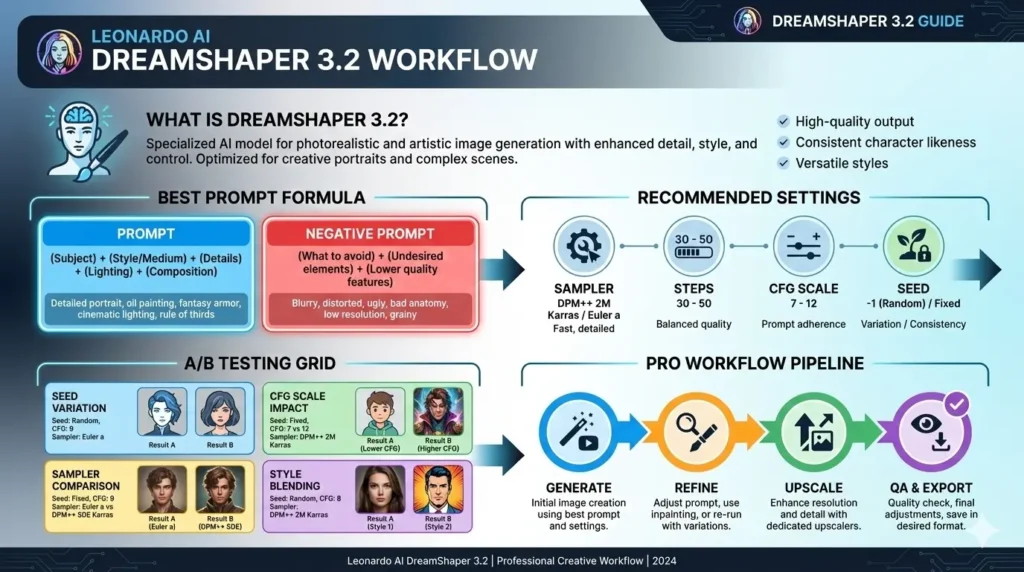
Pro pipeline
- Sketch intent & choose aspect ratio (e.g., –ar 2:3 for portrait).
- Fill prompt template: {subject} + {lighting} + {style}.
- Low-res batch: Steps 18–22, Euler a, CFG 6, 3 seeds.
- Pick 2 favorites (curation).
- Refinement pass: Steps 28–34, Karras, CFG 7–9; add strict negative prompt.
- Upscale (two-stage): Real-ESRGAN / Leonardo hi-res → detail pass.
- Final retouch and QA: spot-fix artifacts, dodge/burn, face-detector checks.
Troubleshooting & Exact Fixes
Odd Facial proportions / Deformed Features
- Fix: Increase steps (30–40), use DPM++ 2M Karras, and add strict negative prompts. Consider a photorealistic refiner for face regions (face-only second pass). Use face detection to filter outputs automatically.
Text/watermarks
- Fix: Add watermark, text to negative prompt. Increase CFG slightly if it helps, but watch hallucination tradeoffs. Use two-stage upscaling (gentle denoise then detail pass) to avoid reinforcing noisy watermark artifacts.
Inconsistent style Across Batch
- Fix: Fix seed for production; lock LoRA or VAE and include style tokens in the prompt. Use a style-specific adapter to keep outputs in a narrow manifold.
DreamShaper 3.2 vs PhotoReal vs DreamShaper v5/7
| Feature / Goal | DreamShaper 3.2 | Leonardo PhotoReal | DreamShaper v5/7 |
| Best for | Stylized portraits & concept art | High-fidelity photorealism | More realism / 3D effect (v7+) |
| Out-of-box faces | Good, stylized | Excellent when tuned | Improved realism |
| Speed / Iteration | Fast | Slower (heavier compute) | Moderate |
| Community tooling | Extensive | Official integrations | Growing |
Pricing & compute
- Leonardo.ai: Uses credits and subscription tiers. Plans change; always link to pricing. Use the in-app pricing calculator to estimate credits for different resolutions and step counts.
- Local runs: cost is GPU time; DreamShaper models are similar in VRAM to other Stable Diffusion variants. For cost efficiency, run low-res batches and only upscale selected finals.
Budgeting analogy: Treat each sampling step as a token decode cost — longer sequences (more steps) cost more compute.
Production checklist — from Experiment
- Choose model roster (DreamShaper 3.2 for stylized, PhotoReal for realism).
- Create prompt templates in JSON/YAML with placeholders ({subject}, {lighting}, {style}).
- Fix seed(s) for final assets and record metadata (seed, sampler, steps, CFG, VAE).
- A/B test and capture metrics (time, cost, human votes).
- Implement QA checks: face detector, watermark scanner.
- Postprocess: two-stage upscale → detail pass → manual retouch.
- Check licenses: verify Leonardo and community model licenses before commercial use.
FAQs Leonardo AI DreamShaper 3.2
A: No. DreamShaper 3.2 is great for stylized portraits and concept art. For strong photorealism, use Leonardo PhotoReal or a photoreal refiner.
A: Try Steps 28–40, DPM++ 2M Karras sampler, CFG 7–9, and run 3 seeds; pick the best and upscale. Include negative prompts like deformed features and bad anatomy.
A: Yes. Community forks on Hugging Face and Civitai show fine-tune activity, but always verify the license and test carefully before production.
A: Use Leonardo for rapid experimentation (UI, refiners, upscalers). Use local Diffusers for full control, determinism, and privacy. Choose based on cost, speed, and offering.
Conclusion Leonardo AI DreamShaper 3.2
So DreamShaper 3.2 is a safe model when your objective is a stylized account and fast concept work. It acts like a specialized decoder: strong conditioning tokens produce pleasing outputs quickly. To create a winning article, publish repeatable recipes ( seeds + settings), provide an A/B gallery with metadata, and offer downloadable assets. That approach gives readers and search engines reproducible material and practical value, which outranks shallow demo pages.
