
Leonardo Kino XL — Complete 2025 Guide, Review
If you’ve ever tried to generate “cinematic” AI images and ended up with something that looks flat, overly digital, or just off, you’re not alone. Most image models focus on realism—but not cinematography. That’s where Leonardo Kino XL stands apart.
Leonardo Kino XL is built for creators who care about lighting, mood, storytelling, and film-like depth—not just sharp images. Whether you’re designing a movie poster, crafting a dramatic portrait, or building high-impact marketing visuals, this model acts like a virtual cinematographer, translating your prompt into a scene that feels like it came from a film set. In this updated 2026 guide, you’ll learn not just what Kino XL is—but how to actually use it like a pro, with real workflows, practical tips, and the latest trends shaping AI image generation today.
What Is Leonardo Kino XL?
NLP framing / concise definition: In natural language processing terms, Leonardo Kino XL is a fine-tuned visual generation model (a diffusion-family variant in the Leonardo platform) whose training and inference objective prioritize cinematic attributes: directional lighting priors, lens and depth priors, color-transfer mappings (film grades), and human-face texture realism. It acts like a learned “virtual cinematographer” that maps high-level scene intent (the prompt) to a distribution of photoreal-cinematic frames.
Core purpose (NLP style): The model’s latent space has strong priors over: (1) illumination geometries (three-point and rim lighting), (2) lens focal/depth of field patterns, (3) film grain and color transform clusters, and (4) expression-conditioned face detail — which together produce images that align with film/photography compositional objectives rather than generic photographic realism. In practice, that means stronger mood, controlled highlights, and filmic tonal curves.
Short factual notes:
- Leonardo Kino XL is listed among Leonardo’s platform models (model ID is available in Leonardo docs).
- It’s exposed in the web UI and accessible via Leonardo API.
How it works Leonardo-Kino-XL
High-level NLP explanation: Prompt → Conditioning → Diffusion denoising chain → Alchemy/refiner pass → Color transform. Diagrammatically, input text (and optionally reference images or Character Reference) is encoded into conditioning vectors. Kino XL’s denoiser then performs iterative sampling with learned priors that bias toward cinematic luminance distributions and lens blur kernels. Optional refiner units (e.g., PhotoReal v2 / Alchemy) apply higher-frequency detail and color-mapping to yield a final cinematic still.
Key inference behaviors to know:
- Lighting prior: The model prefers directional sources; adding “three-point lighting” or “rim light” strongly constrains the denoiser to generate correct highlight placement.
- Lens behavior: Prompts with “85mm, f/1.8, shallow depth of field” activate depth kernels that blur backgrounds while keeping subject micro-detail.
- Color grading: Specifying “teal-orange grade” or “warm shadows” prompts the model’s color mapper to apply filmic tone curves.
- Refinement passes: PhotoReal v2 and Alchemy refiner modes enhance skin microstructure and remove painterly artifacts.
Best camera settings Leonardo-Kino-XL
Kino XL responds predictably to lens & aperture cues
- Portrait headshot: 85mm, F/1.8 — crisp subject, soft background bokeh.
- Environmental close-up: 50mm, f/2.0 — keeps some environment readable.
- Hero/composition wide: 35mm, f/4 — more context, less subject isolation.
- Tighter cinematic compress: 135mm, f/2.8 — telephoto compression for dramatic faces.
- Aperture cues: Use numeric f values (f1.2–f5.6). Kino’s DOF kernel matches typical optics.
- Shutter feel: Add words like “motion-frozen” or “slight motion blur” to simulate motion blur priors.
Ideal workflows
A production-grade workflow for Kino XL uses iterative refinement and controlled priors.
- Concept & reference collection
- Seed prompt (low guidance)
- Generate 8 variants with guidance: 7–9 to explore the composition space.
- Select & refine
- Image-to-image adjustments
- Upscale & finalize
- Use the built-in upscaler (4×) or the platform upscaler for final print/web sizes.
- Batch & templating
- When producing variations for campaigns, fix camera & lighting tokens and vary costume/background tokens to keep character consistency.
Comparison with Vision XL, Lightning XL, and Phoenix
Leonardo Kino XL vs Vision XL vs Lightning XL vs Phoenix (Comparison Table)
| Model | Strengths | Weaknesses | Best For |
| Kino XL | Best cinematic lighting, dramatic mood, film color grades, rich portrait depth | Slightly slower, more stylized | Movie-style frames, dramatic portraits, key art |
| Vision XL | Extremely photoreal, accurate skin & lighting fidelity | Less cinematic impact | Product photography, hyperreal portraits |
| Lightning XL | Fastest, lower cost per image, quick iterations | Less fine microdetail at extreme crops | Rapid prototyping, bulk generation |
| Phoenix | High fidelity & prompt adherence, strong edit tools | More generic photoreal baseline | Concept refinement, iterative editing workflows |
(Model IDs and compatibility mapping are published in Leonardo docs — check the platform models list to confirm exact model IDs.)
Which One Should You Choose?
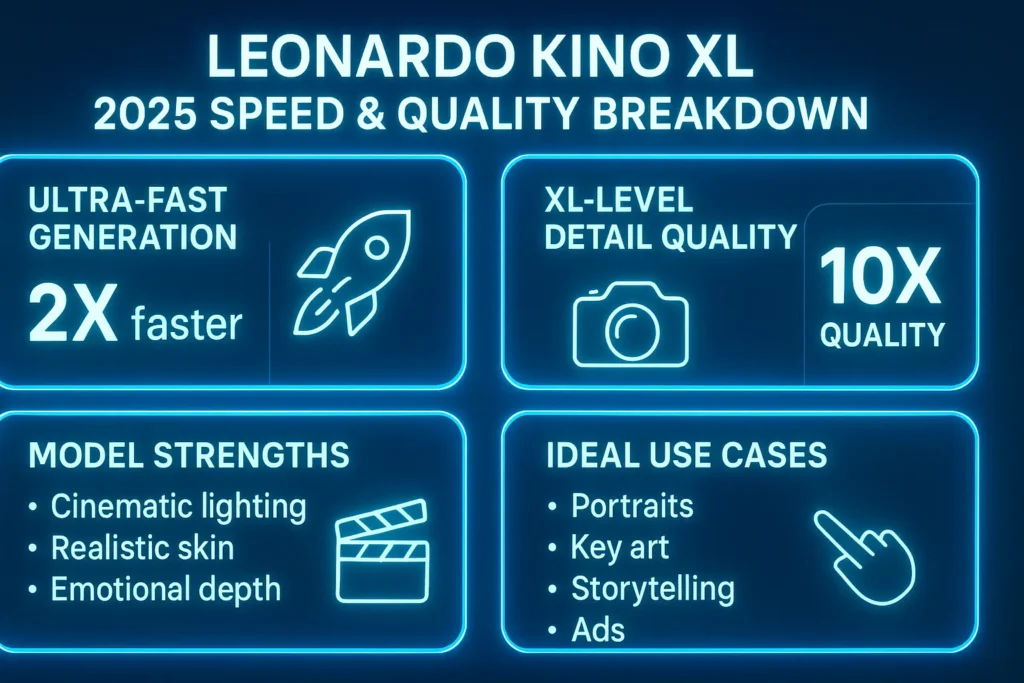
- Choose Kino XL: For cinematic portraits, key art, and emotional stills.
- Choose Vision XL: when absolute photorealism and skin fidelity are your primary KPI.
- Choose Lightning XL: For speed and scale.
- Choose Phoenix: For iterative edits and strong prompt adherence.
Features of Leonardo Kino XL
1. Cinematic Lighting Engine
Kino XL includes learned priors that mimic studio lighting — rim, key, fill, atmospheric haze — producing believable directional shadows and layered highlights.
2. Film-Grade Skin Texture
The model’s loss function and finetuning encourage microstructure (pores, subtle scattering), avoiding waxy or plasticky renderings common in earlier models.
3. Realistic Depth of Field (DOF)
Explicit lens tokens cause the denoiser to approximate optical bokeh and subject-background separation.
4. Movie-Like Color Grading
The model supports instructive tokens like “teal-orange grade” or “warm shadows” that activate internal color transfer matrices learned during finetuning.
5. Human Emotion Accuracy
Face encoders inside Kino XL preserve eye highlights, microexpressions, and subtle gaze alignment—important for emotional storytelling.
6. API-Compatible
Accessible via Leonardo’s API; model IDs are listed in the platform docs, and the API supports common parameters (modelId, presetStyle, alchemy, photoReal). Always check the docs for the most current modelId.
2026 Trends: How Creators Are Using Kino XL Today
In 2026, the biggest shift is AI moving from generation → production pipelines. Creators aren’t just generating images—they’re building repeatable visual systems.
Kino XL plays a major role in this by enabling:
- Consistent character branding (YouTube thumbnails, influencers)
- AI-driven ad creatives with fixed lighting + dynamic elements
- Hybrid workflows (Midjourney concepts → Kino XL refinement)
Another major trend is prompt modularity:
Instead of rewriting prompts, creators now use:
- Fixed camera + lighting tokens
- Swappable subject/background tokens
This dramatically improves consistency and scalability.
Pricing Table Leonardo Plans for Kino XL
Note: Pricing and token/credit quantities are updated by Leonardo — check the platform Pricing page for live numbers. Below is the standard structure as published (the names and relative tiers are accurate as of recent docs).
| Plan | Approx. Price (monthly) | Monthly Fast Tokens (approx.) | Kino XL Access | Best For |
| Free | $0 | 150 fast generations/day | Yes (public outputs) | Casual testing |
| Apprentice | ~$12 | ~8,500 tokens | Yes | Regular creators |
| Artisan | ~$24–$30 | ~25,000 tokens | Yes | Designers/marketers |
| Maestro | ~$48–$60 | ~60,000 tokens | Yes | Agencies/studios |
NLP note on tokens vs credit: Leonardo uses tokenized “fast generation” credits for priority/throughput — plan names and token allotments matter for large batch production.
Best Strengths & Ideal Use Cases for Leonardo Kino XL
1. Cinematic Portrait Photography
Headshots, actor portraits, and expressive close-ups benefit from Kino XL’s lighting and skin priors.
2. Promotional Key Art
Poster-style compositions, album covers, game art, and hero banners.
3. Emotional Storytelling
Strongly suited for romance, drama, noir, horror — genres where mood and light do the storytelling.
4. Fashion & Editorial
Runway, lookbooks, and magazine spreads with moody, filmic treatments.
5. Character Consistency Across Shots
When combined with Leonardo’s Character Reference & PhotoReal refiner, Kino XL can maintain continuity across multiple shots.
How to Use Leonardo Kino XL
1 — Select the Model
Open Leonardo.ai UI → Model dropdown → choose Leonardo Kino XL. The model appears alongside other studio models.
2 — Choose the Right Preset
Start with CINEMATIC or PhotoReal v2. Use Alchemy Refiner for the final pass.
3 — Write a Modular Prompt
Subject → Camera → Lighting → Style → Details → Model.
4 — Choose Aspect Ratio
- Portrait: 4:5, 3:4
- Key art/widescreen: 16:9
- Poster: 2:3
5 — Adjust Settings
- Guidance: 7–12
- Contrast Boost: ON
- Sharpness: Slight increase
- Negative prompt example: No extra limbs, no watermark, no text
6 — Generate Multiple Variants
Run 4–8 seeds to explore the model’s stochastic space; pick the best composition.
Troubleshooting — Fixes for Common Issues
- Faces Look Unbalanced
- Solution: enable PhotoReal v2, reduce stylization, or provide a close Character Reference.
- Lighting Looks Flat
- Solution: explicitly add hard key light, rim light, and directional shadows to the prompt. Use contrast boost and a lower ISO feel token (low iso or clean shadows).
- Hands Look Wrong
- Solution: avoid complex hand poses, crop tighter, or generate hands with separate poses referencing a photo.
- Skin Looks Too Smooth or Plastic
- Solution: add tokens: real skin texture, micro details, subsurface scattering, and use PhotoReal v2 with alchemy.
- Background Detail Lost in High DOF Scenes
- Solution: use 35mm, f/4 or 50mm, f/2.8 to keep environmental detail.
Pros & Cons of Leonardo Kino XL
Pros
- Best cinematic lighting within the Leonardo family.I
- Film-grade color and skin texture.
- Strong storytelling and emotional fidelity.
- Works well with PhotoReal and Alchemy.
Cons
- Slightly slower inference than Lightning XL.
- Not suited for anime/illustrative outputs (use Anime XL).
- Requires richer prompts and references for best results.
- Faces can vary across updates — pin Character Reference for consistency.
Use Cases — Who Should Use Kino XL?
- Filmmakers & Directors: storyboards, mood stills, shot framing.
- Photographers: lighting practice, concept headshots.
- Marketers: high-impact cinematic ads & hero imagery.
- Game Developers: promo art and character posters.
- Influencers & Content Creators: cinematic thumbnails, reels.
FAQs Leonardo-Kino-XL
No. For anime, use Leonardo Anime XL
Yes — use Leonardo’s API and confirm the modelId via the List Platform Models endpoint.
Use Character Reference, PhotoReal v2, and lower stylization to improve consistency.
Conclusion Leonardo-Kino-XL
Leonardo Kino XL isn’t just another AI image model—it’s a cinematic tool designed for storytelling. If your goal is to create visuals that feel like they belong in a film, not just a stock photo library, this model gives you that edge.
The real power of Kino XL comes when you combine:
- Structured prompts
- Cinematic lighting cues
- Refinement tools like PhotoReal & Alchemy
As AI workflows evolve in 2026, creators who treat these tools like **production systems—not generators—**will get the best results. Leonardo Kino XL is a cinematic-centric generative model engineered for creators who want film-like stills with robust lighting, realistic skin texture, and mood control. Use it when mood and storytelling are your KPIs; pair it with PhotoReal v2, Alchemy refiner, and Character Reference for production-grade, repeatable results. Confirm model IDs and pricing on Leonardo’s docs and pricing pages before scaling to production.
