

Best AI Image Generator Free — Stop Guessing, Find the Perfect Tool Fast
Best AI Image Generator Free in 2026 depends on your goal: beginners should start with Bing Image Creator, creators should test Leonardo AI or Ideogram, and brands should consider Adobe Firefly. In this guide, you will quickly see the real limits, the smartest free choices, and which tool actually saves time instead of wasting it on fake-free promises today online. If you are looking for the best AI image generator free, the hard part is not finding a tool. The hard part is finding a tool that is actually useful after you sign in, type your prompt, and try to make something you can really publish. Some platforms are free but slow. Some are free but region-locked. are free until the moment you need more than a handful of generations. Others are good for casual experiments but frustrating for serious work.
That gap between “available” and “usable” is where most guides fall apart. Bing Image Creator offers standard creation for free, but fast creation can depend on Microsoft Rewards points, and the service also shows watermarks on generated images. ImageFX is available only in supported countries and requires signing in, while Leonardo, Ideogram, Adobe Firefly, Craiyon, and Stability AI all use different models for access, limits, and licensing.
Free vs Fake Free — Real Limits Most Guides Don’t Reveal
That is why a real comparison has to go beyond the marketing headline. A “free” tool can still be restrictive if it gives you tiny daily quotas, lower-quality downloads, visible watermarks, commercial-use caveats, or heavy setup friction. The best choice depends on what you actually need: a beginner-friendly option, a text-heavy thumbnail maker, a realistic image generator, a branding-safe tool, or a developer-grade model that you can control more deeply. Official pages for these tools make it clear that the differences are not cosmetic; they are structural.
So this guide is built around a simple promise: not just “which tools exist,” but which free tools make sense for real people in real use. If you are a beginner, a marketer, or a developer, the right answer is not the same. The article below is organized to help you choose quickly, then understand the trade-offs with enough depth that you do not waste time on a platform that looks free but behaves like a paywall.
Why Is Choosing the Best Free AI Image Generator So Confusing?
Most articles on this topic make the same mistake: they treat every tool like it lives in the same category. In reality, “free” can mean at least four different things. However It can mean a true free tier with daily tokens, like Leonardo. It can mean standard free creation with optional paid fast generation, like Bing Image Creator. It can mean free access only in certain regions, like ImageFX. And it can mean a free plan that is intentionally limited while premium access unlocks more quality, flexibility, or speed, which is exactly how Craiyon, Adobe Firefly, and Ideogram separate free from paid usage.
Another common problem is that many guides obsess over feature checklists and ignore actual workflow. That sounds harmless until you are trying to make a YouTube thumbnail, a blog header, or a branded product mockup and you realize the tool cannot render text clearly, keeps throttling your usage, or adds constraints that ruin the output. Ideogram’s official documentation highlights strong text rendering, which is exactly why people use it for posters, logos, and meme-style visuals. Adobe Firefly is positioned around commercially safe creative work with generative credits, while Stability AI emphasizes a community license that supports research and certain commercial uses under a revenue threshold. Those are not interchangeable promises.
The final mistake is pretending “free” means “good enough for every job.” It does not. A casual creator may be perfectly happy with a lightweight option like Craiyon. A marketer may care more about brand safety and licensing than about raw experimentation. A developer may care less about a pretty interface and more about control, self-hosting, or open access to models. The strongest guide is the one that matches tool to intent, not tool to hype. That is the standard this rewrite follows.
Best Free AI image Generator by Use Case
If you want a fast decision, here is the simplest way to think about it. Bing Image Creator is the easiest entry point for most beginners because standard creation is free and the product is designed to be straightforward, though fast creation may depend on Rewards points and images include a watermark. ImageFX is compelling when it is available in your country because Google presents it as a text-to-image tool inside Labs, but availability is restricted and the tool says it is not available in some countries yet. Leonardo is a strong creator-focused choice because it offers a free tier with daily tokens and no expiry, which makes it useful for ongoing experimentation.
Ideogram stands out for text rendering and is freely available to all users on the main site, though premium features sit behind subscriptions. Adobe Firefly is the branding-friendly option because Adobe states that generated outputs are generally allowed for commercial projects, subject to the product’s beta rules and terms. Craiyon is the simplest casual option, but its free access is limited compared with subscriber plans. Stability AI is the most flexible route for advanced users because its community license allows a wide range of use under a revenue threshold, but that flexibility comes with more setup and technical responsibility.
Best AI image generator Free: the Top Tools in 2026
Bing Image Creator — the easiest starting point for most people
Bing Image Creator is one of the most approachable free options because it removes the usual setup friction. You sign in, write a prompt, and start generating. Microsoft’s official pages say standard creation is free, while fast creation generally uses Microsoft Rewards points after the daily free fast allotment is used. The same official documentation also explains that each generated image shows a watermark, which matters if you plan to publish the image without editing it further.
That combination is exactly why Bing works so well for beginners. The interface does not ask you to think like an engineer, and it does not force you to install anything. You can test prompt ideas quickly, compare outputs, and learn how wording changes the result. In practical terms, this makes Bing a strong choice for someone who wants to move from “I have an idea” to “I have an image” with minimal learning curve. The free standard mode is the real attraction here, not the fastest mode.
One thing to keep in mind is that the free experience is not unlimited in the way casual users sometimes assume. Microsoft states that after the 15 fast free creations per day, fast generation can draw on Rewards points if you enable it. That means the tool is free to start, but the premium-feeling pace is still tied to the platform’s incentive system. If you are creating a few images for a blog, a class project, or a quick concept board, that may not matter. If you are pumping out dozens of assets every day, it will.
Best for: beginners, bloggers, and social media creators who want a low-friction tool.
Should avoid: people who need completely watermark-free output or dependable high-volume generation without reward-based throttling.
Google ImageFX — a strong free-quality option, but only where available
ImageFX is interesting because Google positions it as a text-to-image experience inside Labs, and the official page explicitly says you sign in with Google to start creating. At the same time, the country availability notice is important: Google says ImageFX is not available in some countries yet, and the Labs FAQ says launched-country access is for adults in supported regions. That makes it a powerful but geographically uneven choice.
In terms of usefulness, ImageFX is the kind of tool people reach for when they want a more imaginative or aesthetically pleasing result without fiddling with complex settings. The official product language is simple because the experience is designed to feel simple. That is part of the appeal. You are not managing a technical stack; you are testing ideas. For creators who care about visual variety and want a fast way to explore concepts, that is a big advantage.
The downside is straightforward: you cannot build a dependable workflow around a tool that may not be available in your country. If you are in a region where ImageFX is supported, it can absolutely belong in your free-tool shortlist. If you are not, it is less a daily workhorse and more a tempting benchmark that keeps showing up in comparisons. That is not a flaw in the model so much as a reality of access.
Best for: realistic or creative image exploration in supported regions.
Should avoid: users outside supported countries or anyone who needs a globally consistent tool.
Leonardo AI — the creator-friendly option with a real free tier
Leonardo has one of the most straightforward free-tier stories among the tools in this list. Its FAQ says the platform offers a free tier with a daily quota of tokens, and the official pricing page says those tokens reset daily. That matters because it means the platform is designed for ongoing use, not a one-time trial that evaporates as soon as you get comfortable.
This is where Leonardo starts to look especially useful for creators. A daily token model feels more practical than an unpredictable “maybe free, maybe not” experience because it gives you a rhythm. You can test prompts, refine styles, and build repeatable workflows without immediately hitting a wall. Leonardo’s own homepage also frames the platform around scale, teams, and content production, which signals where it wants to live in the market: somewhere between casual image generation and more organized creative work.
The main limitation is obvious: token limits still exist. That means Leonardo is free, but not infinite. It is excellent for creators who want a little structure and some creative control, yet it is not the right answer for someone who expects endless generation without thinking about usage. In other words, it feels generous, but it is still a governed system.
Best for: YouTubers, bloggers, marketers, and people who want repeatable workflows.
Should avoid: users who need unrestricted generation every day.
Ideogram — the best free tool for text inside images
If your image needs readable text, Ideogram is one of the strongest names to know. Its official 1.0 announcement says the model addressed the long-standing problem of inaccurate text in AI images and made it possible to create personalized messages, memes, posters, T-shirt designs, birthday cards, logos, and more. Its 2.0 release goes even further, describing the system as a frontier text-to-image model with strong capabilities in realistic images, graphic design, typography, and text rendering accuracy.
That makes Ideogram especially valuable for thumbnails, poster-style graphics, social posts, and lightweight branding work. When text is part of the composition, many image generators fall apart in subtle but frustrating ways. Ideogram’s own documentation exists because that problem is real, and because users care deeply about whether a generated image can survive outside the test phase. For people who need visual plus verbal composition, it is not just another generator; it solves a very specific pain point.
The free story is also still strong. The current pricing page shows a Free Plan, and the 2.0 announcement says the model is freely available to all users on ideogram.ai, while premium features are available via subscription plans. That combination makes Ideogram a compelling free choice, especially when the final output needs typography that actually looks intentional rather than broken.
Best for: thumbnails, logos, posters, memes, and text-heavy visuals.
Should avoid: anyone who needs bulk output without thinking about quotas or premium features.
Adobe Firefly — the safest-feeling option for branding and commercial work
So Adobe Firefly is not just another image generator with a polished interface. Adobe explicitly positions it around generative AI features with credit-based access, and its guidance says outputs from generative AI features can generally be used in commercial projects unless a beta feature is specifically marked otherwise. Adobe also says the current Firefly models were trained on licensed content, such as Adobe Stock, and public domain content. That is a major reason businesses and brand-conscious creators keep paying attention to it.
For a marketer or designer, that framing matters more than flashy demo outputs. When you are building branded assets, the questions are not only “Does it look good?” but also “Can I use it?” and “Does the source model feel aligned with commercial workflows?” Adobe’s official pages are unusually explicit about generative credits and commercial use, which is helpful because it reduces guesswork. Even when you are on a plan with limits, the policy language is easier to navigate than many consumer-first tools.
The trade-off is that Firefly is not built to feel endless. Adobe uses generative credits, and the number of credits depends on your plan and the feature type. That means the platform is well suited to serious work, but not designed as a bottomless free toy. The strength here is trust, workflow, and brand suitability, not unlimited experimentation.
Best for: designers, agencies, brands, and businesses that care about commercial clarity.
Should avoid: users who want completely free and unlimited generation.
Craiyon — the simplest casual free option
Craiyon is one of the easiest tools to understand because it is intentionally lightweight. Its official site says free users have limited access, while subscribers receive more options such as better download quality, faster access, and no watermark. That is a very honest framing, and it helps set expectations correctly.
This is not the tool I would pick for final production design, but it is absolutely useful for casual experimentation. When people need a quick visual idea, a rough concept, or a playful exploration without worrying about setup, Craiyon can be enough. Its value is in speed and simplicity, not in pushing the limits of realism or polish.
The limitation is also easy to see. Compared with the more polished generators on this list, free access is more constrained, and the site itself points users toward subscriptions for stronger quality and fewer restrictions. That makes Craiyon better as a lightweight playground than as a serious production asset generator.
Best for: students, hobby users, and fast idea sketches.
Should avoid: anyone who needs premium-quality final assets or dependable brand work.
Stability AI / Stable Diffusion — the most flexible choice for advanced users
Stable Diffusion is the most developer-friendly and technically flexible path on this list. Stability AI’s license page says its Community License allows research, non-commercial, and commercial use of the Core Models for individuals or organizations generating under $1M in annual revenue. The company’s release materials also note that Stable Diffusion 3.5 models can be downloaded and are highly customizable, with consumer-hardware support mentioned in the announcement. That combination makes this route uniquely attractive to advanced users who want control.
This is the option for people who do not just want to make images but want to understand, modify, and integrate image generation into a workflow. If you are a developer, technical creator, or someone who likes full control over models, parameters, and deployment, Stability AI’s ecosystem makes sense. It is not “easy” in the same way Bing is easy, but it is powerful in a way that consumer apps rarely are.
The obvious downside is setup complexity. Even if the model itself is free under the license terms, the practical experience can involve installation, configuration, and technical troubleshooting. That means it is best understood as a power tool, not a convenience app. For casual users, that gap is usually enough to make it the wrong choice.
Best for: developers, advanced users, and people who want full control.
Should avoid: beginners who want instant results without setup.
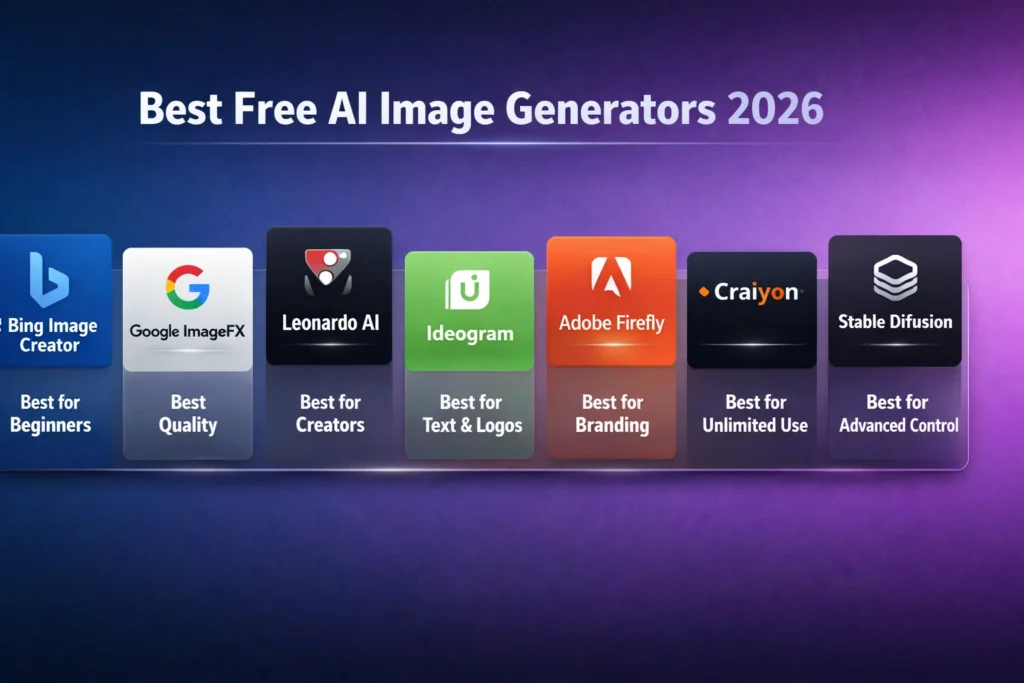
Which free AI image generator should you choose?
The simplest way to choose is to begin with your real goal, not the tool name. So If you are new and just want reliable results quickly, Bing Image Creator is the easiest place to start because it is free in standard mode and built for simple access. Therefore If you want higher visual quality and can access it in your country, ImageFX is worth testing. However If your work has a repeated creative rhythm, Leonardo is strong because its free tier gives you daily tokens that reset.
Evertwhere If your image needs text that actually reads well, Ideogram is the clear specialist. Sofor If your work is tied to a brand, a client, or a commercial workflow, Adobe Firefly deserves serious consideration because Adobe’s own terms are unusually clear about commercial use and generative credits. If you only need quick, casual sketches, Craiyon is fine. If you want model control, advanced customization, or self-directed deployment, Stability AI is the most technical option and therefore the most flexible.
That decision logic also matches how the tools behave in the real world. Bing and Craiyon are about accessibility. ImageFX is about availability plus quality. Leonardo is about practical repeat use. Ideogram is about text fidelity. Adobe Firefly is about commercial confidence. Stability AI is about freedom and control. Once you see the category, the choice gets much easier.
Best free AI image generator by use case
For YouTube thumbnails
Ideogram is the smartest pick when the thumbnail needs a title, a hook, or other visible text inside the image. Its documentation is unusually explicit about strong text rendering and design-friendly use cases, which is exactly what thumbnail creators care about. Leonardo can also work well when you want a creator workflow, but text clarity is where Ideogram keeps separating itself from the pack.
For realistic photos
ImageFX and Bing Image Creator are the easiest free places to begin. ImageFX is attractive for visual exploration where it is available, while Bing is more dependable as a general-purpose free option. If you are after broad experimentation, you may find that one tool surprises you more than the other depending on the prompt, but Bing’s access model is usually simpler.
For logos and poster-style visuals
Ideogram is again the standout because the platform itself highlights posters, logos, typography, and similar content. That makes it more suitable than a generic generator that only occasionally gets lettering right.
For branding and client work
Adobe Firefly has the clearest commercial posture among the major free-access tools in this comparison. Adobe says outputs from generative AI features are generally allowed in commercial projects, subject to beta-feature restrictions, and it says the current models were trained on licensed and public-domain material. That makes it especially easy to defend in a business conversation.
For casual use
Craiyon is the simplest “just try it” option, but the free experience is visibly more limited than the others. That is not a problem if your goal is playful exploration. It is a problem if you need final assets.
For advanced users
Stability AI is the strongest pick because the licensing and model availability are designed with research and development in mind. If you want to go beyond a browser toy and into actual model control, that is where the value lives.
Free vs Fake Free — Real Limits Most Guides Don’t Reveal
The phrase “free AI image generator” sounds simple, but in practice it hides a lot of detail. Before you invest time in any tool, check whether the free experience is a true ongoing tier or just a trial. Leonardo’s free tier has daily tokens and no expiry, Bing gives standard creation for free. but pushes fast creation toward Rewards points, ImageFX depends on country availability, and Adobe and Stability both use structured access models rather than open-ended free generation. Those distinctions matter because they determine whether the tool is useful for one afternoon or for a long-term workflow.
Next, check quality restrictions. Some tools are free but lock the best downloads, fastest processing, or watermark-free output behind subscriptions. Craiyon states that subscribers get more options, including better download quality and no watermark, while Bing’s official content notes that generated images contain a watermark. That means “free” can still be visually limiting even when the generator is technically accessible.
Finally, check the rights question. For brands and marketers, this is not a minor detail. Adobe’s guidance is unusually clear on commercial use, while Stability AI’s Community License includes revenue-based conditions. If you are creating for a business, those terms can matter more than style or speed. The right tool is the one you can actually use with confidence, not the one with the loudest homepage.
How to Get Better Results from free AI image Generators
The biggest improvement usually comes from the prompt, not from switching tools every five minutes. A stronger prompt tells the model what the subject is, what style you want, what the composition should feel like, and what the image is for. That is why people often get better results when they move from vague prompts to detailed ones. Tools like Ideogram, Leonardo, and Adobe Firefly are built to reward that kind of intentional prompting, even if the interface feels different from one platform to another.
A practical prompt structure is: subject, style, lighting, composition, and purpose. So instead of asking for “AI office,” you can ask for “a modern AI workspace, soft blue lighting, wide-angle composition, clean editorial style, blog header image.” That extra specificity helps the generator understand not just what to show, but what kind of finished asset you are trying to produce. The tools do not all interpret prompts identically, but they all benefit from clearer intent.
It also helps to create multiple versions before deciding. Free tools often feel inconsistent because one generation might be excellent while the next misses the brief. That is normal. A good workflow is to generate a few variations, save the strongest one, and then refine the prompt rather than abandoning the platform after a single weak result. This is especially true on free tiers where quota is limited and every generation matters.
Europe-focused tips for free AI image generation
If you are in Europe, access should be part of your decision. Google’s ImageFX pages make it clear that the tool is not available in every country yet, so you should not treat it as a universal default. By contrast, Bing Image Creator, Leonardo, Ideogram, Adobe Firefly, Craiyon, and Stability AI all present broader public-facing access models, though each still has its own terms and limitations. The main point is simple: availability is not the same thing as quality, and quality is not the same thing as convenience.
For most European creators, a practical starter stack would be Bing for easy everyday tests, Ideogram for text-heavy graphics, Leonardo for creator workflows, and Adobe Firefly when commercial clarity matters. That mix gives you broad coverage without betting everything on one tool that may be limited by region, quota, or policy.
Common mistakes to avoid
The first mistake is choosing based on hype alone. A tool can be visually impressive in a demo and still be awkward in daily use. The second mistake is ignoring the free-tier boundaries. If a platform relies on daily tokens, Rewards points, or subscription-gated features, that is not a defect; it is the actual business model. The third mistake is skipping the commercial-use terms when you plan to use the output publicly. Adobe and Stability are the clearest reminders that licensing and usage rules matter just as much as style.
Another mistake is forcing one tool to do every job. That is how people end up disappointed. Ideogram is excellent for text-driven graphics, but it is not automatically the best choice for every image. Bing is easy to start with, but it is not the final answer for everyone. Leonardo is productive, but the daily token system still shapes your behavior. The smartest users do not search for one perfect generator; they build a small toolkit around their actual needs.
Real Experience / Takeaway
What stands out most in a real workflow is how quickly the “best” tool changes once the task changes. I noticed that a beginner-friendly generator is often the fastest way to test an idea, but not always the best way to finish a serious piece. In real use, the best result usually comes from matching the tool to the job instead of trying to force one platform to solve every creative problem. One thing that surprised me is how much the free tier details matter once you move from experimentation to repeat work; daily tokens, watermarks, regional access, and commercial terms can matter more than a model’s headline quality. Those constraints are not small print. They are the difference between a fun demo and a dependable workflow.
If you are building content, the most practical path is usually to keep two or three tools in your pocket instead of searching for one magic winner. That way you can use the simple tool for speed, the specialist tool for text, and the branding-safe tool when the project needs it. This is the most honest way to think about free AI image generators in 2026: they are useful, but each one is free in its own way, and each one has a boundary you need to respect.
Comparison snapshot: the best choice for each type of user
If you want the shortest possible answer, here it is. Beginners should start with Bing Image Creator because it is simple and free in standard mode. Creators who need a daily workflow should look closely at Leonardo. People who need readable text in the image should choose Ideogram. Businesses and brand-focused teams should prefer Adobe Firefly. Casual users can use Craiyon. Developers and advanced users should look at Stability AI. And if you can access it in your region, ImageFX is a valuable quality-first option worth testing.
FAQs About Best Free AI Image Generators
The best free option depends on your goal. Bing Image Creator is the easiest choice for beginners, while ImageFX is a strong quality-focused option where it is available. Leonardo is better for ongoing creator workflows, and Ideogram is best when you need text inside the image.
Yes, but access is limited by country and sign-in requirements. Google’s official pages say ImageFX is not available in some countries yet, so availability is the key caveat.
Ideogram is the strongest choice for text-heavy visuals. Its official documentation specifically highlights improved text rendering and design-oriented use cases such as posters, logos, memes, and T-shirt designs.
Sometimes yes, but you need to check the platform’s terms. Adobe says outputs from generative AI features are generally allowed in commercial projects unless a beta feature is marked otherwise, and Stability AI’s Community License allows certain commercial use under a revenue threshold.
The model ecosystem is free to use under Stability AI’s Community License for many users, including research and qualifying commercial use, but the practical workflow may require setup and technical knowledge.
Final Verdict — Which Free AI Image Generator Should You Choose?
The best AI image generator free is not a single universal winner. It depends on what you are trying to make and how much friction you are willing to accept. Sofor If you want the easiest path, Bing Image Creator is a solid starting point you want stronger text handling, Ideogram is the clearest specialist. If you need creator workflow and daily structure, Leonardo is compelling. If commercial confidence matters, Adobe Firefly deserves attention. Whenever you are a developer or advanced user, Stability AI gives you the most control. If you just want a playful casual tool, Craiyon is there. And if ImageFX is available in your region, it is worth testing for quality.
The real lesson is simple: do not chase the word “free.” Chase fit, clarity, and usability. A tool that is technically free but unusable for your actual workflow is not really a win. A tool with a small but honest free tier that helps you create better content is usually the better deal. That is the choice that saves time, reduces frustration, and produces better images in the end.
