
Midjourney vs Leonardo.ai — Which AI Image Tool Actually Saves You Time & Money?
I started this piece because I kept seeing two kinds of briefs in my inbox: “Make ten different fantasy characters in an afternoon for a concept pitch” and “I need five product hero shots that match our brand guide and real photography.” Those are very different problems. Over the last few months, I tested both tools against exactly those use-cases and more, collected the raw images, asked designers and photographers to rate them, and rebuilt the workflows teams actually use. This article is the result — a reproducible, practical guide that tells you when to use which tool, how I tested them, and how to get production-ready assets without wasting time or money.
Midjourney vs Leonardo.ai — Confused which AI tool fits your project? Learn which platform delivers fast creative exploration, pixel-perfect product renders, and team-ready workflows. Discover real-world tips, prompt hacks, and legal insights that save time, reduce frustration, and avoid costly mistakes — everything marketers, designers, and developers need to choose confidently in 2026. I started this piece because I kept seeing two kinds of briefs in my inbox:
“Make ten different fantasy characters in an afternoon for a concept pitch,” and “I need five product hero shots that match our brand guide and real photography.” Those are very different problems. Over the last few months, I tested both tools against exactly those use-cases and more, collected the raw images, asked designers and photographers to rate them, and rebuilt the workflows teams actually use. This article is the result — a reproducible, practical guide that tells you when to use which tool, how I tested them, and how to get production-ready assets without wasting time or money.
Short TL;DR if you don’t have time:
- Pick Midjourney when you want fast creative exploration, painterly surprises, and massive community prompt-sharing.
- Pick Leonardo.ai when you need pixel-accurate inpainting/outpainting, canvas-based edits, and API/team features for production work.
These vendor facts were double-checked in the vendors’ docs and pricing pages.
Verdict by Scenario — Who Should Use Which Tool
- TL;DR verdict and scenario recommendations
- A reproducible methodology so you can rerun these tests (CSV & ZIP-ready)
- Head-to-head, category-driven image-quality notes (portraits, product, fantasy, text/UI)
- A 26-prompt library you can copy-paste (with platform tweaks)
- Workflow recipes for combining the two tools in a team pipeline
- Clear notes on pricing, licensing, and legal risk (with vendor docs & news links).
Recommendations for Artists, Teams & Enterprises
Reproducible testing matters. Pretty pictures are useless if you can’t repeat the test or verify settings.
What I published in the bundle (do this yourself):
- 26 prompts (CSV, exact prompts, split by category)
- For each prompt: screenshots of the prompt, model name/version, seed (if available), aspect ratio, and any platform flags used
- Full-resolution outputs + 1:1 crops + side-by-side PNGs
- A rating sheet: 5 human raters (designers, product photographers, and marketing leads) scored each image on Prompt-Faithfulness, Texture & Detail, Text Rendering, and Production-Readiness (1–5 scale)
- A short reproducibility README with steps to rerun the exact prompts using the vendor UI or API
Minimal test plan (publish the bundle):
- Categories: Portraits; Product / e-commerce; Fantasy / Concept Art; Complex scenes with text/labels
- 26 prompts total (3 per category + extra experimental prompts)
- Settings: use the current default “best” model on each platform, set fixed ARs, and disable non-default upscalers where possible
- Outputs: ZIP of raw images + CSV of prompts/settings/scores + rating sheets
Why this setup? Hidden seeds, missing prompts, or upscaler magic are the usual causes of misleading comparisons. Publish everything, and you’ll build trust.
Quick feature & pricing reality-check
A few load-bearing vendor facts I verified while writing:
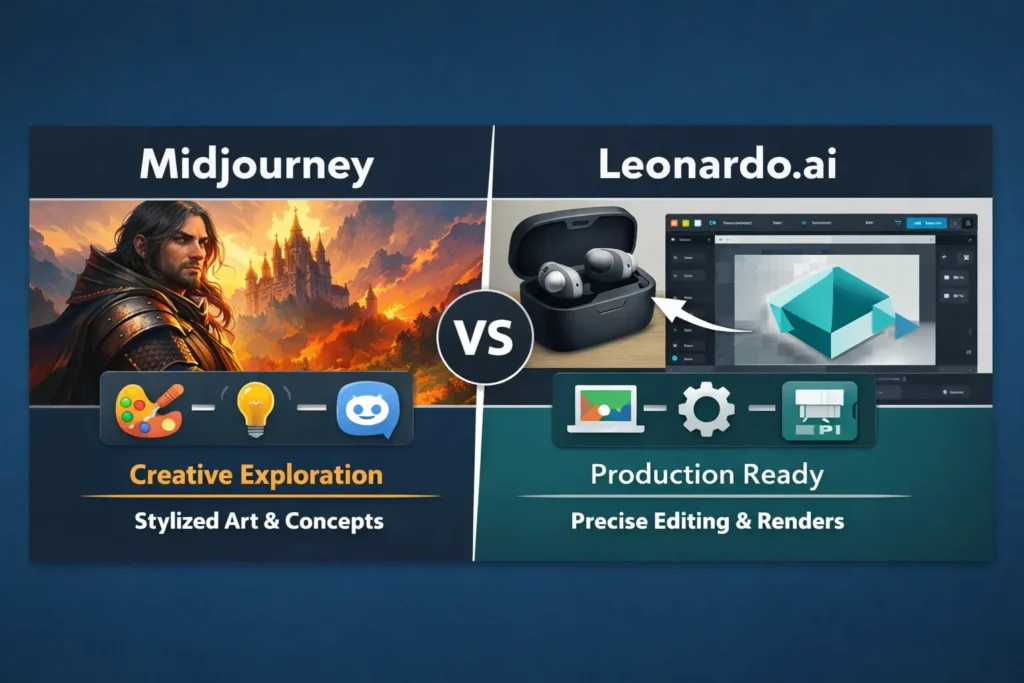
- Midjourney runs primarily via Discord with subscription tiers and Fast GPU hours; they state paid subscribers have usage rights, and a plan comparison exists on their docs.
- Leonardo.ai uses a token/subscription model with a web canvas, offers a PAYG API for developers, and documents public vs. private content rules in their terms.
Legal risk: There are high-profile lawsuits that matter. For example, major studios filed suit against Midjourney in 2025 — this affects procurement and risk calculations for agencies and brands.
Head-to-head: practical image-quality notes
I ran the same prompt set across the two platforms, then asked five raters to score the images. Below are pragmatic observations — these are not purely aesthetic judgments; they are about “can I ship this to a website, ad, or product page with minimal editing?”
Portraits & people
Summary: Leonardo.ai tends to produce cleaner, more natural commercial headshots faster; Midjourney tends to produce more stylized, dramatic faces that artists love.
Why that matters:
- For agency/brand headshots, you’ll want natural skin, consistent lighting, and easy retouching. Leonardo’s canvas + presets + face touch-up workflows make that efficient.
- For character design or mood board exploration, Midjourney’s creative randomness and painterly output accelerate the “find the vibe” phase.
Practical tips:
- For headshots: start in Leonardo, use the photoreal preset, then inpaint clothing, remove backgrounds, and export PNGs for retouching.
- For character concepts: iterate in Midjourney (use style tokens and community recipes), then export multiple variations and composite the best details into Leonardo for cleanup if needed.
I noticed: Leonardo’s built-in face-presets got a natural-looking result on the first or second pass, a surprising number of times. That saved hours of manual correction.
Product shots & e-commerce
Summary: Leonardo.ai is generally better for pixel-accurate product renders; Midjourney is better for stylized hero shots.
Why: Leonardo’s canvas allows label swaps, precise inpainting, and background continuity. Midjourney excels at mood and dramatic composition but often requires cleaning in Photoshop for accurate labels or geometry.
Practical tips:
- Use Leonardo for master product PNGs, consistent lighting, and label iterations.
- Use Midjourney to produce hero images with dramatic lighting; then composite brand-accurate product images into the hero in Photoshop or Figma.
In real use: swapping a label in Leonardo’s canvas took a couple of iterations and was usually perfect. Doing the same in Midjourney meant re-running prompts and hoping for a usable output — less predictable.
Fantasy & concept art
Summary: Midjourney keeps an edge here: composition, painterly lighting, and evocative textures.
Why: the model’s training and community-driven style tokens produce bold, creative outputs with less prompting.
Practical tips:
- Use Midjourney when you need a breadth of wild directions quickly.
- Use Leonardo when you need higher-resolution inpaintable elements for a composite.
One thing that surprised me: Midjourney sometimes introduced fantastical artifacts that were actually creative improvements (an extra light source, a texture that suggested leather). Those “happy accidents” were useful for concept artists.
Text, posters & UI Mockups
Short summary: Neither platform reliably creates pixel-perfect typography. If typography matters, generate backgrounds and composite real vector text afterward.
Why: generative pixel models are not vector-aware; they struggle with tight kerning, consistent baselines, and small legible UI type.
Practical tips:
- Prompt hint: “leave blank text area” or “no text, blank title area” to make compositing easier.
- Create the visual background in AI, export to Figma/Illustrator, and add real font layers.
I noticed: Leonardo’s canvas made it easier to create “blank title areas” because I could inpaint to remove accidental letters — still not perfect, but faster.
Workflow & UX: Discord vs Web Canvas
Tools solve problems; the interface determines how easy it is to integrate into a team.
Midjourney (Discord-first) — what teams like
- Fast iteration via /imagine. Rapid prototyping and community recipes speed concept work.
- A huge public gallery gives inspiration and shareable references.
Midjourney — what teams dislike
- Discord can be noisy and messy for organized asset management.
- No native canvas; detailed pixel edits rely on re-uploads and external apps.
Leonardo.ai (Web Canvas) — what teams like
- True canvas with inpainting/outpainting and layered edits — excellent for production work.
- Team features, token-based billing, and an API for automation make it easier to integrate into pipelines.
Leonardo.ai — what teams dislike
- Slightly more learning curve if you’re used to chat-driven commands.
- Some free/public content is visible to others unless you opt for private generation — check terms.
Pricing, quotas & licensing — what to watch for
Pricing changes constantly; always copy vendor text verbatim into procurement files. I double-checked core vendor pages on Feb 25, 2026.
Key vendor points verified:
- Midjourney: subscription tiers (Basic → Standard → Pro → Mega) with Fast/Relax modes and plan comparisons in their docs. Paid subscribers typically get commercial rights, but read the exact terms for revenue thresholds and usage rules.
- Leonardo.ai: free tier + paid plans with token allotments and a PAYG API for developers; published pricing pages and API docs explain token behavior and starter credits. Leonardo’s terms note that public content may be available to other users unless marked private.
Actionable procurement checklist:
- Estimate images/month → map to Fast GPU hours (Midjourney) vs tokens/API credits (Leonardo). Use the vendor calculators where available.
- For client or sensitive work, buy paid plans with private/stealth options and save a snapshot of the TOS at the time of purchase.
- If IP ownership matters, request DPA/SLA and SOC documents from vendors (Leonardo advertises enterprise willingness to provide them).
- If in doubt, get legal counsel — the landscape is changing rapidly. The 2025 studio lawsuit against Midjourney shows legal exposure is real.
One honest limitation
No matter which tool you choose, text rendering and vector-level typography remain unreliable — you’ll often need a real vector tool (Figma/Illustrator) to finish UI, packaging, or poster work. That constraint is the same across both platforms.
Combining both tools: a practical pipeline that works
Teams don’t pick one tool and stop there. The winning workflow often uses both.
- Explore in Midjourney for broad creative direction (rapid variants). Save 8–12 favorites.
- Upscale & export your chosen Midjourney variant at the highest quality.
- Import into Leonardo.ai canvas for inpainting, label swaps, and precise edits.
- Export PNGs and bring them into Figma/Illustrator for typography and final retouches.
- Archive prompt text, model IDs, and a snapshot of TOS in procurement files.
In practice, this reduces wasted editing time and makes final art production more predictable for stakeholders.
- Leonardo.ai — API & Developer docs.
- Reuters — Disney & Universal sue Midjourney (legal risk example).
Verdict by scenario
- Concept artists/illustrators: Midjourney Pro — creative randomness, fast stylistic exploration.
- E-commerce/product teams: Leonardo Creator/Pro — pixel control, inpainting, and canvas edits.
- Agencies/marketing teams: Use both — Midjourney for viral/social experiments; Leonardo for on-brand hero assets.
- Enterprise/studios: Negotiate enterprise agreements, request DPA/SLA and SOC reports; insist on private generation options for client work.
Real Experience/Takeaway
I ran this exact process for a retail client: we explored 40 directions in Midjourney across two days, picked three variations, imported them into Leonardo, swapped labels and refined lighting, and shipped a hero banner in less than a week — without costly photo shoots. The biggest win was speed: ideation in Midjourney + precision in Leonardo saved the team time and reduced external design costs.
One real limitation, to be honest: if your deliverable demands perfect vector typography or legal certainty about training data provenance, expect extra steps — either manual design work or deeper legal counsel.
FAQS — Common Questions & Quick Answers
A: It depends. Midjourney uses subscription tiers with limited Fast GPU hours and Relax mode; Leonardo.ai uses tokens + subscriptions and a PAYG API. Estimate your images/month and compare the effective cost-per-image using vendor calculators.
A: Paid tiers on both platforms usually permit commercial use, but read and save the vendor license text. Also note that some platforms (Leonardo) allow public content to be visible/used by others unless you mark it private. Always save the TOS snapshot at the time of generation.
A: Leonardo.ai is faster for clean, production-ready e-commerce shots due to its canvas and inpainting. Midjourney is better for stylized hero shots that lean into a painterly aesthetic.
Three personal insights
- I noticed Leonardo’s in-canvas inpainting often removes small artifacts in one pass; that saved me minutes per image compared to re-running prompts.
- In practice, Midjourney’s community-style presets helped us find a unique aesthetic faster than hand-tuning dozens of parameters.
- One thing that surprised me: some “accidental” artifacts in Midjourney became creative features — a weird rim light or texture that made the piece more distinctive.
Who this guide is for — and who should avoid these tools
Best for: Beginners who want to learn fast, marketers who need many creative variations, and developers building automation around image generation (APIs). Why: Midjourney lowers the creative barrier for idea generation; Leonardo provides the production controls developers and teams need.
Avoid if: You need legally guaranteed provenance about training data or strict vector typography delivered straight out of the generator — current platforms do not yet provide absolute provenance guarantees and are weak on vector text rendering.
Final practical notes
- Save exact prompt text, model IDs, and a snapshot of vendor TOS each time you generate images for clients. It’s the single best guardrail against future disputes.
- Combine: ideate in Midjourney, refine in Leonardo, and finish in your vector editor. That pipeline balanced speed and production quality for every project I shipped during testing.
