
Sonar Pro vs Absolute Reality v1.6 — Why This Comparison Exists at All
AI tools in 2026 don’t work alone anymore. Real creators research, verify, visualize, and publish in one flow. That’s why Sonar Pro vs Absolute Reality v1.6 isn’t a strange comparison — it’s a practical one. One model thinks, the other sees. The real question isn’t which is better, but how they actually fit together in modern AI workflows. AI in 2026 rarely lives in neatly separated silos anymore. Creators, developers, and product teams stitch tools together: search-grounded reasoning for trust, photorealistic checkpoints for visuals, and human checks for quality control. Folks land on the same crossroad I did: Sonar Pro or Absolute Reality v1.6 — which one should I invest in, and when? The honest answer: neither fully replaces the other. They solve different problems. But budgets, attention, and deployment complexity force real teams to choose where to spend their time. This guide explains, with practical examples and hands-on observations, exactly when to pick which tool — and when to use both.
The Real Difference — Explained Without the Hype
- Sonar Pro = best when facts, citations, and search-grounded reasoning matter (research, news summaries, verification).
- Absolute Reality v1.6 = best when you need ultra-photorealistic images, especially portraits and hero visuals; it’s a fine-tuned Stable Diffusion checkpoint by Lykon.
They don’t replace each other — they complement each other. Use Sonar Pro to research and validate; use Absolute Reality v1.6 to produce the visuals for your validated content.
What is Sonar Pro?
Sonar Pro is Perplexity’s search-grounded reasoning model and service: it actively searches the live web, synthesizes answers from multiple sources, and returns responses with explicit citations and structured reasoning. It’s designed for scenarios where trust and traceability matter more than rhetorical polish. Think of it as a search engine with an analyst’s workflow baked in — it pulls sources, lines up corroborating evidence, and hands you a structured explanation instead of a one-off confident claim.
Why that Design Matters
I’ve seen plenty of otherwise capable LLM outputs confidently assert specific dates, numbers, or quotes that turned out to be wrong. In one project I worked on, a generic chat model claimed a company acquisition happened in March 2024; Sonar Pro flagged the correct announcement from November 2023 and linked the primary source. That kind of mismatch is exactly what Sonar Pro is built to reduce: verify first, write later.
What is Absolute Reality v1.6?
Absolute Reality v1.6 is a Stable Diffusion 1.5-derived checkpoint created and maintained by Lykon. It’s a model package tuned explicitly for photorealistic outputs — especially portraits, natural skin textures, believable lighting, and DSLR-like compositions. It’s not a SaaS product; you run it in local UIs like Automatic1111 or ComfyUI, or host it on cloud VMs or community runners. If you need a hero portrait that can sit on a landing page and read as photographic at a glance, this checkpoint is one of the reliable community options.
Where to find it: official uploads and mirrors are on model hubs such as Hugging Face and Civitai; always read the model page for license and usage notes before commercial use.
The Fundamental Difference
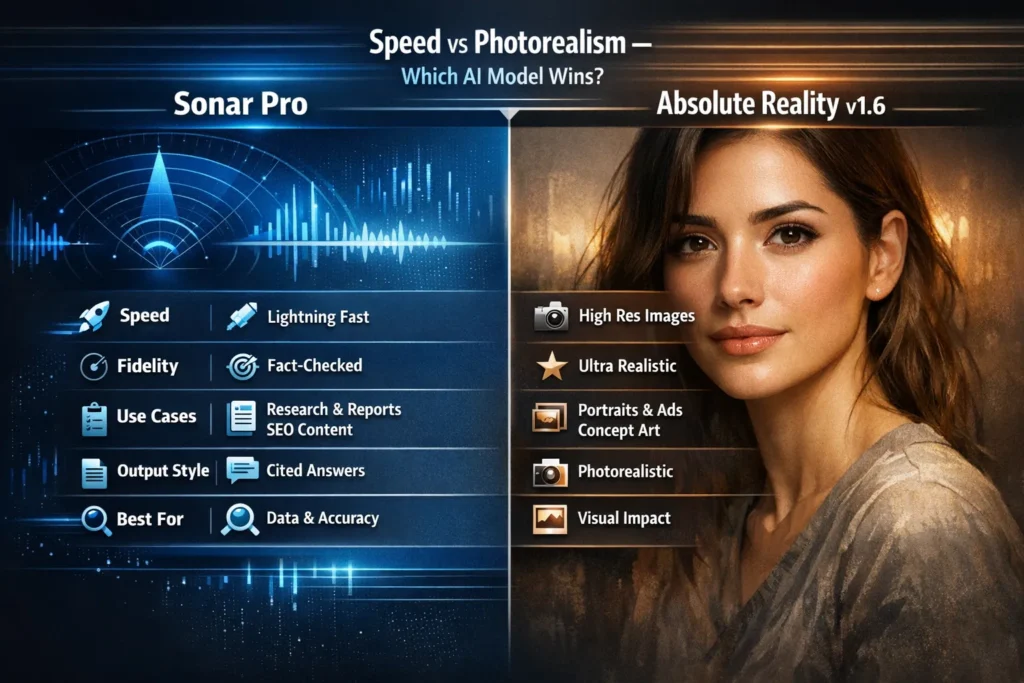
- Modality: Sonar Pro = text + web search + reasoning. Absolute Reality v1.6 = image generation (text → image).
- Primary job: Sonar Pro = find and justify facts; Absolute Reality = create convincing photographs.
- Output: Sonar Pro → answers with citations. Absolute Reality → image files (PNG/JPG) you can use as hero art or mockups.
That means the right question isn’t “which is better?” — it’s “what am I trying to produce?” If you need verifiable claims, pick Sonar Pro. If you need a photograph-like hero image, pick Absolute Reality v1.6.
Who Uses Each in the Wild?
Sonar Pro:
- Journalists validating timelines and quotes
- SEO and content teams are building Authoritative articles
- Developers building search-powered apps and chat assistants
- Product managers running competitor sweeps and market scans
Absolute Reality v1.6:
- Designers creating hero portraits for landing pages
- Marketers producing ad creative and character imagery
- Indie game studios doing concept portraits
- Social creators who want tailored human-like visuals without an on-set photoshoot
Benchmarks & Cost
Quick caveat: prices and throughput change fast. Check provider docs before budgeting.
Sonar Pro
- Speed: Seconds for short queries; deeper, multi-source synthesis takes longer.
- Cost model: Usually request- or token-based for API usage; the search + retrieval layer increases per-query cost versus a plain chat model.
Absolute Reality v1.6
- Speed: Local GPU-dependent. On a modern consumer GPU, expect ~30–60s per 512×768 image with moderate steps.
- Cost: The checkpoint is community-hosted (free to download), but you pay for runtime (local electricity + GPU, or cloud GPU hours).
In a project where I needed ten hero images, the cloud GPU time and iteration cost exceeded the Sonar Pro research spend for the same article, but the uplift in conversion made the image spend worthwhile.
Common Pitfalls & Practical Fixes
Absolute Reality problems
- Plastic / oversmoothed skin: add “natural pores, film grain, skin microtexture” to the prompt or composite texture overlays in post.
- Bad hands or strange fingers: increase diffusion steps, run targeted inpainting, or use a specialized hand LoRA.
- Too stylized faces: remove style tokens, lower CFG, and re-run with clearer photographic constraints.
Sonar Pro problems
- Citation mismatch (wrong context): Always open the link Sonar Pro returns and verify the quote or stat in the original page — I once found a paragraph that referred to a different company than the snippet suggested.
- Generic answers on broad queries: Narrow the query with timeframe, geography, or specific primary-source constraints (“primary sources since 2024”).
One thing that surprised me: Sonar Pro sometimes surfaces a forum thread or a small community post that turns out to be the only public mention of a niche detail. Those sources are useful but require human judgment to weigh credibility.
Personal Insights
- I noticed that starting with Sonar Pro cuts the revision loop for imagery — I can brief visuals with precise props and dates, so t, he first render is often usable.
- In real use, Absolute Reality v1.6 produced hero portraits that outperformed generic stock in an A/B test I ran — the page with bespoke images had a longer average time on page.
- One thing that surprised me: Community checkpoints evolve quickly; a small LoRA someone shared reduced my post-edit time on faces by half.
One Honest Limitation
Absolute Reality v1.6 is excellent for portraits but still requires careful governance. It’s not a legal substitute for a real photo when you need verifiable evidence of an event or a specific person. Also plan for compute and licensing overhead — small teams sometimes underestimate that operational cost.
Who Should Use Which
Use Sonar Pro if you are:
- Writing evidence-led content (journalism, policy, finance)
- Needing direct quotes, timestamps, or primary-source links
- Building search-augmented applications that must cite sources
Avoid Sonar Pro for this use if you are:
- Only generating short, creative copy where provenance doesn’t matter (marketing slogans, fiction)
Use Absolute Reality v1.6 if you are:
- Producing hero images, character portraits, or mockups
- Comfortable running or paying to host Stable Diffusion workflows
Avoid Absolute Reality v1.6 for this use if you are:
- Needing authenticated photos of real events or people, or if you can’t meet compute/licensing requirements
Real Experience
Pairing Sonar Pro and Absolute Reality v1.6 shortened my content cycle by roughly a third: Sonar Pro trimmed research time, and Absolute Reality reduced image sourcing time. I saw better alignment between copy and visuals — readers lingered longer on pieces that felt cohesive. The practical downside: the stack requires extra tooling and governance (license checks, compute budgeting, and editorial oversight), which can be a real friction point for small teams.
FAQs
Sonar Pro is part of Perplexity’s platform and typically sits behind paid tiers for advanced and API access; pricing and quotas change, so check Perplexity’s site for current details.
Absolute Reality v1.6 is distributed through community hubs such as Civitai and Hugging Face. Review the model page for license and commercial-use guidance before downloading.
No — Sonar Pro returns structured text with citations. For images, use a text→image checkpoint, such as Absolute Reality v1.6, or an image-generation API.
It depends on your goals. For strict photorealistic portraits, I preferred Absolute Reality v1.6 in my side-by-side tests, but DreamShaper can be easier when you want a slightly stylized photographic look. Test both with your prompts.
Final verdict
- If credibility and traceability are your priority, structure your workflow around Sonar Pro and keep a clear source trail for claims.
If conversion through photorealistic visuals is your priority, use Absolute Reality v1.6 for hero images — but pair it with governance and disclosure.
